Top 15 AI Video Editing Apps Like Descript – Best Descript Alternatives in 2026


13 February, 2026
When Descript first introduced the idea of “editing video by editing text,” it felt innovative and exciting. The feature changed how many creators approached audio and video editing.
But over time, that excitement can fade. Frequent updates may interrupt workflows. Unexpected bugs can slow down projects. What once felt simple and smooth may now feel heavy or complicated for some users.
While artificial intelligence development services continue to make editing tools smarter, many creators simply want platforms that work without friction.
If you’ve experienced this frustration, you’re not alone. After spending hours managing podcast edits and support videos, I decided to explore other options in the market. I tested the most popular alternatives to see how they compare in terms of performance, ease of use, stability, and value.
In this guide, you’ll find a clear and honest overview of the 15 best Descript alternatives for 2026. This will help you confidently choose a tool that fits your needs and allows you to focus on what truly matters—creating great content.
What Is Text-Based Video Editing?
Before exploring different tools, it’s helpful to understand why text-based editing has become so popular.
Text-based video editing works by automatically converting your audio or video into a written transcript. The software uses AI to turn spoken words into text. Once the transcript is ready, you can edit your media by simply editing the text.
For example, instead of manually searching through a long timeline to find a mistake, you can read the transcript like a document. If you see a filler word like “um” or a sentence that doesn’t sound right, you just delete that text. The tool automatically removes the matching audio and video section.
This method feels more natural because it works like editing a Word document. It saves time and reduces the stress of precise timeline cutting.
Text-based editing is especially useful for content with lots of speech, such as interviews, online courses, tutorials, webinars, and podcasts. It makes the editing process faster, simpler, and more beginner-friendly.
Our team will build the complete solution while you grow your brand.
Want to launch your own AI video editing platform?
Start Your Project
Why Are Users Searching for Alternatives to Descript?
Descript still offers powerful features like Overdub and Studio Sound. These tools are useful for improving audio quality and fixing voice mistakes. However, many users feel the experience is not as smooth as it used to be.
After reviewing user feedback and online discussions, three main reasons stand out:
1. Frequent Bugs and Stability Issues
One of the most common complaints is about software bugs. Regular updates sometimes introduce new technical problems. For creators working with deadlines, dealing with crashes, glitches, or slow performance can be very frustrating. Instead of focusing on content creation, users end up troubleshooting the software.
2. Increasing Complexity
Descript originally became popular because it was simple and easy to use. Over time, more features were added. While additional tools can be helpful, they have also made the interface feel crowded. Some users only want the core text-based editing feature without extra options that complicate the workflow.
3. Tries to Serve Everyone
Descript aims to be an all-in-one solution for podcasters, video editors, marketers, and support teams. However, trying to meet the needs of every type of user can reduce specialization.
- Podcasters may want stronger recording and audio tools.
- Support teams may need faster documentation workflows.
- Professional editors may require more detailed timeline control.
In many cases, a specialized tool designed for a specific purpose can offer better performance and efficiency.
Because of these reasons, many creators are now exploring alternatives that provide stability, simplicity, and features tailored to their exact needs.
List of 15 Best Descript Alternatives in 2026
Now it’s time to dive into the options. Below, you’ll find a clear look at each tool—what works well, what could be better, and the type of user who will benefit the most from it.
This guide will help you quickly see which alternative fits your workflow, whether you’re creating podcasts, tutorials, interviews, or professional video content.
1. Riverside.fm
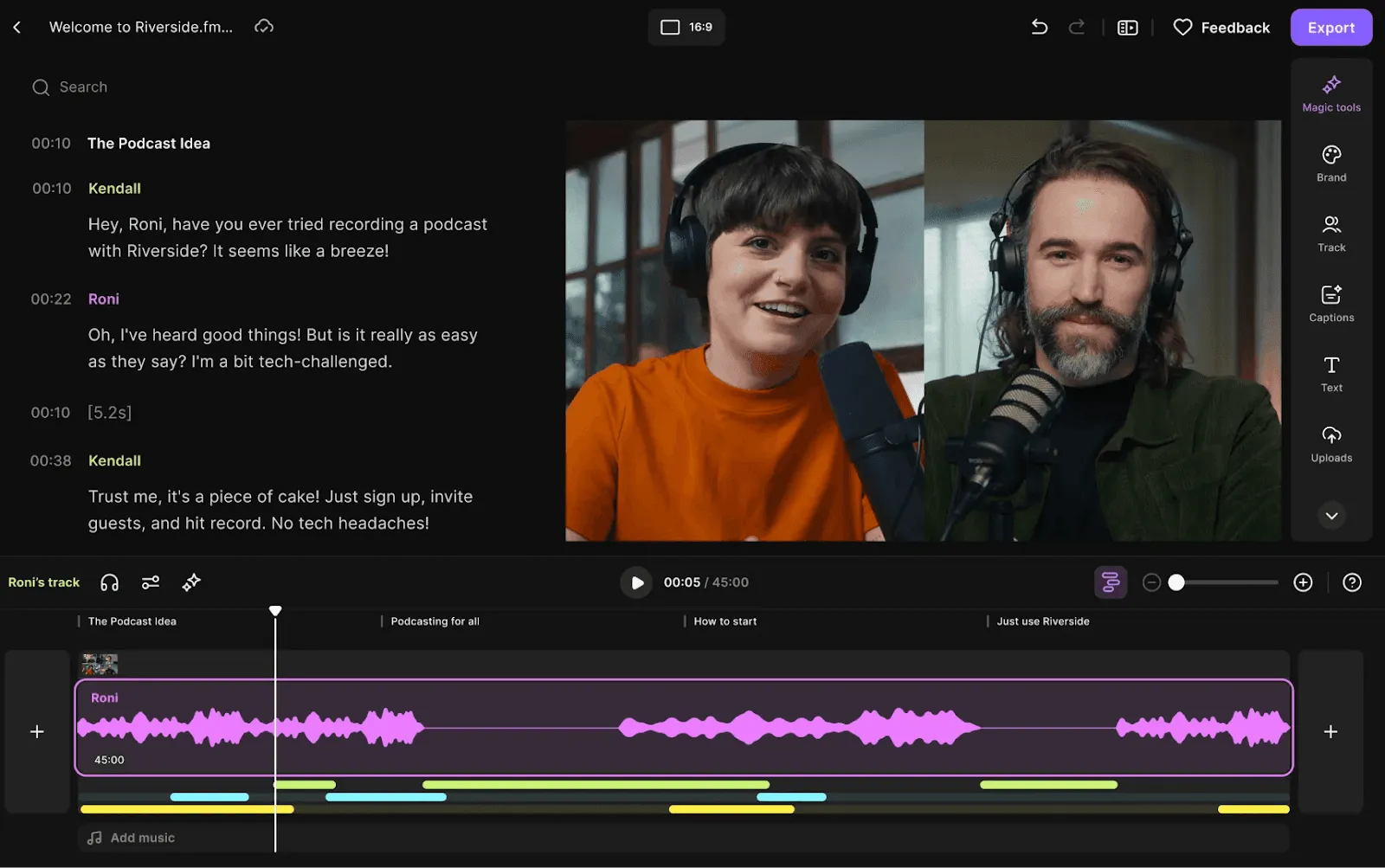
Riverside.fm started as a platform for remote audio and video recording and quickly became popular among creators who value high-quality recordings. The platform records each participant’s audio and video locally on their own device, so even a weak internet connection won’t ruin your session.
Recently, Riverside added a text-based editing feature, making it a strong alternative to Descript. You can now record, edit, and create short clips for social media—all in one platform. The editing interface is intuitive, and switching between speaker and gallery views in your final video is simple and smooth.
Key Features
- Local audio/video recording to prevent lag
- Text-based editing for recorded content
- High-quality recordings up to 4K
- Built-in clipping tool for social media content
- Switch between speaker and gallery views
Pros & Cons
| Pros | Cons |
| High-quality recordings, up to 4K video | Editing features are less polished than Descript |
| Local recordings prevent internet lag from affecting interviews | Designed mainly for recording, so editing existing files is limited |
| Built-in clipping tool makes social media content creation easy |
Pricing
Riverside offers multiple plans. The free plan gives one 2-hour recording session with separate tracks. The Pro plan costs $24/month and includes 15 hours of recording per month with 4K video quality.
2. Reduct.video
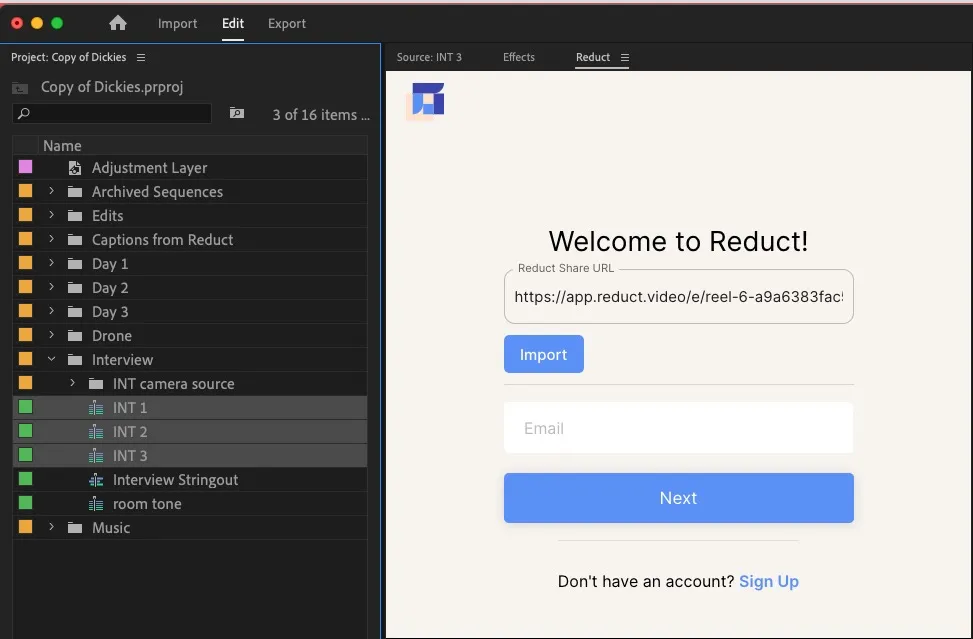
Reduct.video is ideal for anyone who works with large amounts of recorded content, such as user research calls, interviews, or legal depositions. It focuses less on creative video editing and more on making video libraries fully searchable.
The platform automatically transcribes uploaded videos with high accuracy. You can then highlight important quotes across multiple videos and combine them into a single highlight reel. Team collaboration is seamless, with options to tag and comment on transcripts, helping everyone quickly find the best soundbites.
Key Features
- Transcription of large video libraries
- Highlight and compile key quotes across multiple videos
- Collaboration tools for tagging and commenting
- Accurate AI transcription
- Export highlights or compiled clips
Pros & Cons
| Pros | Cons |
| Excellent for organizing and searching large video archives | Not designed for creative or stylistic editing (music, B-roll, effects) |
| Team collaboration tools are intuitive and effective | Pricing is high if you only need basic editing |
| Transcription accuracy is often higher than Descript |
Pricing
Reduct.video charges per editor. The Personal plan costs $12/month and includes 120 transcription hours per year. The Professional plan is $40/month, offering 300 transcription hours and additional features like video redaction.
3. Alitu
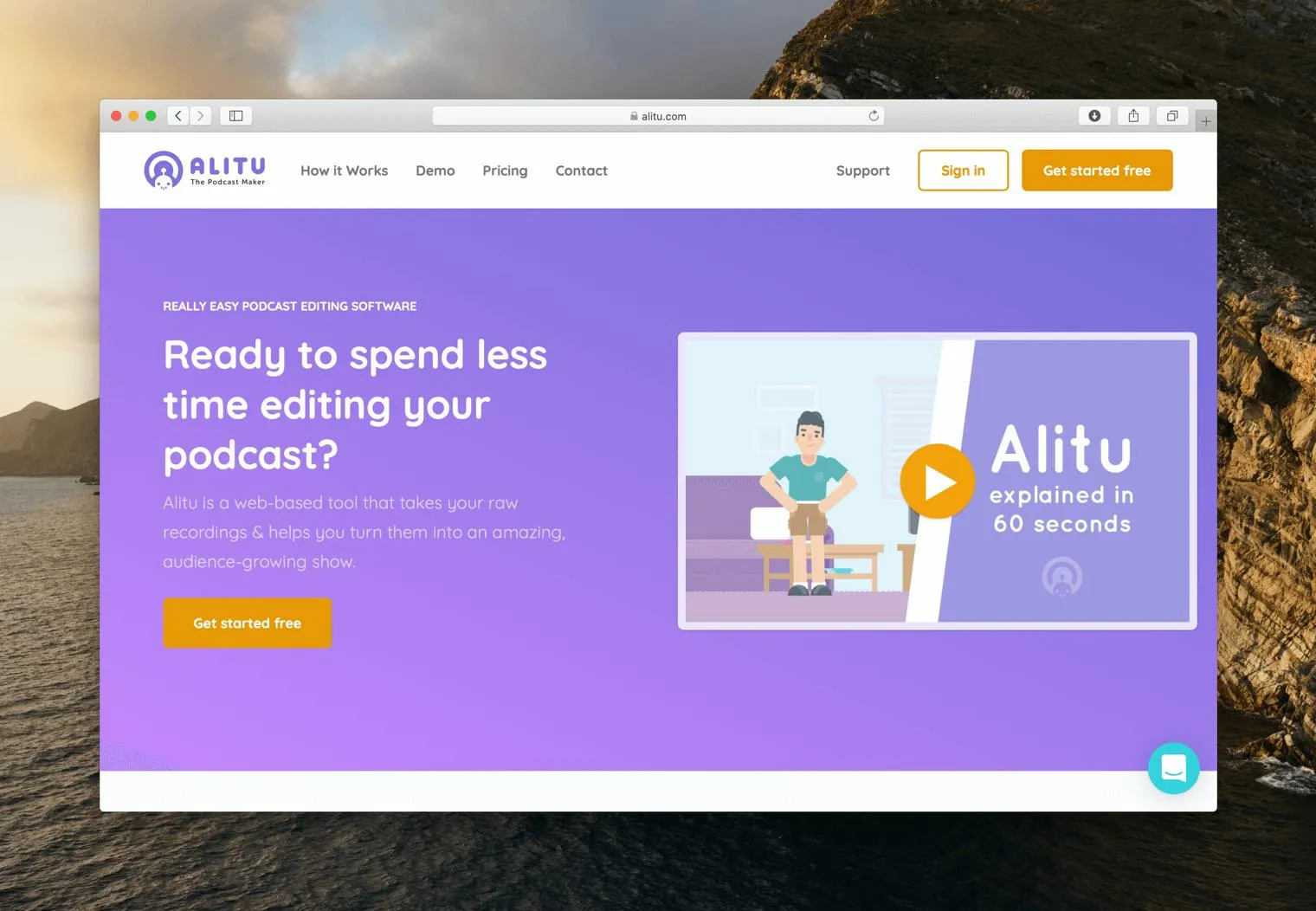
Alitu is built specifically for podcasters who want a simple, all-in-one solution. It helps with recording, editing, and even hosting your podcast episodes. The platform automatically cleans up audio by reducing background noise and leveling volume, so your episodes sound polished without complicated settings.
Its text-based editor is simple and easy to use. Mistakes can be removed directly from the transcript, and everything integrates into an Episode Builder, where you can drag and drop intros, ads, and segments into place. It’s ideal for podcasters looking for efficiency and simplicity in one platform.
Key Features
- All-in-one podcast recording, editing, and hosting
- Automatic audio cleanup (noise reduction, volume leveling)
- Text-based transcript editing
- Episode Builder to arrange intros, ads, and segments
- Simple, beginner-friendly interface
Pros & Cons
| Pros | Cons |
| Includes podcast hosting, which most other tools don’t | No advanced multitrack editing features |
| Automatic audio cleanup saves time | No video editing capabilities |
| Simple, intuitive interface that’s easy to learn |
Pricing
Alitu offers a single plan at $38/month, or $32/month if billed annually. This includes unlimited recording, editing, and hosting.
Also Read: Cost to Create an AI Video Editor App Like Descript
4. DaVinci Resolve
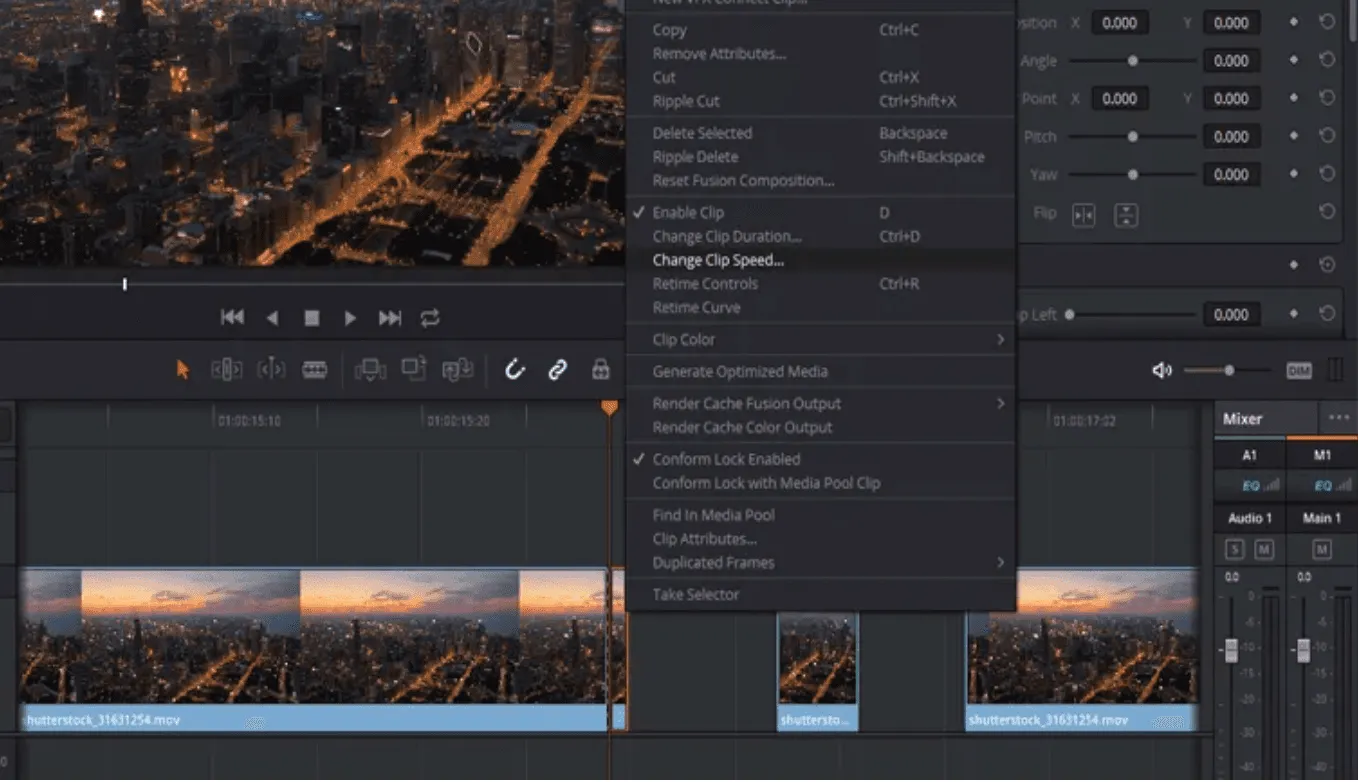
DaVinci Resolve is a professional-grade video editing suite used in Hollywood for films and high-end productions. It’s known for its world-class color grading, audio tools, and precise timeline editing. Recently, it added AI-powered text-based editing, allowing you to generate transcripts and quickly locate clips to add to your timeline.
This combination makes it perfect for professional editors who want the speed of text-based search but the control of a full non-linear editor (NLE). Plus, the standard version is completely free, making it one of the most powerful options available at no cost.
Key Features
- Professional timeline-based editing
- Text-based clip search and editing
- Advanced color grading and audio tools
- Multicam support
- Free standard version with professional-grade features
- AI-assisted editing features in Studio version
Pros & Cons
| Pros | Cons |
| Extremely powerful professional suite with advanced features | Steep learning curve for beginners |
| Free version is more capable than many paid editors | Requires a strong computer to run smoothly |
| Combines text-based search with timeline precision |
Pricing
The standard version is free and sufficient for most users. The Studio version, which adds advanced AI tools and support for resolutions above 4K, is a one-time payment of $295.
5. VEED.io
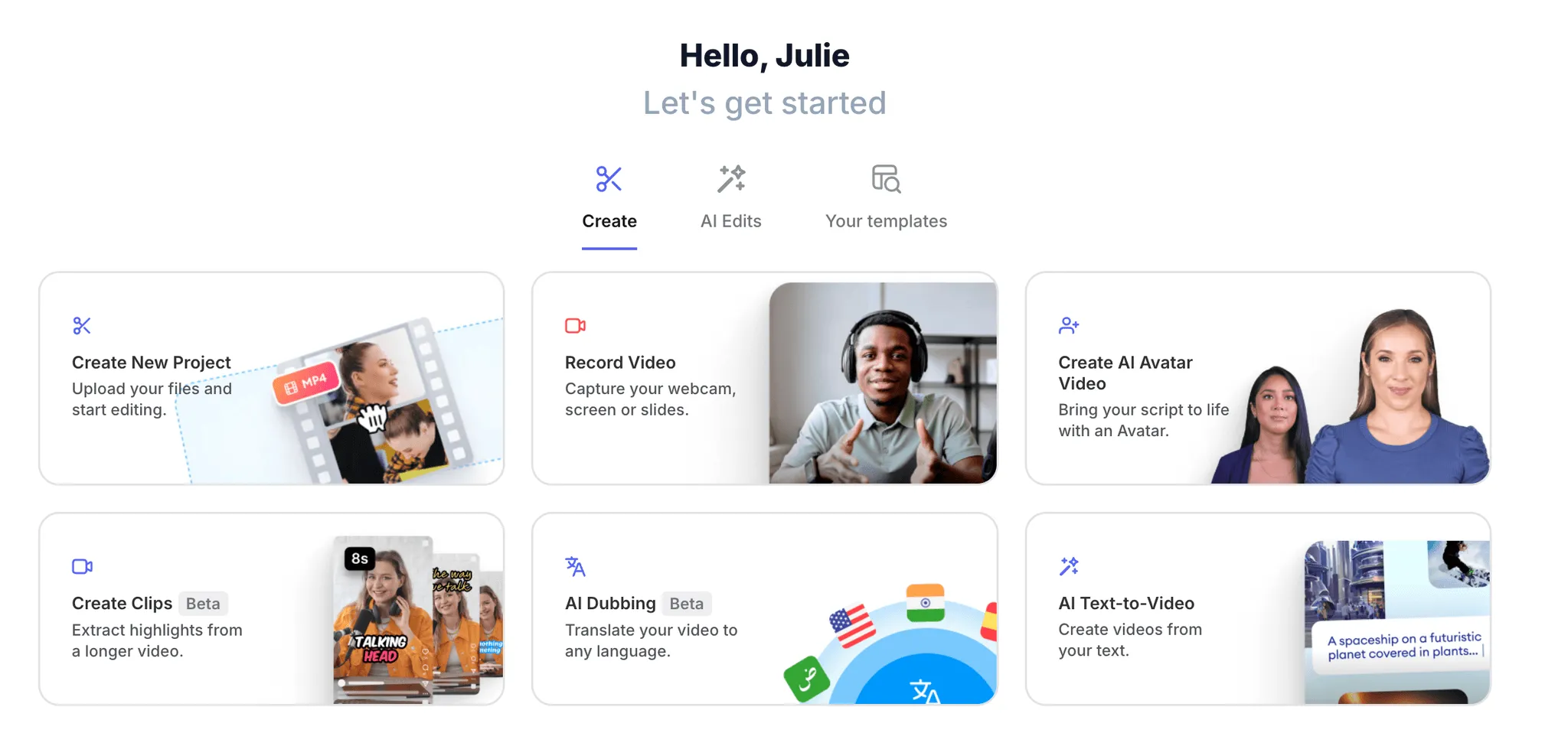
VEED.io is a browser-based video editor built for speed, making it ideal for marketers, social media managers, and content creators who need quick results. It offers templates, stock footage, auto-subtitling, and progress bars—perfect for platforms like Instagram, TikTok, or YouTube Shorts.
Text-based editing is available but not the main focus. VEED’s strength lies in turning raw clips into polished, branded videos in minutes, with captions, effects, and custom colors.
Key Features
- Browser-based video editor
- Social media templates, stock footage, captions
- Auto-subtitling and progress bars
- Quick branding and effects for short videos
- Fully online, no software download required
Pros & Cons
| Pros | Cons |
| Huge library of templates and tools tailored for social media | Not ideal for long-form content like full podcasts |
| Fully online—no software download required | Free version adds a watermark |
| Very easy for beginners and non-editors to use |
Pricing
VEED.io offers multiple plans. The Lite plan costs $12/month and removes the watermark. The Pro plan is $29/month and adds advanced AI features like audio cleanup and eye contact correction.
We develop scalable and reliable AI tools tailored to your goals.
Planning to create a text-based video editor like Descript?
Talk to Our Experts
6. Audapolis
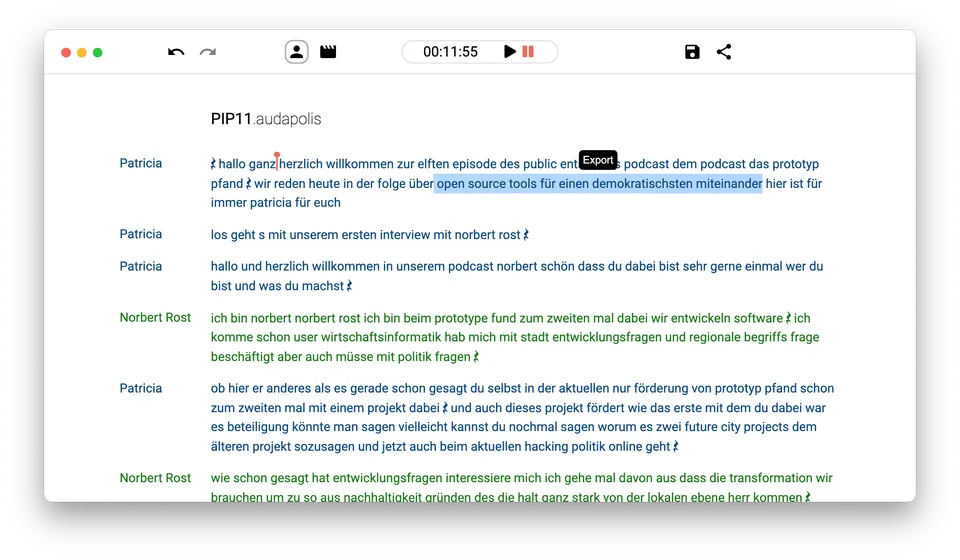
Audapolis is an open-source audio editor designed for people who prefer privacy and hate subscription fees. It focuses on spoken-word editing and allows you to work directly from a transcript.
While it doesn’t have all the advanced AI features of paid platforms, its core functionality is strong. You get an accurate transcript synced with your audio, and you can edit the audio simply by editing the text. Because everything runs locally on your computer, your data stays private.
Key Features
- Open-source, local audio processing for privacy
- Edit audio via transcript
- Accurate transcript synced with audio
- Simple, clean, distraction-free interface
- Completely free
Pros & Cons
| Pros | Cons |
| Completely free, with no subscription required | Lacks advanced features like automatic filler word removal |
| Privacy-friendly, all processing happens locally | Smaller community and support since it’s a newer project |
| Simple, clean interface |
Pricing
Audapolis is completely free.
7. Otter.ai
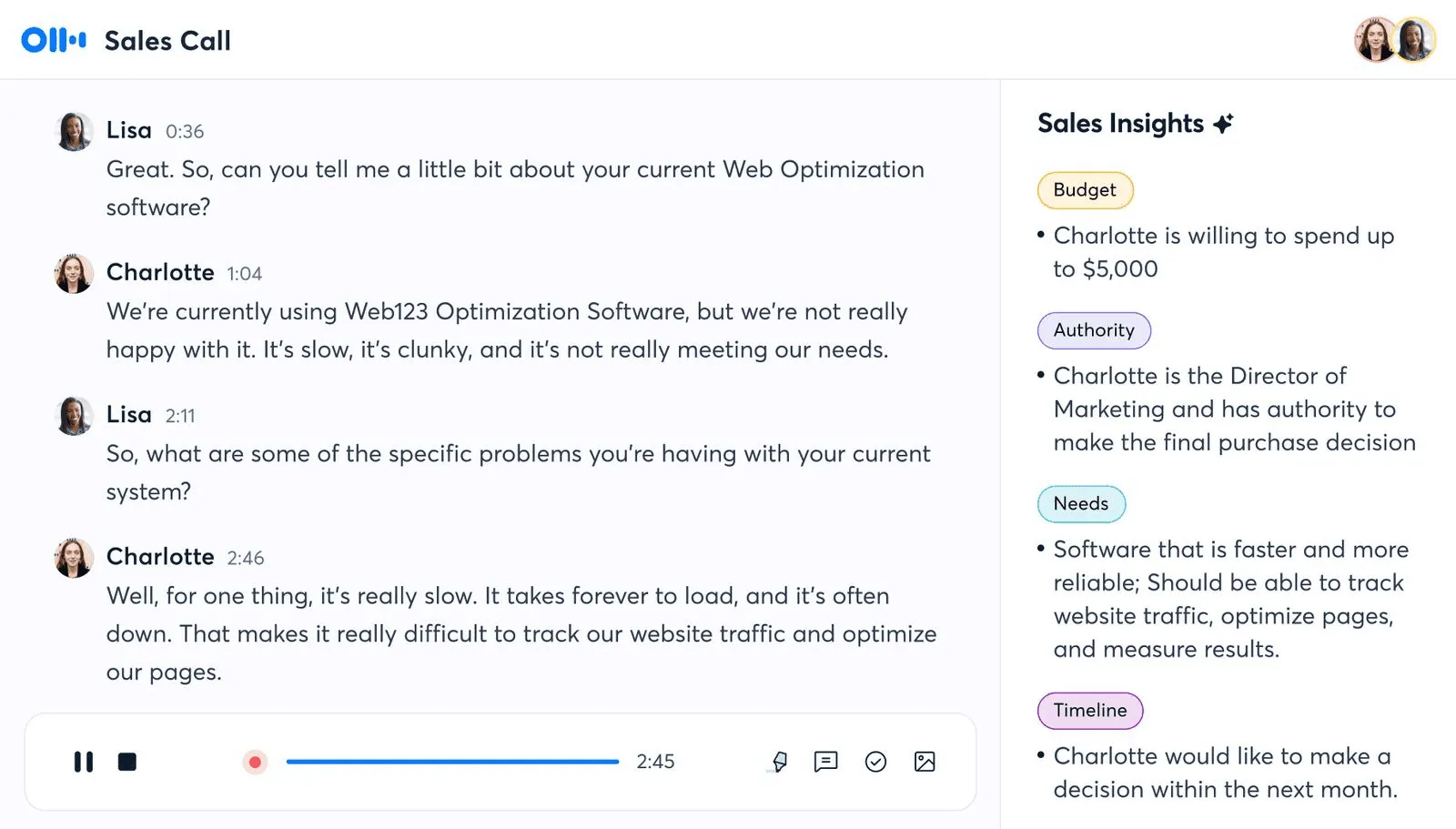
Otter.ai is an AI-powered tool designed for real-time transcription. It helps users edit, organize, and share transcripts quickly, making it ideal for business meetings, research, and interviews. Unlike Descript, Otter.ai focuses on transcription and text management rather than detailed audio or video editing.
Key Features
- Real-time transcription
- Text editing and highlighting of transcripts
- Live captions for Zoom and Google Meet
- Integration with Salesforce, HubSpot, and SharePoint
- Meeting summaries and notes sharing
- Playback speed adjustment
Pros & Cons
| Pros | Cons |
| Generates 30-second summaries of long meetings | A bot joins meetings automatically |
| Listen to recordings at 1.5x or 2x speed, or read transcripts | Can struggle to highlight key takeaways accurately |
| Easy to use with no technical expertise required | |
| Integrates with Zoom, Google Meet, Salesforce, HubSpot, and SharePoint |
Pricing
- Basic (Free): 300 monthly transcription minutes, 30-minute limit per conversation, and 3 imported audio/video files per lifetime use.
- Pro ($16.99/user/month): 1200 monthly transcription minutes, 90-minute limit per conversation.
- Business ($30/user/month): 6000 monthly transcription minutes, 4-hour limit per conversation.
- Enterprise: Custom pricing for company-wide deployment with advanced security and compliance features.
8. Speak
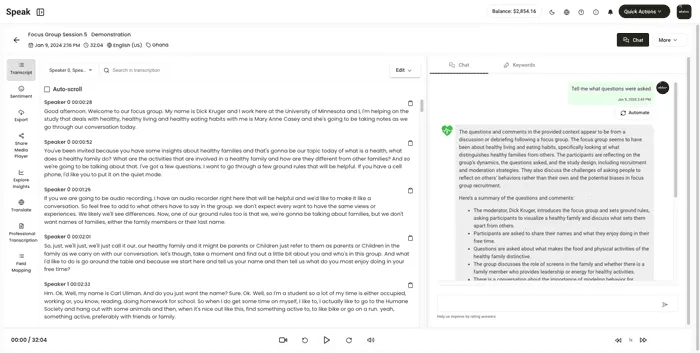
Speak is a speech recognition and natural language processing tool that automatically transcribes and analyzes audio, video, and text. It can identify key phrases, topics, and sentiment, providing actionable insights from your content. Unlike Descript, which focuses on audio/video editing and overdubbing, Speak is built for transcription, data analysis, and meeting intelligence.
Key Features
- AI transcription with sentiment analysis
- Extracts key phrases, topics, and insights
- Powerful in-app search for content
- Supports 100+ languages
- Export in multiple formats
- Integration with Zoom, Teams, Google Meet, Webex
Pros & Cons
| Pros | Cons |
| Supports over 100 languages for transcription and translation | A bot joins meetings automatically |
| Powerful in-app search to quickly find key information | Limited features for media editing |
| Multiple export formats available |
Pricing
- Individual ($15/month): 10 hours of transcription per month with unlimited storage.
- Teams ($54/month): 25 hours per month, 3 team members, and custom vocabulary options.
- Custom: Unlimited hours or users, plus unlimited storage; pricing varies based on features selected.
9. Trint
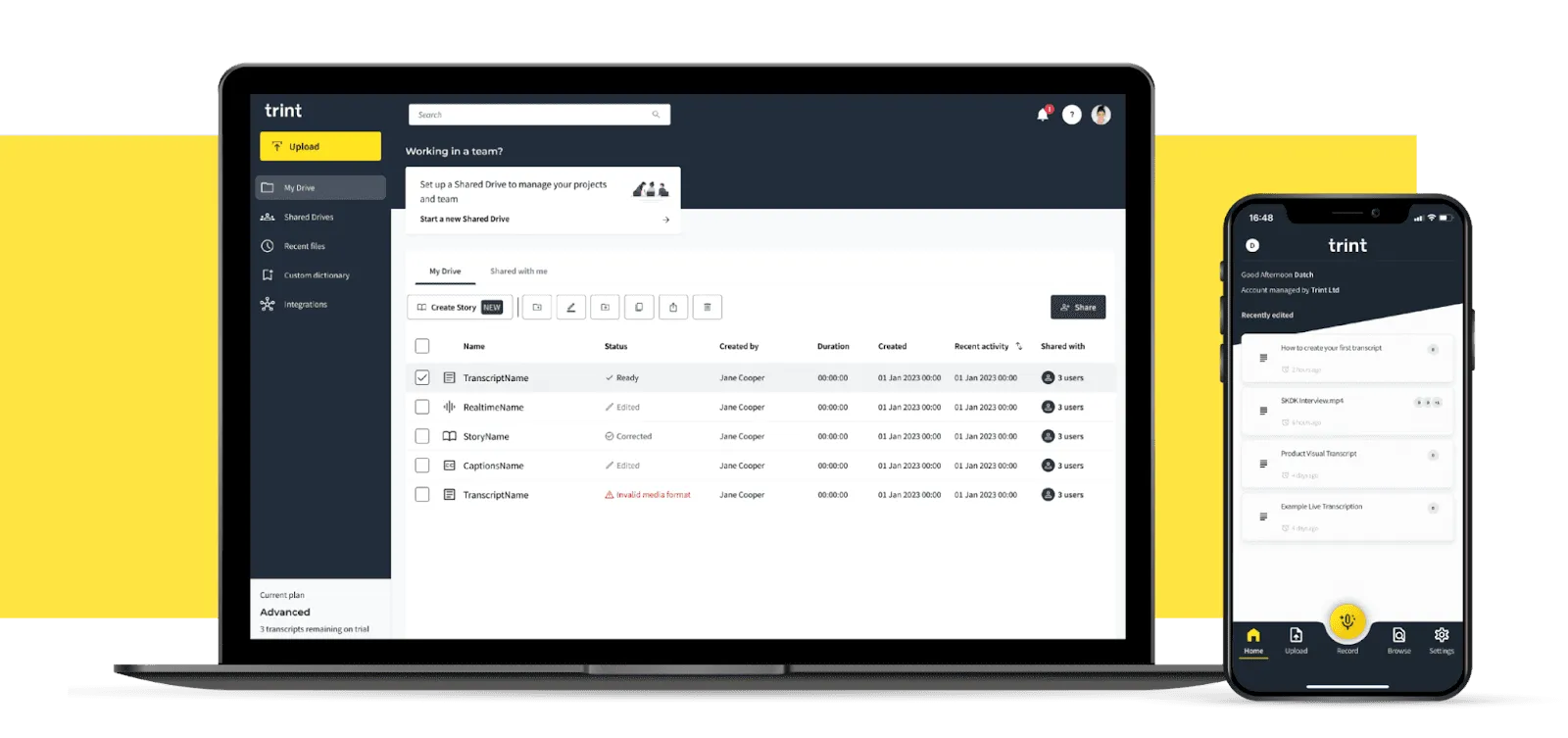
Trint is an AI-powered transcription tool that quickly converts spoken words into editable, searchable text. It also offers instant translation of transcripts, making it easier to share content with a global audience. Unlike Descript, Trint focuses mainly on refining and managing transcripts rather than directly editing audio or video by modifying the text.
Key Features
- Automated transcription and searchable text
- Real-time collaboration with highlights and comments
- Audio/video playback synced with transcript
- AI Summarizer for quick content overview
- Speaker identification and caption/subtitle creation
- Integration with Adobe Premiere Pro and Slack
Pros & Cons
| Pros | Cons |
| Play back audio/video while following along with the transcript to ensure accuracy | More expensive than many other transcription tools |
| Highlight key moments, tag teammates, and share timecodes easily | Translation is only available on higher-tier plans |
| Integrates with tools like Adobe Premiere Pro and Slack | |
| Real-time collaboration with comments and highlights |
Pricing
- Starter 2024 ($52/month per seat): Upload up to 7 files per month, create subtitles/closed captions, and identify speakers automatically.
- Advanced 2024 ($60/month per seat): Includes everything in Starter plus unlimited transcription and a custom dictionary.
- Enterprise: Custom pricing for large teams and advanced features.
10. Capcut
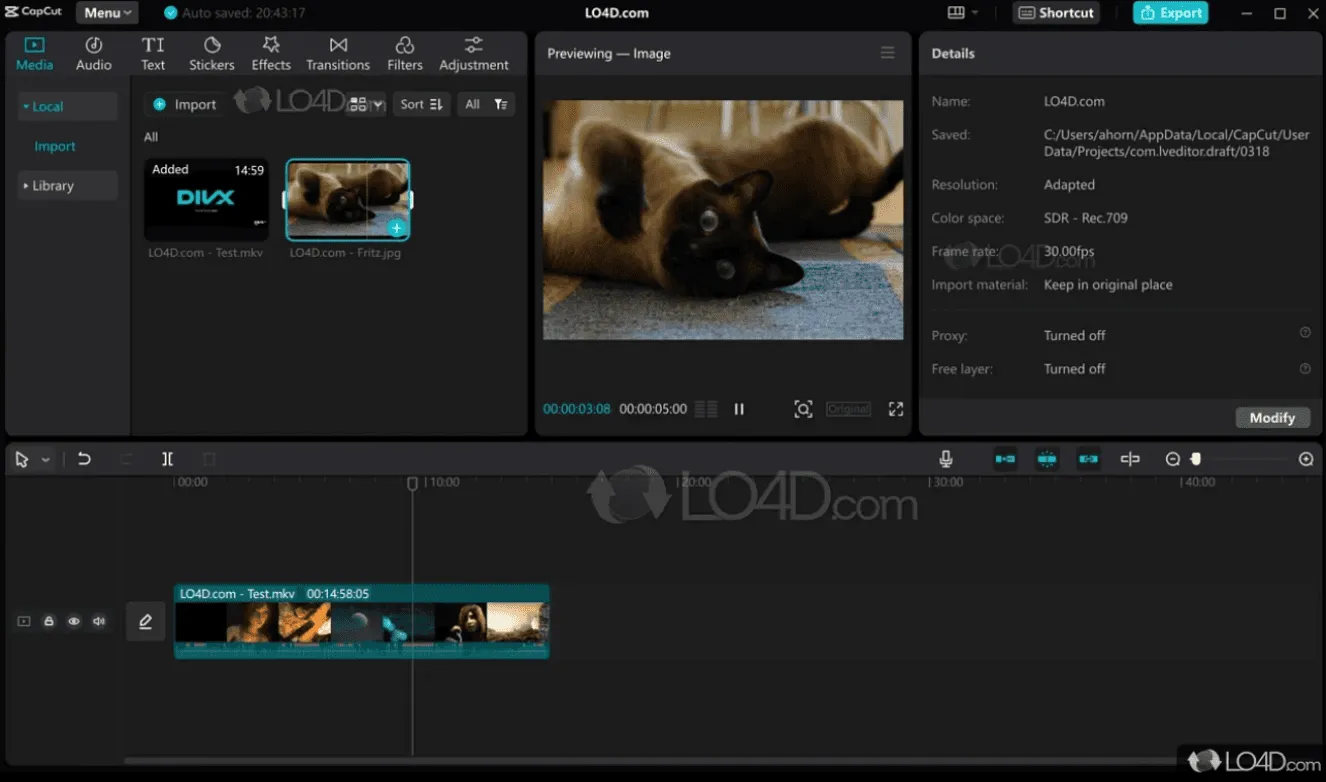
Capcut is a beginner-friendly video editing tool that also includes advanced AI features. It works seamlessly across both mobile and desktop, making it ideal for creators who produce content for TikTok, YouTube, or Instagram.
Like Descript, Capcut supports text-based video editing, but its timeline-based editing is very intuitive, allowing creators to fine-tune clips with ease. Switching between phone and desktop editing is smooth, which is a big plus for mobile-first creators. Developed by the team behind TikTok, Capcut is particularly strong for social media video production.
Key Features
- Text-based and timeline-based video editing
- Cross-device editing (mobile & desktop)
- AI-powered effects and filters
- Social media templates for TikTok, Instagram, YouTube
- Easy export and sharing
Pros & Cons
| Pros | Cons |
| Easy to switch between phone and desktop editing | Free trial is limited to 7 days |
| Supports both text-based and timeline editing | Advanced features may be limited for professional editors |
| Beginner-friendly interface | |
| Affordable paid plan at $9.99/month |
Pricing
- Free: 7-day trial
- Paid: $9.99 per month
Also Read: How Much Does It Cost to Create an AI Chatbot App Like Ask AI?
11. Rev
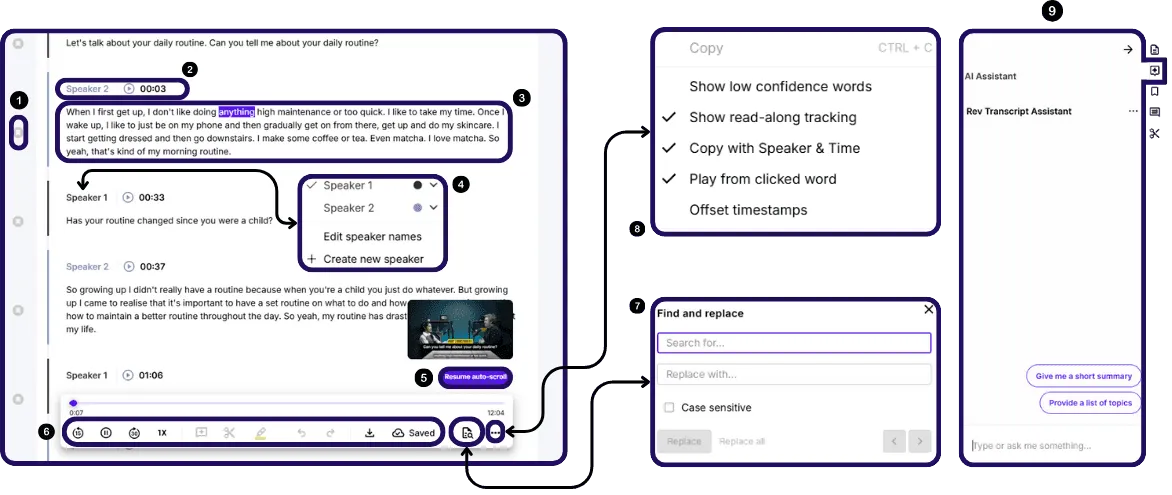
Rev provides transcription, captions, and subtitles for both audio and video content. It offers AI-generated transcripts as well as highly accurate human transcription, making it a strong choice for projects where precision matters. Unlike Descript, which only offers AI-based transcription, Rev gives you the option of human-edited transcripts for critical work.
Key Features
- AI and human transcription services
- Captions and subtitles for audio/video
- Interactive transcript editor (edit timing, speaker names, text)
- Mobile app for recording and transcription on the go
- Custom glossaries and AI-assisted summaries
- Version control for edits
Pros & Cons
| Pros | Cons |
| Option to pay per transcript for small projects | Meeting bot joins discussions, which can be intrusive |
| AI and human transcription for high accuracy | Requires an internet connection; doesn’t work offline |
| Edit transcripts, adjust timing, and modify speaker names easily | |
| Mobile app allows recording and transcription on the go | |
| Customizable glossaries and AI-assisted summaries |
Pricing
- Free: 45 AI transcription minutes per month with custom glossary terms.
- Basic ($14.99/month per user): 1,200 AI transcription minutes per month, 90-minute limit per conversation.
- Pro ($34.99/month per user): 6,000 AI transcription and caption minutes per month, plus interactive caption editor.
- Enterprise: Custom pricing for unlimited transcription and captions with advanced features.
12. Adobe Premiere Pro
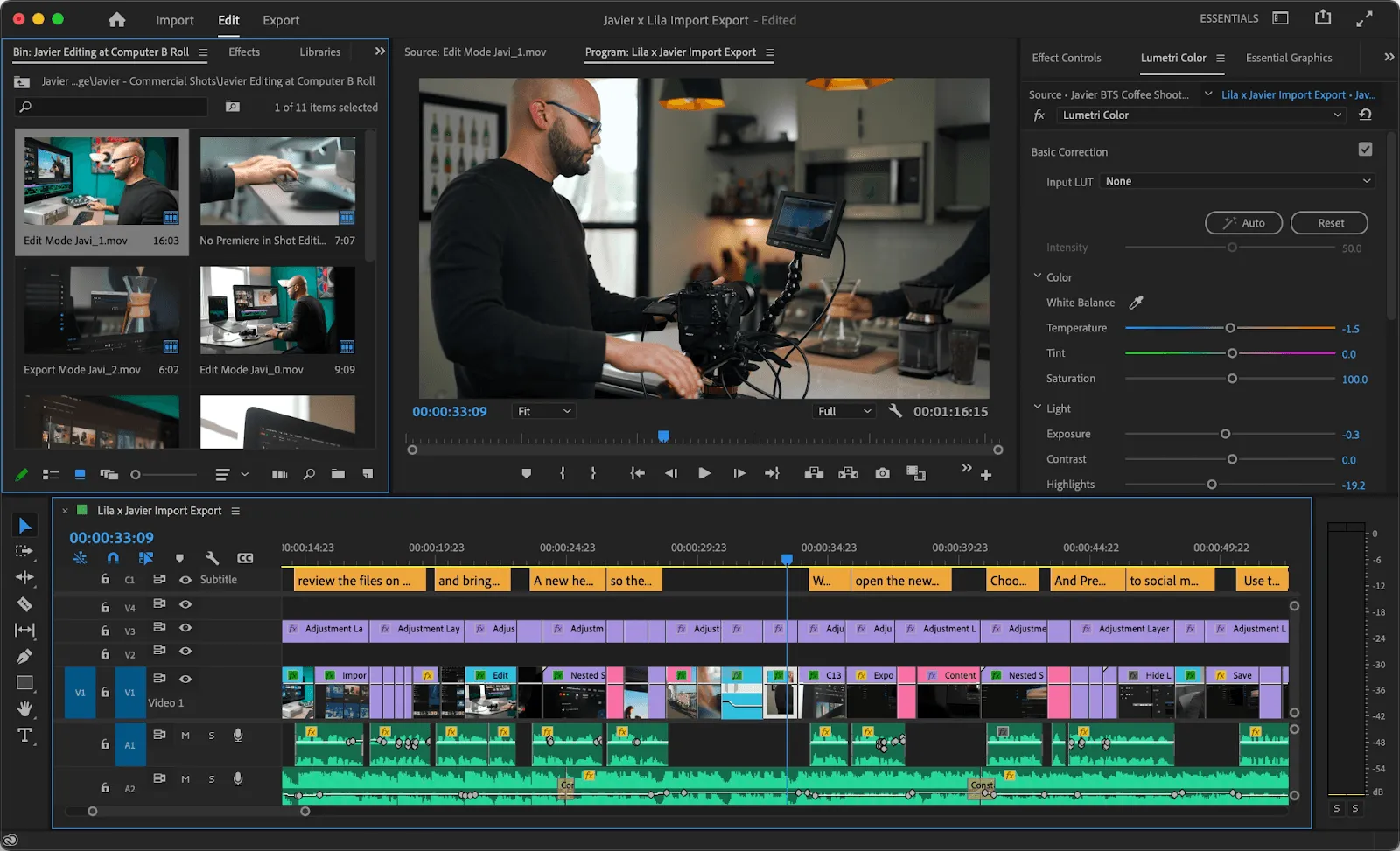
Adobe Premiere Pro is a professional-grade video editor designed for complex projects. While Descript works well for quick edits, Premiere Pro provides full creative control, making it ideal for long-form videos, polished content, or projects that require advanced effects.
Key Features
- Professional timeline-based video editing
- Text-based editing
- Advanced trimming, transitions, and effects
- Caption and subtitle support
- Multicam editing
- Integration with Adobe After Effects and Audition
Pros & Cons
| Pros | Cons |
| Full creative control and advanced editing tools | Steep learning curve for beginners |
| Supports complex projects, long videos, and multicam setups | Subscription can be expensive for some users |
| Text-based editing and caption support included | Requires a powerful computer for smooth performance |
| Integration with other Adobe apps like After Effects and Audition |
Pricing
- Premiere Pro Single App: $29.99/month with 100GB of cloud storage
- Creative Cloud All Apps: $78.99/month for 20+ apps including Premiere Pro
- Students & Teachers: $25.99/month for the Single App plan
- Free trial: Available for new users
13. Notta
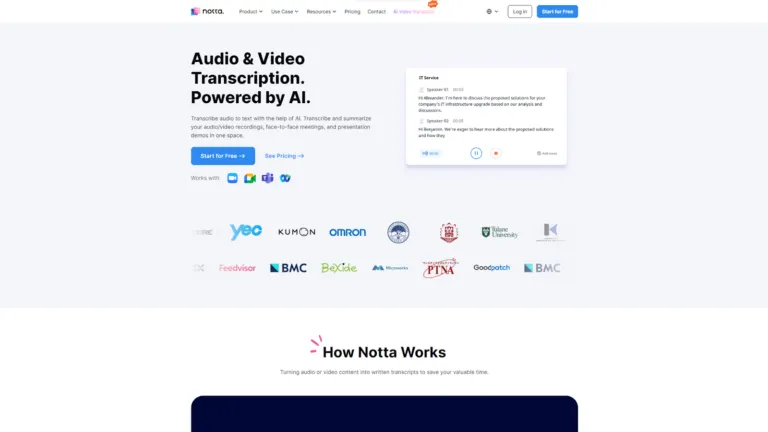
Notta is an AI-powered transcription tool designed for recording lectures, meetings, interviews, and conversations. It supports both live transcription and file uploads, making it versatile for real-time and pre-recorded content.
Key Features
- AI-Powered Transcripts: Converts live meetings and uploaded files into accurate transcripts using machine learning.
- Language Support: Works in over 104 languages, ideal for multilingual meetings.
- Concise Summaries: Generates summaries from transcripts for quick insights.
- Meeting Recording: Records online meetings alongside transcription.
- Compatibility: Apps for Android and iOS, Chrome extension, cloud syncing, and integration with productivity tools.
Pros & Cons
| Pros | Cons |
| Supports over 104 languages | Free plan limited to 120 transcription minutes/month |
| Generates concise AI-powered summaries | Advanced features require paid plans |
| Handles both live and uploaded recordings | |
| Compatible with mobile, web, and productivity tools | |
| Affordable paid plans for individuals and businesses |
Pricing
- Free: 120 minutes of transcription per month
- Pro: $13.99/month – 1,800 minutes
- Business: $59/month for two seats – 2,400 minutes
- Custom: Contact Notta for enterprise plans
Let us handle the technical development from concept to launch.
Have an idea for an AI-powered video editing app?
Get a Free Consultation
14. Maestra
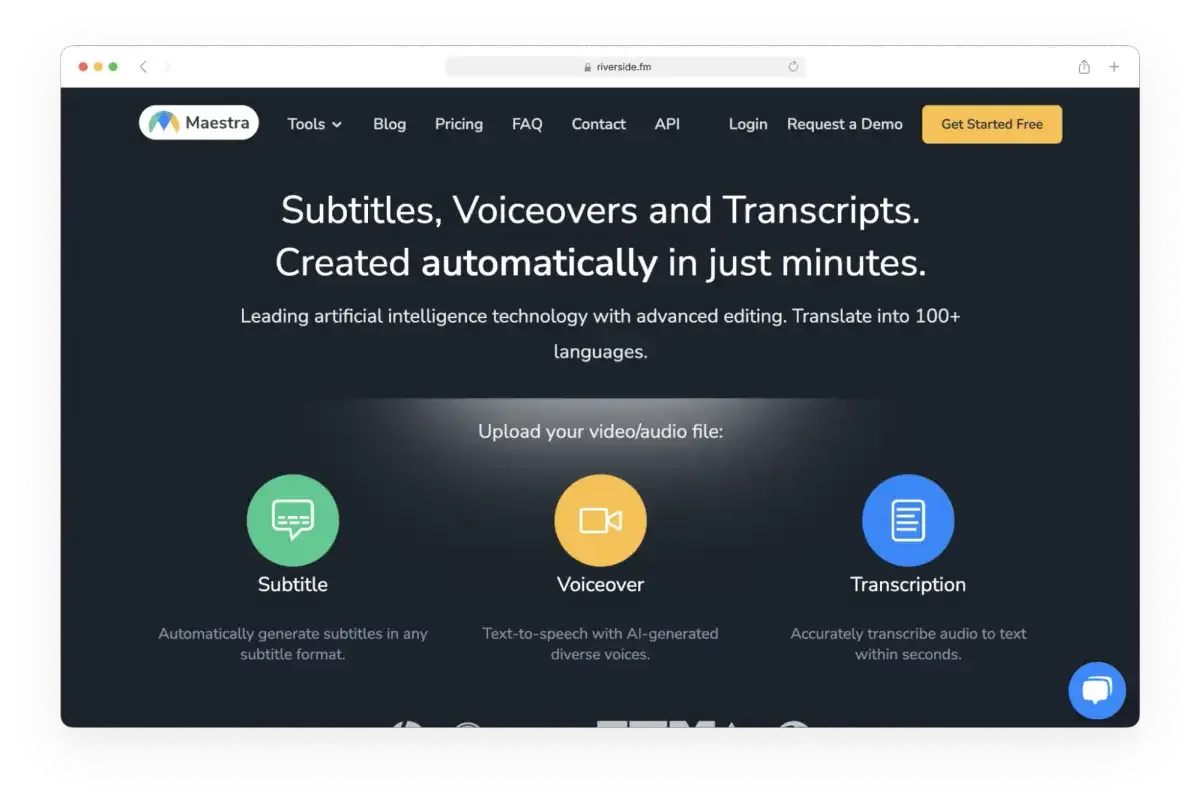
Maestra is an AI-powered tool for creating realistic voiceovers in multiple languages. It’s ideal for vloggers, podcasters, and documentary filmmakers who want to localize their content for global audiences. Unlike Descript, Maestra focuses on multilingual voiceovers rather than full audio editing or overdubbing.
Key Features
- AI-generated realistic voiceovers
- Multilingual translation of voiceovers with high accuracy
- Upload videos to automatically generate voiceovers in any language
- Supports localization for international audiences
- Pay-as-you-go or subscription-based options
Pros & Cons
| Pros | Cons |
| Supports multilingual voiceover creation | Does not have Descript-style overdub editing |
| Realistic AI voice cloning | Limited to voiceover functionality, not full audio/video editing |
| Quick localization for global content | |
| Flexible pricing with pay-as-you-go and subscription plans |
Pricing
- Pay-as-you-go: $10/hour
- Premium Plans:
- $54/month per user → 5 hrs translation
- $79/month per user → 10 hrs translation
- $158/month for 2 users → 20 hrs translation
- Custom: Build your own plan for more hours or users
15. eesel AI
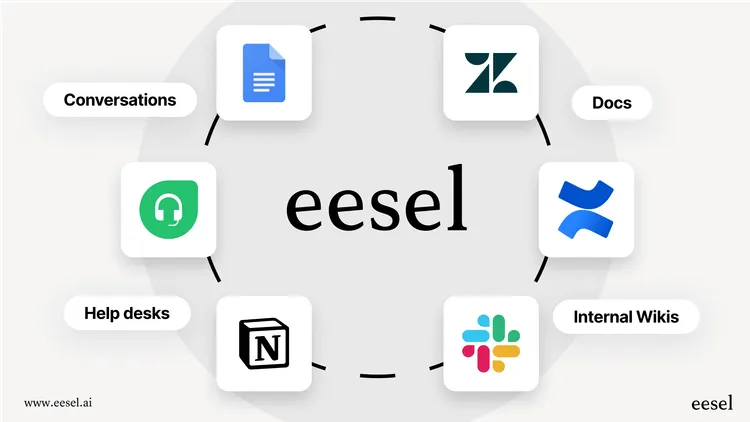
eesel AI is a knowledge automation tool that helps teams turn their existing documents, help centers, and support tickets into AI-powered assistants. Unlike Descript, which focuses on audio/video editing, eesel AI automates content delivery and internal knowledge management.
Key Features
- Connects to knowledge sources like Google Docs, Confluence, Zendesk, Freshdesk
- Launch AI agents in help desks to answer customer questions automatically
- Automates creation of help articles based on patterns in support tickets
- Provides internal AI assistants in Slack or Microsoft Teams
- Fast setup with one-click integrations
- Learns from multiple sources in minutes to unify company knowledge
Pros & Cons
| Pros | Cons |
| Automates knowledge delivery instead of manual editing | Not a video or audio editor |
| Integrates with multiple apps without complex migration | Focused on support/internal knowledge use cases |
| Quick setup and live deployment with help desk integrations | |
| AI assistant provides instant, accurate answers |
Pricing
- Team Plan: $239/month – suitable for internal Q&A
- Business Plan: $639/month – unlocks full AI Agent for customer-facing support
- Usage-based: Pricing scales with usage and number of agents
[Bonus Read: Top 15 Apps Like ChatGPT]
Top Descript Alternatives: Quick Comparison
Here’s a simple comparison of the best Descript alternatives, showing what each tool is best for, its standout feature, and the starting price:
| Tool | Best For | Standout Feature | Starting Price |
| Otter.ai | Business professionals & researchers | Real-time transcription with AI summaries | Free |
| Speak | Marketing & research teams | AI transcription with sentiment analysis and deep insights | $15/month |
| Trint | Journalists & content teams | Editable, searchable transcripts with collaboration tools | $52/month |
| Capcut | Social media creators & TikTok users | Easy timeline and mobile-to-desktop video editing | Free / $9.99/month |
| Rev | Legal teams & media professionals | Human and AI transcription for high accuracy | Free / $14.99/month |
| Adobe Premiere Pro | Professional video editors | Full-featured timeline editing with advanced effects | $29.99/month |
| Notta | Lectures, meetings & interviews | AI transcription with multi-language support (104+ languages) | Free / $13.99/month |
| Maestra | Multilingual content creators | AI voiceovers with translation into multiple languages | $10/hour or $54/month |
| eesel AI | Support teams & knowledge management | Automates content into AI assistants and help articles | $239/month |
This table makes it easier to see which alternative fits your needs, whether you want transcription, video editing, AI voiceovers, or knowledge automation.
How to Pick the Right Descript Alternative
Not sure which tool to choose? Don’t worry. The best option depends on what you actually need it to do.
- Podcasters who want high-quality recordings: Riverside.fm is your go-to.
- Researchers dealing with tons of video: Reduct.video makes organizing and searching footage easy.
- Beginners who want a simple podcast workflow: Alitu is perfect for hassle-free recording and editing.
- Professional editors needing full control: DaVinci Resolve offers advanced tools, and the free version is already very powerful.
- Creators making short social media videos: VEED.io helps you produce polished clips quickly.
- Teams wanting to automate support content: eesel AI can turn your knowledge base into an AI assistant in minutes.
Did You Find the Right Descript Alternative?
There aren’t many tools that do everything Descript does. You can find software for transcription, podcast editing, video production, or screen recording—but most only focus on one of these.
Before text-based video editing became common, finding a simple, easy-to-use video editor was almost impossible. So when searching for a Descript alternative, think about how you use Descript and what features you really need.
For smaller teams, the apps on this list are perfect, but larger organizations with highly specific workflows might even consider partnering with a custom mobile app development company to build a tool that fits their unique brand requirements perfectly
However, if you want a complete, ready-to-use solution right now, Reduct.video is worth considering. It makes editing video from a transcript simple, while also helping with video analysis and managing large amounts of footage. It’s a solid choice for creators who need more than just basic editing.
We create powerful AI-driven apps designed for modern creators.
Ready to build the next big video editing solution?
Contact Us
Frequently Asked Questions
Q: How to Pick the Descript Alternative That Fits Your Workflow
The easiest way to decide is to figure out your main goal. Each tool has its strengths—some are best for podcasting, others for professional video editing, social media content, or automating knowledge. Focus on the task you do most often and choose the tool that handles it best.
Q: Are there any free alternatives to Descript that let me edit using text?
Yes! DaVinci Resolve has a free version with AI-powered tools that let you find and edit clips using text. Another option is Audapolis, which is fully free and open-source, perfect for simple text-based audio editing.
Q: Do all the free Descript alternatives let you edit using text for video or audio?
Most of them do. Tools like Riverside, Reduct, Alitu, and Audapolis focus mainly on text-based editing. Others, like DaVinci Resolve, include text-based search and clip selection as part of their features. VEED.io supports it too, but it’s not the main feature. Some platforms, like eesel AI, are meant for knowledge automation and aren’t really editors.
Q: Which Descript alternative is best for high-quality remote recording?
If you want the best remote recording, Riverside.fm is a great choice. It records each participant on their own device, so you get high-quality audio and video even if the internet connection isn’t perfect.
Q: Which Descript alternative is easiest for beginners to make podcasts?
Alitu is perfect for beginners. It’s an all-in-one platform with automatic audio cleanup and a simple text-based editor, making it very easy to create podcasts from start to finish.
Q: Are there Descript alternatives for automating knowledge or support instead of just editing videos?
Yes! eesel AI is made for knowledge automation. It connects to your existing resources to automatically create help articles and run AI-powered customer support, going beyond simple video or audio editing.