Top 25 Check Cashing Apps That Don’t Depend on Ingo in 2026


2 January, 2026
Cashing Checks is Now Simpler – Right from Your Phone
If you’re always on the go and don’t have time to visit a bank, there’s good news. Today, you can cash checks using your mobile phone in just a few minutes, without waiting in line or filling out endless forms.
Say Goodbye to Old Banking Hassles
Before, cashing a check meant going to a bank, standing in line, and sometimes waiting days for the money to appear in your account. Now, mobile apps let you cash your checks quickly, whether you’re at home, at work, or anywhere else.
According to Statista, downloads of mobile cash apps hit 34.74 million in 2023. This shows that more people are choosing digital money tools, which makes it an ideal moment for any mobile app development company to explore opportunities in the financial app space.
You might know apps like Ingo Money that let you cash checks, but there are many other apps that can do it fast without relying on Ingo.
Check Cashing Apps You Can Use Without Ingo
With online check cashing getting more popular, many companies are creating apps to make it faster and easier to get your money. In the U.S., there are now several check cashing apps like Ingo that let you access your funds quickly and conveniently, without visiting a bank.
1. Wells Fargo Mobile App

Google Play Store Rating: 4.8/5 | Apple App Store Rating: 4.9/5
Wells Fargo’s app is a reliable option for cashing checks without using Ingo. Beyond check cashing, it provides personal and business banking, investment services, and insurance. As one of the largest banks in the U.S., Wells Fargo serves customers in more than 35 countries.
The app is convenient because it connects to a large network of branches and ATMs across the U.S., making it easy to access your money whenever you need it.
Pros and Cons
| PROS | CONS |
| Helps you avoid monthly account fees easily. | The bank has faced controversies in the past. |
| Offers multiple services in one app: banking, check cashing, and investments. | Not very useful for people living outside the U.S. |
| Extensive network of branches and ATMs nationwide. | Charges a fee for cashing a Wells Fargo check if you don’t have an account. |
2. U.S. Bank Mobile App

Google Play Store Rating: 4.5/5 | Apple App Store Rating: 4.8/5
The U.S. Bank app is a reliable way to manage your money from your phone. It doesn’t use Ingo, but it does have its own mobile check deposit feature. You can also pay bills, transfer funds, and manage your accounts directly in the app.
You can avoid monthly fees if you meet simple requirements, like keeping a balance of $1,500, having a U.S. Bank credit card, or setting up direct deposits of $1,000 or more each month.
Pros and Cons
| PROS | CONS |
| Mobile check deposit included no extra app needed. | Only available for account holders. |
| No fees for depositing checks through the app. | Doesn’t provide instant cash even if you pay a fee. |
| Strong security with encryption and fingerprint or face login. | Available only in 26 states. |
3. Check Cashing Store App
Google Play Store Rating: 3.2/5 | Apple App Store Rating: 2.4/5
The Check Cashing Store app lets you cash checks quickly from your phone. Simply take a picture of your check, and once it’s approved, the money can be available in minutes.
This app is especially well-known in Florida, where the company has many local branches. If you need fast access to cash without visiting a bank, this app can be a convenient choice, similar to other apps like Dave that provide quick money solutions.
Pros and Cons
| PROS | CONS |
| Cash checks anytime, anywhere no need to visit a store. | Fees are high when cashing checks through the app. |
| Provides extra services like money transfers, prepaid cards, and small business loans. | Only available in Florida, limiting its reach. |
| Ideal for people who often need quick cash without going to a bank. |
4. Chase Mobile App
Google Play Store Rating: 4.6/5 | Apple App Store Rating: 4.8/5
The Chase app makes it easy to cash checks online and manage your money from one place. With features like QuickDeposit and QuickPay, you can deposit checks, send money, and handle all your Chase accounts right from your phone.
The app also gives you a clear overview of your checking, savings, credit card, and investment accounts in one dashboard, so you can track everything at a glance.
Pros and Cons
| PROS | CONS |
| Strong security with fingerprint, face ID, and fraud alerts. | Savings accounts may have lower interest rates than local banks. |
| Lets you deposit checks, pay bills, send money, and monitor spending. | Overdraft or maintenance fees can apply if minimum balances aren’t met. |
| Simple, easy-to-use interface. | Doesn’t support some investment tools like crypto or forex. |
5. Chime App
Google Play Store Rating: 4.6/5 | Apple App Store Rating: 4.8/5
Chime is a modern banking app that makes managing your money easy and affordable. With Chime, you can deposit checks fast just by taking a photo in the app though you need to have direct deposit set up first.
It’s a great option for anyone who wants low fees and simple banking. Signing up is straightforward if you meet basic requirements like age, U.S. residency, and citizenship. If you’re looking for other apps like Brigit, Chime is worth considering because it helps with saving, spending, and banking without extra costs.
Pros and Cons
| PROS | CONS |
| No monthly fees, overdraft fees, or hidden charges | Check deposits only work if direct deposit is active |
| Automatically save 10% of your paycheck | Out-of-network ATMs charge extra fees |
| Access to over 60,000 fee-free ATMs across the U.S. | Daily spending and withdrawal limits |
6. Santander Mobile Banking App

Google Play Store Rating: 4.8/5 | Apple App Store Rating: 4.7/5
The Santander Mobile Banking app makes managing your money super easy. You can deposit checks from your phone without going to a bank or ATM. Just take a photo of the front and back of your check, and your funds will usually be available within a few business days.
Santander is mainly popular in the Northeast, especially in Massachusetts, where it has nearly 200 branches.
Pros and Cons
| Pros | Cons |
| Over 400 branches, mainly in the Northeast. | Interest rates for savings accounts are lower than others. |
| Deposit checks 24/7 from your phone. | Only available on the East Coast. |
| Avoid monthly fees with simple account rules. | Fewer ATMs compared to larger banks. |
7. Netspend

Google Play Store Rating: 4.7/5 | Apple App Store Rating: 4.8/5
Netspend is a popular financial app that offers prepaid debit cards and easy ways to cash checks. You can take a photo of your check, and the money is directly added to your Netspend card. This means you can spend or transfer your money right away.
It’s a good option for people who don’t have a regular bank account, but be sure to check the fees before using it.
Pros and Cons
| Pros | Cons |
| Great for people without a traditional bank account. | Instant check cashing has a fee: 2% for government checks and 5% for personal checks. |
| Get access to your money within minutes with fast service. | Free check deposits can take up to 10 business days. |
| Easy to reload your card at thousands of retail stores. | Check deposit limit is $2,500 per transaction. |
8. Stash

Google Play Store Rating: 3.4/5 | Apple App Store Rating: 4.7/5
Stash is a personal finance app that helps beginners and families manage money and invest. It combines banking, investing, and retirement tools all in one app, making it perfect for people with little experience in managing money.
You can invest in things like stocks, bonds, and commodities. The app also lets you buy fractional shares, meaning you can invest smaller amounts.
Pros and Cons
| Pros | Cons |
| Easy-to-use interface for managing your money. | Monthly subscription fees from $3 to $9 can add up. |
| Family-friendly features, including accounts for kids. | Doesn’t offer advanced tools like tax-loss harvesting or detailed financial planning. |
| FDIC-insured accounts with no overdraft fees. | Charges $75 for transferring funds to another brokerage. |
9. GTE Financial

Google Play Store Rating: 4.7/5 | Apple App Store Rating: 4.8/5
GTE Financial is a credit union that provides a variety of financial services, with a focus on helping its members and offering financial education. It’s a great option for people in Florida or anyone who prefers the benefits of a credit union over a regular bank.
If you need to cash a check online quickly, this app can be a good choice.
Pros and Cons
| Pros | Cons |
| Focuses on personalized service and supporting the local community. | Available only in certain locations. |
| Members can cash checks faster than at many other places. | Some deposit limits may be inconvenient for larger checks. |
| Charges lower fees for check cashing compared to many competitors. | Non-members might face longer wait times and higher fees. |
10. ACE Flare
Google Play Store Rating: 4.2/5 | Apple App Store Rating: 4.8/5
The ACE Flare Account by MetaBank is a prepaid debit card designed for people who want simple money management without using a regular bank. It has features like direct deposit, an optional high-yield savings account, and mobile access to manage your account anytime.
With ACE Flare, you can receive your paycheck or government benefits up to two days earlier than normal.
Pros and Cons
| Pros | Cons |
| Manage your account, check balances, and track spending on the go. | Monthly fee unless you set up direct deposit. |
| Earn up to 5% interest on your savings balance, which is higher than many regular banks. | To deposit cash, you may need to visit ACE Cash Express locations. |
| Withdraw up to $400 daily at ACE Cash Express stores if you have direct deposit. | No overdraft protection, which could be an issue in emergencies. |
11. EarnIn

Google Play Store Rating: 4.7/5 | Apple App Store Rating: 4.7/5
EarnIn is a popular app that lets you access your paycheck early. In addition to paycheck advances, it also allows you to cash checks by depositing them through your phone.
With EarnIn, you can withdraw up to $150 per day or $750 per pay period from the money you’ve already earned, without paying payday loan fees or overdraft charges. If you’re looking to make extra income, check out our blog for the best apps like Instacart for side hustle ideas.
Pros and Cons
| Pros | Cons |
| Helps you avoid high fees and interest from payday loans or check-cashing services. | You can only withdraw money that you’ve already earned. |
| Fast option to receive funds almost instantly. | Requires a steady paycheck and a linked checking account. |
| Includes tools to track your spending and bank balance. | Not available outside the U.S. |
12. Brinks Money Prepaid

Google Play Store Rating: 4.2/5 | Apple App Store Rating: 3.2/5
Brinks Money is an app that lets you cash checks and manage your money easily. You can do this from anywhere, without needing to go to a bank. It comes with a prepaid Mastercard and has features like tracking transactions and managing your account, making it easier to handle daily finances.
It’s a simple, safe way to manage money without needing a regular bank account.
Pros and Cons
| Pros | Cons |
| Quick direct deposit for faster access to your money. | Monthly fees and ATM withdrawal charges for the prepaid Mastercard. |
| Helps you keep track of your spending and transactions. | Fewer banking services compared to other similar apps. |
| Good security with encryption and account alerts. | Check deposits can be slow or have limits, which can be frustrating. |
13. Lili Banking

Google Play Store Rating: 4.2/5 | Apple App Store Rating: 4.6/5
Lili Banking is an app designed for freelancers, small business owners, and people who work for themselves. It helps you manage your money, save on taxes, and make things simple when it comes to your finances. You can also deposit checks directly into the app, even if you don’t have a regular bank account.
With this app, you can easily deposit checks, which makes it a great choice if you want to cash checks digitally.
Pros and Cons
| Pros | Cons |
| Helps save money on taxes, track expenses, and provides reports. | Check deposits can take 1-5 days to process. |
| No monthly fees, no overdraft fees, and no minimum balance. | Cash deposits are only possible at partner Green Dot locations. |
| Easy to manage transactions online. | Not ideal for large businesses or entrepreneurs. |
If you want to try other fintech services, there are several apps like Possible Finance available in the USA that offer easy and fast digital payments.
14. Cash App

Google Play Store Rating: 4.2/5 | Apple App Store Rating: 4.8/5
Cash App is a well-known mobile payment app that also lets users deposit checks digitally. You can cash a check by taking clear photos of the front and back using the app, and the amount is added directly to your Cash App balance.
To use the check deposit option, your Cash App account must be active, in good standing, and connected to direct deposit.
Pros and Cons
| Pros | Cons |
| Simple and fast way to deposit checks using your phone. | Deposit fees can be higher than some other apps. |
| Option to get money instantly by paying a small fee. | Some checks may require extra review, which can slow processing. |
| Works well in areas with limited access to traditional banks. | Does not support handwritten or international checks. |
Grow your business with our mobile solutions.
Looking for Fintech App Experts?
Schedule a Call Today!
15. Zelle
Google Play Store Rating: 3.0/5 | Apple App Store Rating: 4.8/5
Zelle is a widely used money transfer service that allows you to send and receive money quickly using your mobile phone. It is built into the apps of many banks and credit unions across the United States.
For check deposits, you can upload photos of the front and back of your check. Zelle offers faster or instant processing for a fee, and the money is sent straight to your connected bank account.
Pros and Cons
| Pros | Cons |
| Lets you deposit checks and send money from one place. | Account verification rules can be strict. |
| Supports fast check processing and transfers. | Some checks may take a few days to be approved. |
| Often available inside your bank’s app, no extra download. | May not accept unsigned or third-party checks. |
16. Guaranty Bank
Google Play Store Rating: 4.5/5 | Apple App Store Rating: 4.9/5
Guaranty Bank offers a mobile banking app that allows users to deposit checks online. While it does not provide instant cash for checks, it lets you upload checks directly into your bank account and access the money without visiting a branch.
The Mobile Check Deposit feature allows you to submit checks using your phone anytime, whether you’re at home or on the go. This makes managing your finances easier and more convenient.
Pros and Cons
| Pros | Cons |
| Deposit checks easily using your smartphone. | Large check amounts may require extra review and take longer. |
| Reduces paperwork and supports digital banking. | There is a limit on how much you can deposit through the app. |
| Funds are usually available within 24 hours. | There is a risk of errors or delays during check processing. |
17. Anytime Deposit

Google Play Store Rating: 3.2/5 | Apple App Store Rating: 2.5/5
Anytime Deposit is a mobile app that allows users to deposit checks online in a simple way. While it does not provide instant cash for checks, it lets you submit checks digitally and access the money once the verification process is completed.
If you want to deposit a check online without visiting a bank or ATM, this app can be a helpful option. The mobile deposit feature is useful for people who prefer managing their money directly from their smartphones. If you want more digital payment options, there are also apps like Venmo available in the USA.
Pros and Cons
| Pros | Cons |
| Recognized as a community development financial institution. | Larger checks may take longer to process. |
| Offers a free checking account with no minimum balance. | Some types of checks are not accepted. |
| Online check deposits save time and effort. | Unclear or damaged checks may be rejected. |
18. PNC Bank
Google Play Store Rating: 4.3/5 | Apple App Store Rating: 4.8/5
PNC Bank provides a range of digital banking services, including mobile check deposits. Users can deposit checks directly from their smartphones, which is useful if you want to avoid visiting a bank branch or ATM.
The app has limits on how much you can deposit for free using mobile check deposit. These limits depend on your account type and banking history and are set to help prevent fraud and keep your account secure.
Pros and Cons
| Pros | Cons |
| Offers competitive savings rates, up to 4.45% APY. | Overdraft fees are higher than average, around $36. |
| Large network of branches and about 60,000 fee-free ATMs. | Savings accounts are not available in all U.S. states. |
| Strong and reliable digital banking tools. |
19. TD Bank
Google Play Store Rating: 4.3/5 | Apple App Store Rating: 4.8/5
TD Bank is a convenient app for cashing checks, suitable for both account holders and people without an account. It makes accessing funds from checks easier without visiting traditional check-cashing stores.
You can cash checks online using mobile deposits, ATMs, or by visiting a branch. TD Bank has over 1,100 branches and 2,600 fee-free ATMs in several states, including Florida, Maryland, Connecticut, and New Jersey.
Pros and Cons
| Pros | Cons |
| Low or no minimum deposit required to open accounts. | Non-account holders usually pay higher fees than account holders. |
| Account holders can cash checks in-branch with no fees. | Savings accounts are only available in certain U.S. states. |
| Mobile check deposit and ATM deposit options make banking easier. |
20. Axos Bank

Google Play Store Rating: 4.0/5 | Apple App Store Rating: 4.7/5
Axos Bank is a mobile banking app that lets you deposit checks quickly using your smartphone. Its check deposit feature is built into the app, so you can simply take photos of the front and back of a check, confirm the details, and submit it for processing.
After submission, Axos Bank usually processes the check quickly, and the money is added to your account in a short time.
Pros and Cons
| Pros | Cons |
| No monthly fees for checking accounts. | Sometimes there can be delays before funds are available. |
| Reimburses unlimited domestic ATM fees. | Large checks may require a branch visit. |
| Strong security and encryption to protect your data. | Only available to account holders. |
21. Walmart MoneyCard

Google Play Store Rating: 2.1/5 | Apple App Store Rating: 4.0/5
Walmart MoneyCard is an easy-to-use banking option for people who want to deposit checks and manage money without a traditional bank. You can cash checks directly into your reloadable MoneyCard and use it for shopping online or in stores.
You can deposit checks instantly using the Walmart MoneyCard app or by visiting a Walmart store. To use this feature, a government-issued ID is required for verification. Standard deposits are free, while instant deposits cost $3–$5. The service works with the Walmart MoneyCard.
Pros and Cons
| Pros | Cons |
| Deposit checks easily using your phone or in-store. | Not available for international checks. |
| Money goes directly to your reloadable Walmart MoneyCard. | Instant deposit may cost $3–$5. |
| Can use the card for online and in-store purchases. | Limited features compared to full bank accounts. |
| Backed by Green Dot for reliable service. |
22. Porte App

Google Play Store Rating: 4.7/5 | Apple App Store Rating: 4.8/5
Porte is a mobile-first banking app made for people who want better control over their money and early access to paychecks. It isn’t just a check cashing app, but its check deposit feature, along with budgeting tools, makes it useful for users who want easy access to funds without relying on third-party wallets.
Pros and Cons
| Pros | Cons |
| Helps manage your budget and spending easily. | Doesn’t work with external wallets. |
| Provides early access to paychecks. | Some features may have fees for early access. |
| Allows check deposits directly into your Porte account. |
23. Dave App

Google Play Store Rating: 4.4/5 | Apple App Store Rating: 4.8/5
Dave is a mobile banking app that combines budgeting tools with quick access to money for short-term needs. Its check deposit feature is part of the app’s larger toolkit for managing overdrafts and building an emergency fund.
You can deposit checks in the Dave app using the ExtraCash feature for quick access to funds. To verify your account, a basic ID check and a soft credit check are required. There are no mandatory fees, though optional tips are allowed. The app works with your Dave account or a linked card. If you’re looking for apps like Dave, there are several options that offer budgeting tools and quick access to money.
Pros and Cons
| Pros | Cons |
| Helps manage your budget and control spending. | Early access to money comes with limits. |
| Offers tools that support credit building. | Not all users qualify for higher limits. |
| Provides quick access to funds for short-term needs. | Some features may take time to unlock. |
| Easy-to-use app with simple setup. |
24. Venmo

Google Play Store Rating: 4.1/5 | Apple App Store Rating: 4.9/5
Venmo is a popular peer-to-peer payment app owned by PayPal and known for its easy-to-use mobile design. It also supports mobile check deposits, allowing users to add money to their Venmo balance quickly once the check is approved. This feature works smoothly within Venmo’s payment system, making fund access simple and fast.
You can deposit checks directly in the Venmo app through its partner bank. To get started, you only need to complete a one-time ID and selfie verification. Standard deposits are free but may take up to 10 days, while instant access is available for a fee of 1%–5%. The money can be used from your Venmo balance or a linked debit card. If you’re exploring apps like Venmo, many of them offer similar mobile check deposit and payment features.
Pros and Cons
| Pros | Cons |
| Clean and easy-to-use mobile interface. | Only supports checks from the United States. |
| Backed by PayPal, a trusted company. | Not available for international users. |
| Fast access to funds after approval. | Deposit options are limited to the Venmo app. |
25. SoFi

Google Play Store Rating: 4.5/5 | Apple App Store Rating: 4.8/5
The SoFi mobile app allows account holders to deposit checks by taking photos with their phone. If you submit a check before 5 p.m. ET on a business day, part of the money may be available the next business day, while the remaining amount can take up to five business days. SoFi does not support instant check deposits.
Pros and Cons
| Pros | Cons |
| Easy mobile check deposit using your phone. | No instant check deposit option. |
| No fees for depositing checks. | Full funds may take a few business days. |
| Works with both checking and savings accounts. | Account required to use the feature. |
Team up with a top mobile app development company to bring your vision to life.
Ready to Build a Scalable Check Cashing App in the USA?
Get Started Today!
Why Choose Check Cashing Apps That Don’t Use Ingo
Check cashing apps are an easy way to access your money without visiting a bank or using traditional check-cashing stores. With these apps, you can deposit or cash checks directly from your smartphone, saving time and effort.
While Ingo is a well-known service for check cashing, many apps work independently without Ingo and still provide fast and convenient options. These apps often come with added benefits like lower fees, flexible deposit times, and built-in banking tools.
Here are some key reasons why choosing check cashing apps that don’t rely on Ingo can be a smart option:
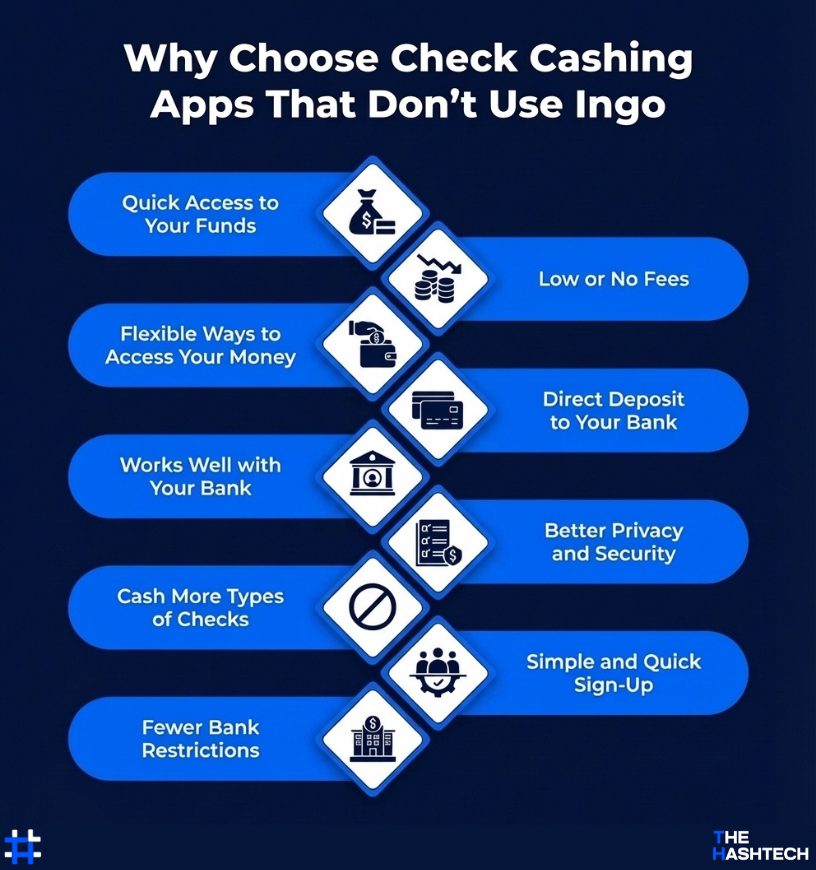
Quick Access to Your Funds
Many check cashing apps that don’t use Ingo offer faster ways to get your money. Instead of waiting a full day or more, some apps allow you to access your funds within a few hours, which can be very helpful when you need money quickly.
Low or No Fees
Fees are an important factor when picking a check cashing app. Apps that don’t use Ingo often charge less or nothing at all. While Ingo may charge for fast deposits or larger checks, many non-Ingo apps let you deposit or cash certain checks for free, helping you save money.
Flexible Ways to Access Your Money
Apps that don’t use Ingo usually give you more options for getting your money. Instead of just sending it to a linked bank account or prepaid card, you might be able to load funds onto a prepaid card, transfer directly to your bank, or even use the money for purchases right from the app.
Direct Deposit to Your Bank
Some apps that use Ingo require a prepaid card to cash checks, which can be inconvenient. Many check cashing apps without Ingo let you deposit checks straight into your regular bank account or mobile wallet, making it simpler and faster to access your money.
Works Well with Your Bank
Check cashing apps that don’t use Ingo often connect smoothly with your existing bank accounts. You don’t need to open a new account or get a prepaid card you can simply deposit checks directly into the bank account you already use.
Better Privacy and Security
Using apps that don’t rely on Ingo can give you more control over your personal information. Many of these apps include extra security features like two-factor authentication and strong encryption to keep your data safe and private.
Cash More Types of Checks
Apps that don’t use Ingo usually allow you to cash a wider variety of checks, such as payroll, government, or personal checks. They often have fewer restrictions on who can use the app or the types of checks you can deposit.
Simple and Quick Sign-Up
Some apps that use Ingo need extra steps or a special prepaid card to start cashing checks. Apps without Ingo usually make signing up easier, letting you get started quickly without opening a new account or getting a separate card.
Fewer Bank Restrictions
Many bank accounts come with rules, like keeping a minimum balance or paying fees if requirements aren’t met. Check cashing apps that don’t use Ingo usually avoid these limits, making it easier to deposit checks without worrying about extra fees or complicated rules.
Simple Tips for Cashing a Check Online Without Ingo
Cashing a check online without Ingo is a quick and convenient way to access your money without visiting a bank. If you’re new to this or want to avoid mistakes, here are some easy tips to help you do it correctly:
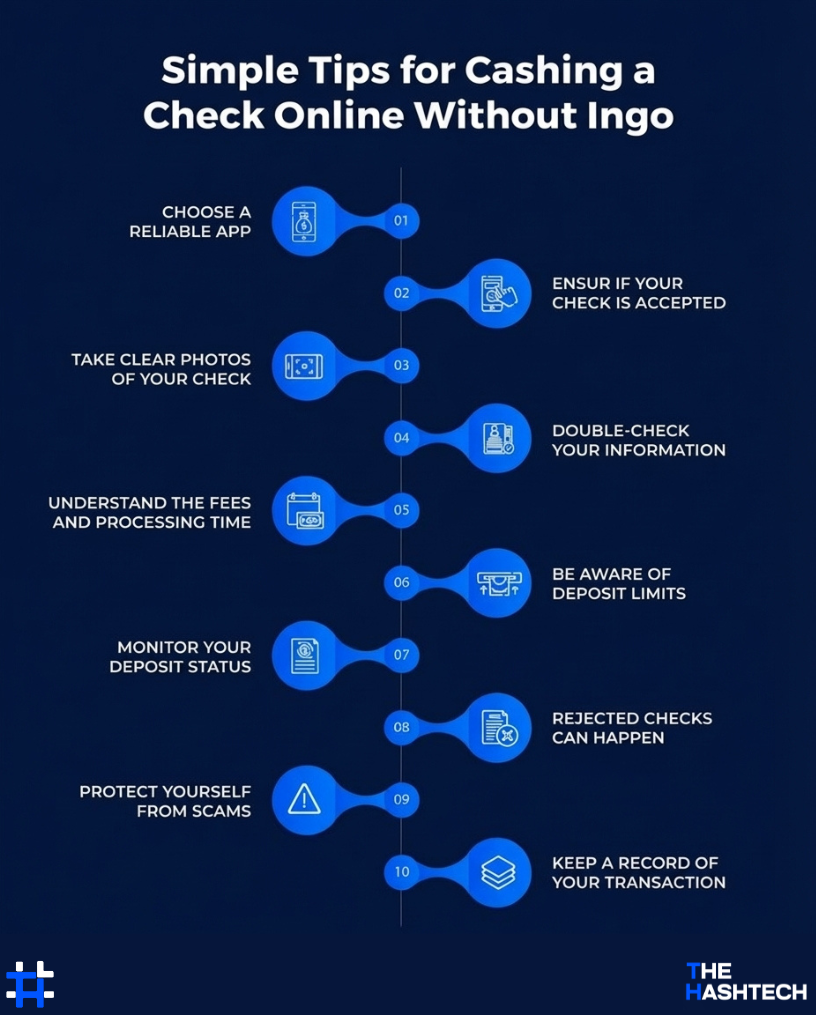
1. Choose a Reliable App
Begin by picking a check cashing app that suits your needs. Look for apps with positive reviews and high ratings.
Tip: Check out user reviews to see what others think about the app. Make sure it’s safe, easy to use, and from a trusted company.
2. Check if Your Check is Accepted
Not every app accepts all types of checks. Most apps work with payroll, tax refund, government, or personal checks, but some may have certain limits.
Tip: If your check is from a person or private business, contact the app’s support team first to make sure they’ll accept it.
3. Take Clear Photos of Your Check
To cash a check, you’ll need to take pictures of the front and back. Make sure the check is flat, well-lit, and the images are clear.
Tip: Most apps will guide you through this process. Follow the instructions carefully to avoid any mistakes or rejections.
4. Double-Check Your Information
Before you submit, make sure all the details are correct, especially the check amount and your signature on the back.
Tip: Even a small mistake can slow things down. Always review your information twice before pressing “submit.”
5. Understand the Fees and Processing Time
Some apps give you instant access to your money, but they charge a fee. Others may take a few days, but they’re free or have lower fees.
Tip: If you don’t need the money urgently, waiting a little longer could save you money on fees.
6. Be Aware of Deposit Limits
Every app has a limit on how much money you can deposit at once. If your check is too large, it may be rejected.
Tip: Check the app’s FAQs for deposit limits before you start, so you won’t be surprised later.
7. Monitor Your Deposit Status
Once you’ve submitted your check, keep track of its status in the app. Most apps will show whether it’s processing, approved, or if there’s a problem.
Tip: If something seems wrong or it’s taking longer than expected, reach out to customer support for assistance.
8. Rejected Checks Can Happen
Sometimes, even if everything seems correct, your check might be rejected. This can happen if there’s an error, the check is unclear, or the app flags it for some reason.
Tip: Don’t worry. Simply fix the issue, take a new photo, or contact support to find out what went wrong.
9. Protect Yourself from Scams
Some fake apps try to steal your personal information. Make sure to use apps that are trusted, with lots of downloads and positive reviews.
Tip: If an app asks for money upfront or seems suspicious, avoid it. Stick with well-known apps like Cash App, Chime, or others you trust.
10. Keep a Record of Your Transaction
After cashing your check, save a copy of the confirmation or receipt in case there’s an issue later.
Tip: Take a screenshot or save the email confirmation for your records. It’s always a good idea to stay organized.
Create Your Own Check Cashing App with Us Today
The world of finance is changing quickly, and digital apps are making money management easier than ever. Check cashing apps that don’t use Ingo are becoming more popular because they offer faster processing, more flexibility, and better features for users.
If you’re looking for smarter ways to improve the check cashing process, we know how valuable the right app can be.
Searching for “app developer near me“? Your search ends here.
At The Hashtech, we can turn your app ideas into reality. Whether you’re starting from scratch or enhancing an existing concept, our team is ready to create a powerful check cashing app tailored to your users and business needs.
Let’s create something great together. Start your project with The Hashtech today!
Let our experts help take your financial business to the next level!
Need a Professional Mobile App Development Team?
Book Your Consultation Today!
Frequently Asked Questions (FAQs)
How Can I Cash a Check Online Fast Without Ingo?
You can use apps like Cash App, Chime, NetSpend, or ACE Cash Express to cash your check without Ingo. Simply download the app, sign up, and go to the check deposit section.
Take clear photos of the front and back of your check. If the app offers instant cash, you can choose that option (there may be a small fee). The money will usually go directly into your app wallet, prepaid card, or linked bank account.
How Do Check Cashing Apps Verify If Checks Are Real?
Check cashing apps use smart technology like image scanning and security software to check if a check is real. They look at things like the signature, bank details, and account number. Some apps may even contact the bank that issued the check to confirm there’s enough money and that the check is valid.
Many apps also use fraud detection tools and AI to spot fake or altered checks. You might also be asked to verify your identity to keep the process secure and safe.
Can I Cash Any Type of Check with Apps That Don’t Use Ingo?
Most apps that don’t use Ingo accept checks like:
- Paychecks
- Government checks
- Tax refunds
- Business checks
However, personal checks, handwritten checks, or checks from third parties might not always be accepted. Some apps may also reject post-dated checks or checks that are too large.
Which Apps Can Cash a Check Instantly?
Apps like NetSpend, Chime, Brink’s Money, and Cash App offer instant or fast check cashing. Just follow the steps in the app, and you might need to pay a small fee for faster access to your funds.
Other options for instant check cashing include:
- Visiting your bank or the bank that issued the check
- Using retail stores like Walmart or Kroger
- Going to local check cashing stores
- Using prepaid card services that let you deposit checks via mobile
If you prefer not to use Ingo, these are all good alternatives.
How Much Does It Cost to Create a Check Cashing App?
The cost of building a check cashing app depends on the features you want. A basic app with simple functions like sign-up, check scanning, and deposits could cost between $30,000 and $50,000.
If you want more advanced features, such as:
- Instant money transfers
- Strong fraud protection
- Secure logins
- Compliance with financial regulations
The cost could range from $75,000 to $150,000 or more.
Additionally, you’ll need to budget for:
- Backend systems
- APIs for banking or ID verification
- Ongoing support and updates