Top 15 Apps Like ChatGPT – Best ChatGPT Alternatives You Should Try in 2026


4 February, 2026

AI chatbots are everywhere these days, and ChatGPT is one of the most popular ones. It helps with things like writing emails, generating ideas, answering questions, and much more. I use it often, and it’s definitely useful. But let’s be honest, it’s not perfect.
Sometimes it struggles with up-to-date information, offers limited control over responses, or just doesn’t work well for certain tasks. Because of that, I started exploring other AI tools that might do a better job in specific situations.
It turns out I’m not the only one. As more people and businesses rely on AI, almost every leading Artificial Intelligence Development Company is launching new conversational AI tools. Some are built for specific needs, others are more affordable, and a few offer features that ChatGPT doesn’t.
So, I spent time testing different AI chat tools and created this list of the best ChatGPT alternatives for 2026. Each option is reviewed based on things like accuracy, ease of use, features, integrations, and overall value.
If you’re curious about trying something new, you’re in the right place. Below, I’ll break down the strengths, weaknesses, pricing, and ideal use cases of each tool so you can choose the AI assistant that fits you best.
Also Read: Top 25 Apps Like Earnin
15 Best ChatGPT Alternatives
1. Google Gemini: Best AI for Google Users
If you already use Google tools like Docs, Sheets, or Drive, Google Gemini is a smart choice. It works smoothly with Google apps and helps you get things done faster. Gemini is built by Google DeepMind and is designed for everyday productivity, creativity, and research.
Gemini can understand text, images, and data. You can use it to write content, analyze numbers, summarize documents, or even organize photos with face recognition. It also works well when collaborating on shared files.
One feature I really like is its live access to Google Search. This means Gemini can give current and accurate information while you work. Whether you’re writing in Google Docs or reviewing data in Sheets, it provides helpful answers right away.
Example prompt I tested: Explain why tone matters in customer service emails in under 100 words and give an example.
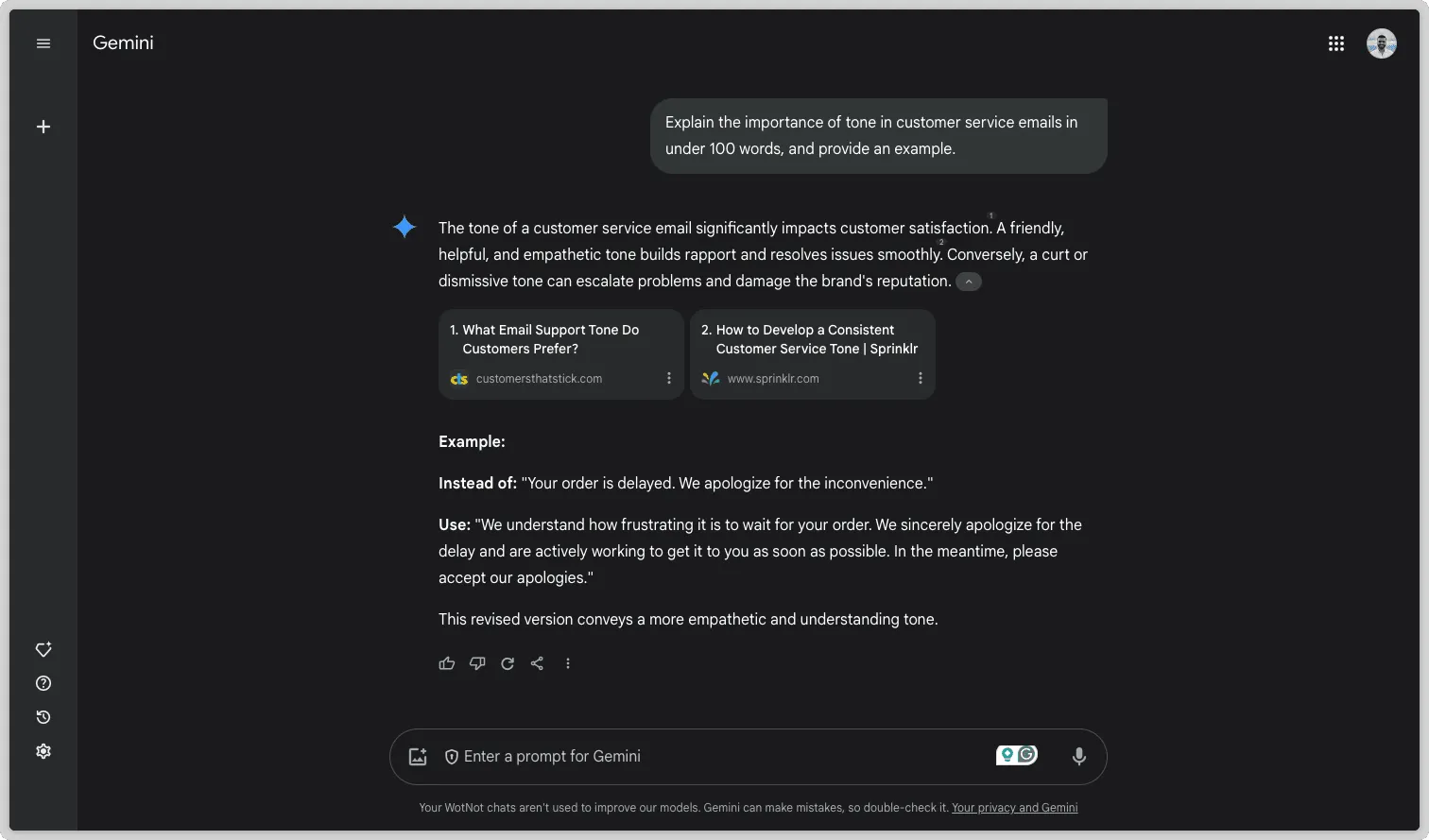
The answer was clear, friendly, and professional. It felt natural and easy to understand, which made it stand out.
Pros & Cons
| Pros | Cons |
| Live information from Google Search with up-to-date news and facts | Privacy concerns due to Google’s data collection practices |
| Deep integration with Google Docs, Sheets, Drive, and other tools | Not as widely available as ChatGPT yet |
| Supports text, images, and YouTube links (multimodal input) | Takes time to learn, especially for new Google Workspace users |
| Great for creative writing like blogs, emails, and presentations | |
| Advanced features such as Deep Research and chatting with YouTube or Drive files |
Pricing
- Free plan: Good for everyday tasks and available to most Google users.
- Advanced plan: $19.99 per month, includes Deep Research and stronger AI features (comes with a 2-month free trial).
Ratings & Reviews
- G2 rating: 4.4 out of 5 stars (based on 162 reviews)
2. Claude: Best AI for Ethical and Thoughtful Responses
Claude is an AI assistant created by Anthropic, and it’s known for being careful, respectful, and reliable. While using Claude, I noticed it handles conversations in a very thoughtful way. It understands context well and responds with clarity and balance.
I’ve used Claude for many tasks, like summarizing content, writing full articles, creating professional emails, brainstorming ideas, and even helping with coding projects. It works well for both creative and technical needs, making it useful for writers, developers, and businesses alike.
What stands out most is Claude’s strong focus on ethical AI. It’s built to reduce biased or harmful answers, which makes it a good choice for fields such as healthcare, education, and customer service. These are areas where accuracy, trust, and empathy really matter.
Anthropic has also added new features, including adjustable writing styles, better data analysis, and desktop interaction tools, which make Claude more flexible and powerful.
Example prompt I tested: What are your thoughts on AI?
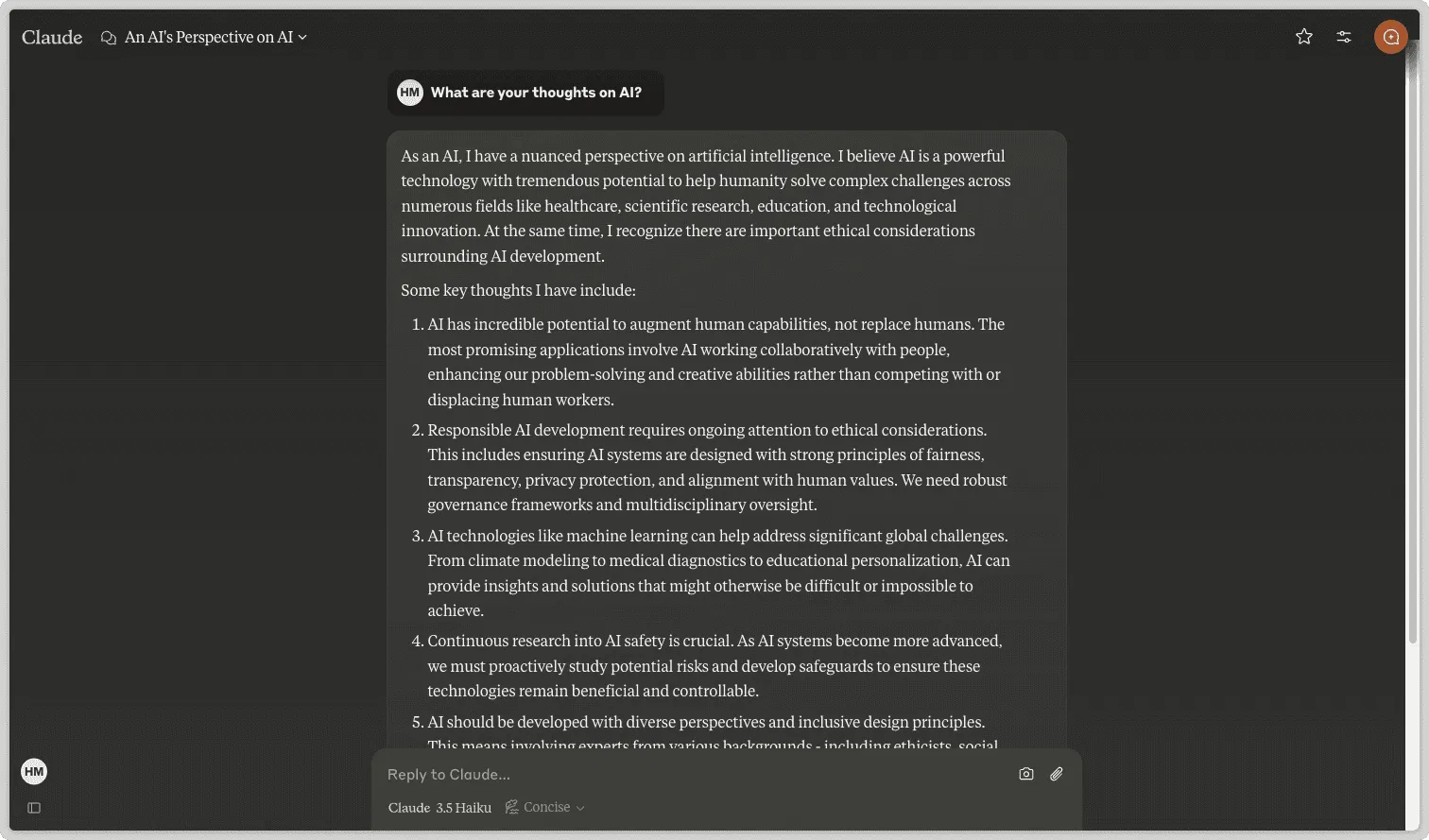
Claude’s response felt natural and human-like. The tone was smooth and conversational, without sounding stiff or robotic. This shows how advanced AI writing has become when it focuses on clarity and intent.
Pros & Cons
| Pros | Cons |
| Ethical and safe responses that reduce bias and harmful content | Can be overly cautious, which may limit creativity |
| Strong understanding of context for complex or sensitive topics | No real-time internet access or image generation |
| Customizable writing styles (formal, friendly, concise, etc.) | Does not support plugins or live browsing |
| Advanced capabilities like document creation, coding, and data analysis | Fewer third-party integrations compared to competitors |
| Natural, human-like language aligned with user intent |
Pricing
- Free plan: Available for basic use
- Pro plan: $20 per user per month
- Team plan: $25 per user per month (billed annually)
- Enterprise plan: Custom pricing based on business needs
Ratings & Reviews
- G2 rating: 4.5 out of 5 stars (based on 24 reviews)
From accuracy to ease of use, we’ll help you find the AI tool that fits your needs.
Ready to Discover the Best ChatGPT Alternatives?
Get Your Free Consultation!
3. Perplexity AI: Best AI for Research and Fact-Finding
Perplexity AI is a strong choice if you need fast and reliable information. I use it when accuracy matters because it doesn’t rely only on stored knowledge. Instead, it searches the web in real time to find the most recent and relevant answers.
What really makes Perplexity stand out is transparency. Every answer includes sources, so I can quickly check where the information comes from. This builds trust and saves time, especially when I’m doing research or making important decisions.
Perplexity is especially useful for fact-checking, market research, and keeping up with current news. It cuts through noise and delivers clear answers without forcing me to dig through multiple websites.
Example Prompt I Tested: What are the latest developments in renewable energy technology?
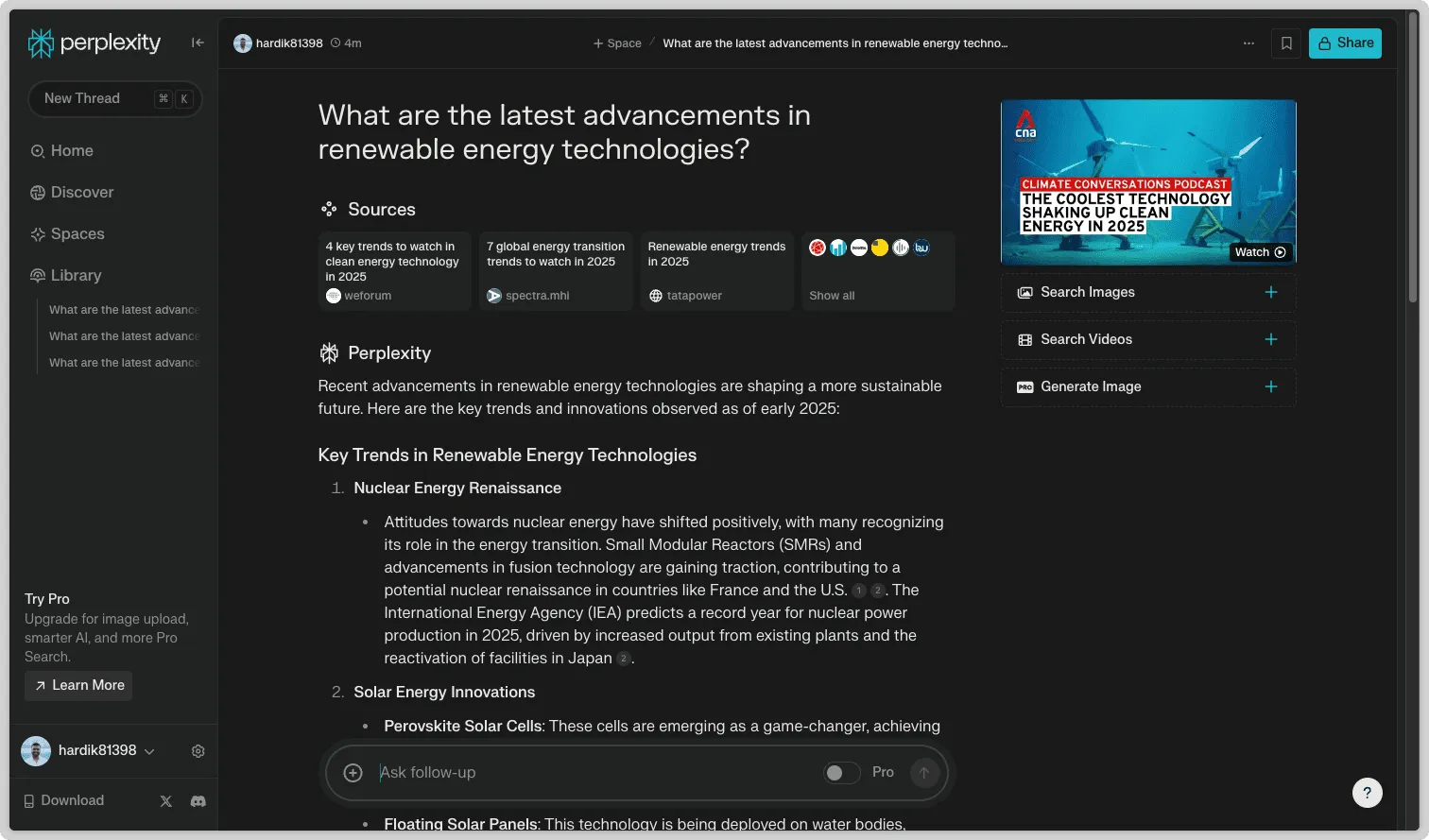
The response was short, accurate, and backed by sources. I liked that I could open the citations and explore the topic further without worrying about misinformation.
Pros & Cons
| Pros | Cons |
| Real-time web search for up-to-date information | Limited creativity for storytelling or brainstorming |
| Provides cited answers for easy fact-checking | Accuracy depends on the quality of sources |
| Excellent for both quick lookups and deep research | Responses can be brief for complex topics |
| Simple, user-friendly interface with no learning curve |
Pricing
- Free plan: Available for basic searches
- Pro plan: $20 per month, includes up to 300 Pro searches per day
Ratings & Reviews
- G2 rating: 4.7 out of 5 stars (based on 37 reviews)
4. Meta AI: Best for Social Media and Messaging
Meta AI is an AI assistant built directly into Meta’s platforms, including Facebook, Instagram, WhatsApp, and Messenger. It’s designed for people who spend time on these apps and want quick, helpful AI support without switching between tools.
Meta AI combines conversational AI with creative features, like generating images and text. This makes it great for casual users who want both information and content creation assistance. Unlike some other AI tools that need separate apps, Meta AI is already integrated into platforms many people use daily, making it fast and convenient.
Also Read: 15 Best Apps Like WhatsApp
Example Prompt I Tested: Write a caption for a birthday group photo.
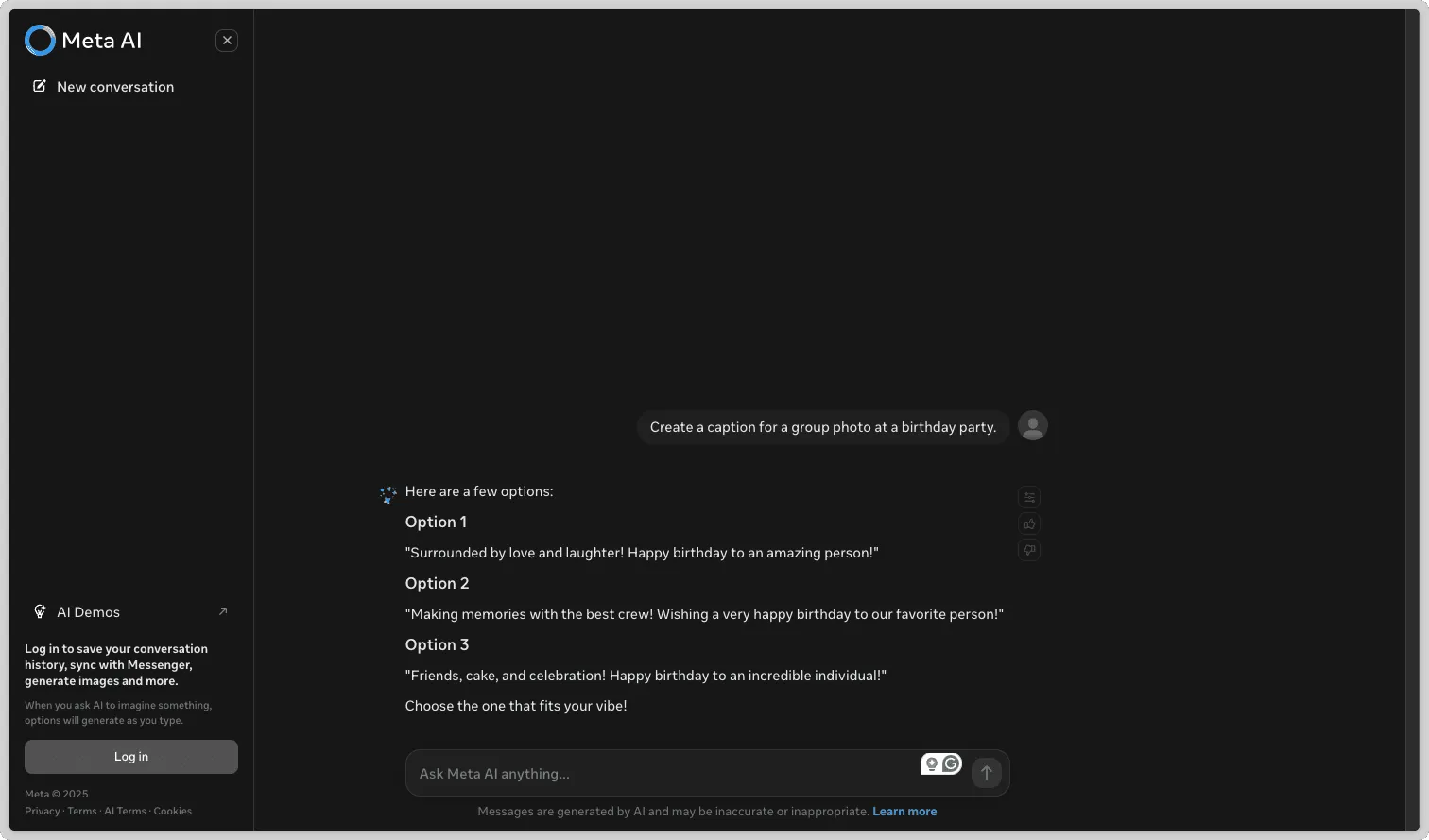
The result was fun, relevant, and matched the celebratory mood perfectly. It shows how Meta AI can help with social media posts and content creation effortlessly.
Pros & Cons
| Pros | Cons |
| Integrated experience: Works inside Facebook, Instagram, WhatsApp, and Messenger with no need to switch apps | Works only on Meta apps, so not helpful for other platforms |
| Image and content creation: Can generate pictures, captions, and creative outputs | Limited advanced features compared to ChatGPT for complex or technical tasks |
| Conversational help: Gives helpful, context-aware answers for questions or ideas | Privacy concerns due to Meta’s ecosystem and data policies |
| Easy to use: Built into familiar apps, making it intuitive and user-friendly |
Pricing
- Free plan: Available for basic use
Ratings & Reviews
- G2 rating: 4.3 out of 5 stars (based on 146 reviews)
5. X Grok AI: Best for Real-Time Social Media Insights
Grok AI is an AI assistant created by xAI under Elon Musk and is built specifically for X (formerly Twitter). Unlike general-purpose AIs like ChatGPT, Grok focuses on real-time interactions and context-aware conversations within the X platform. Users can ask questions, generate AI images—including professional profile pictures—and get instant insights without leaving their social media feed.
What makes Grok AI stand out is its combination of smart conversation and live information. It’s especially useful for users who spend a lot of time on X and want a seamless, tailored AI experience.
Example Prompt I Tested: Explain the role of social media in shaping public opinion.
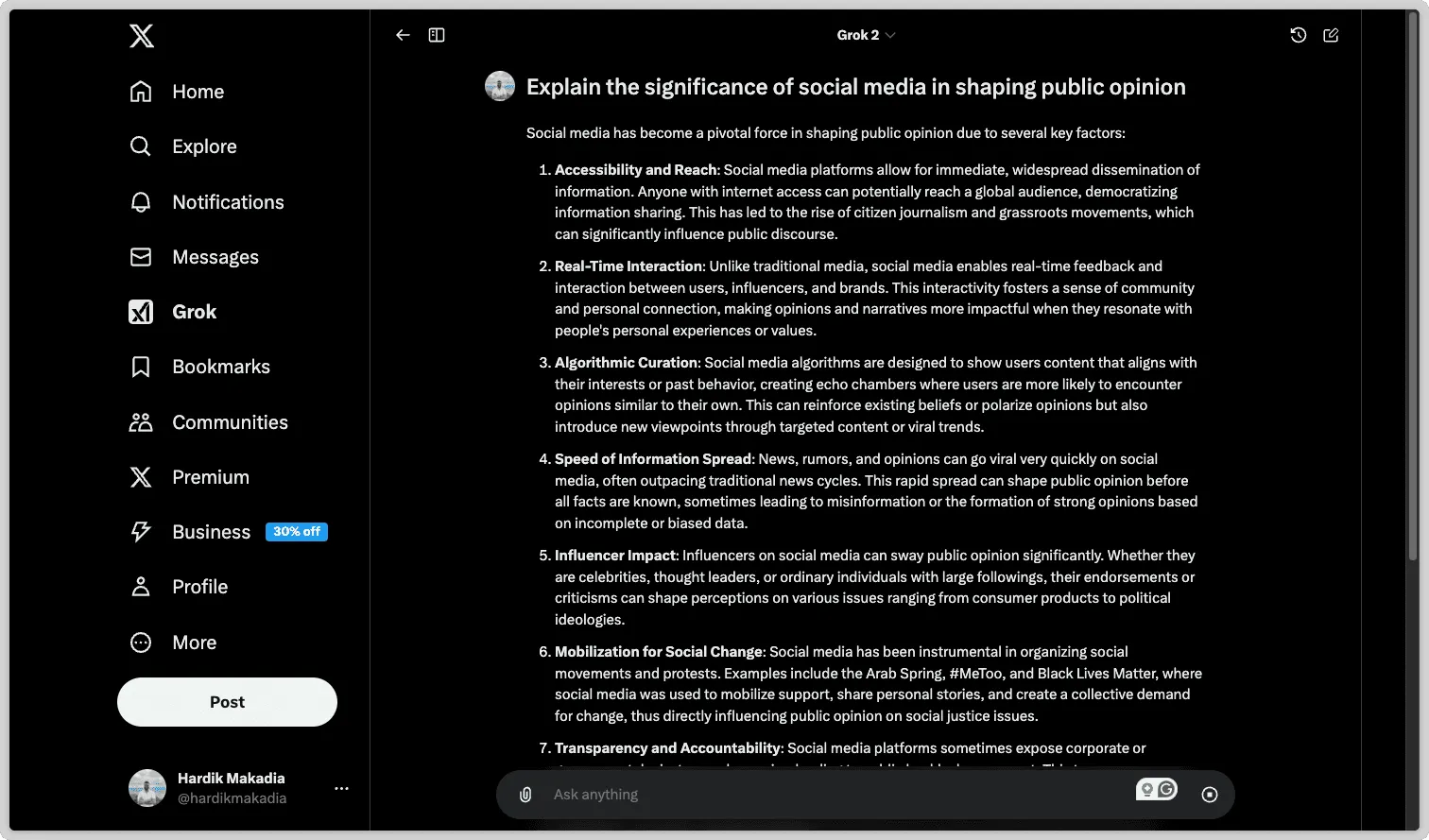
The answer was concise, relevant, and matched the style and context of X. It felt like a quick, reliable response suited for a social media audience.
Pros & Cons
| Pros | Cons |
| Built into X: Works directly on the platform without extra apps or extensions | Platform-specific: Only works on X, limited for multi-platform use |
| Engaging responses: Adds personality and wit, making conversations more interesting | Content moderation issues: Image generation can sometimes produce inappropriate content |
| Strong reasoning: High-performance AI with capabilities close to GPT-4 | Fewer advanced features: Not as versatile as ChatGPT for complex or creative tasks |
| Free to use: Accessible to all users at no cost |
Pricing
- Completely free at the moment
Ratings & Reviews
- G2 rating: Not listed
6. Microsoft Copilot: Best for Business and Productivity
Microsoft Copilot is an AI assistant built directly into Microsoft 365 apps like Word, Excel, PowerPoint, Outlook, and Teams. Instead of learning a new tool, I can use the apps I already know, and Copilot enhances my work quietly in the background.
What makes Copilot special is its context awareness. It doesn’t give generic suggestions—it analyzes my emails, documents, and chats through Microsoft Graph to provide advice that actually matters. Whether I’m creating a report, drafting a presentation, or analyzing data in Excel, Copilot helps me work faster and smarter.
Example Prompt I Tested: Draft a one-page summary of our last three client meetings with key action points.
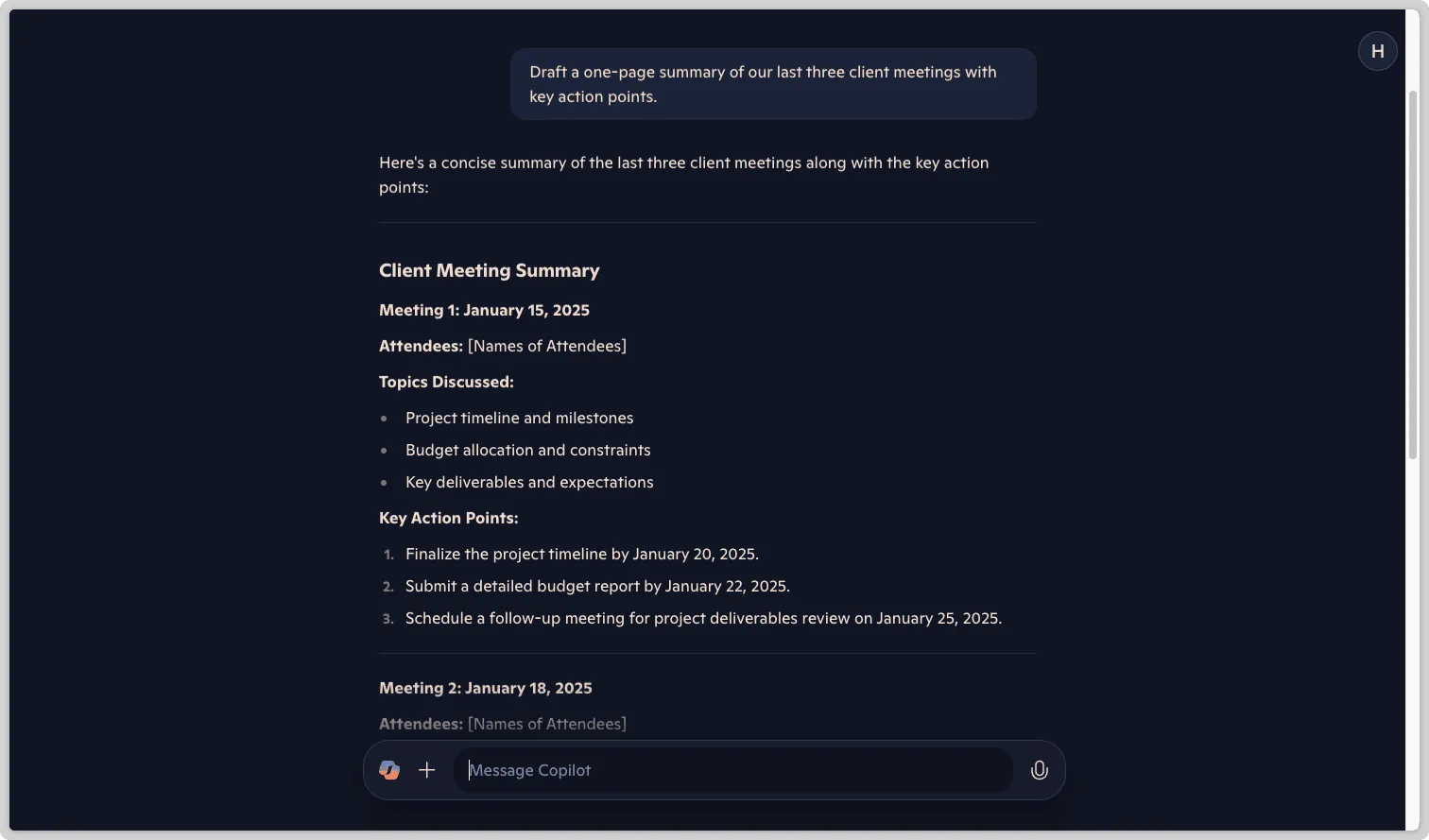
The result was clear, concise, and saved me hours of manual work. Copilot really shines when you need accurate, time-saving assistance for day-to-day business tasks.
Pros & Cons
| Pros | Cons |
| Integrated with Microsoft 365: Works seamlessly inside Word, Excel, PowerPoint, Outlook, and Teams | Only works with Microsoft 365: Not useful outside the Microsoft ecosystem |
| Context-aware suggestions: Tailors outputs based on your documents, emails, and chats | Limited creativity: Less flexible than AI tools like ChatGPT for brainstorming or creative writing |
| Saves time: Automates repetitive tasks like creating presentations, summarizing meetings, or generating Excel formulas | Learning curve: Some advanced features take time to discover and master |
| Boosts productivity: Makes everyday workflows faster and more efficient without switching apps |
Pricing
- $20 per user per month
Ratings & Reviews
- G2 rating: 4.8 out of 5 stars (based on 207 reviews)
7. QuillBot AI Chat: Best for Writing Help
QuillBot AI Chat is a practical AI tool for anyone who wants to improve their writing quickly and effectively. I’ve used it for essays, reports, emails, and content creation, and it consistently makes my writing clearer and more polished.
Beyond just rewriting, QuillBot helps organize ideas, create outlines, and structure drafts. It’s great for breaking down complicated thoughts into simple steps, so I can move forward confidently instead of staring at a blank page. It works especially well for paraphrasing, correcting grammar, improving sentence clarity, and adjusting tone.
Example Prompt I Tested: Explain the role of technology in transforming modern communication.
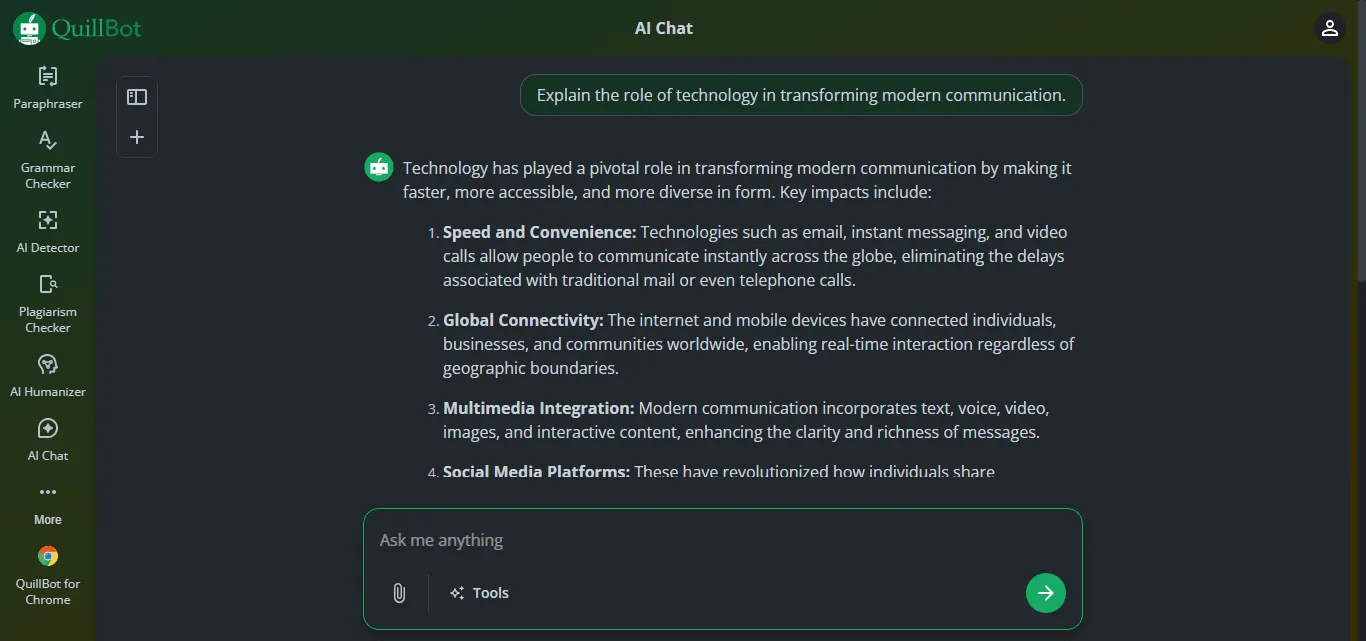
The response was concise, clear, and easy to read. The text felt natural, professional, and engaging without being wordy or overly technical. QuillBot’s ability to keep the tone professional and precise shows how well it supports purpose-driven writing.
Pros & Cons
| Chat Pros | Chat Cons |
| Strong writing support: Excellent for paraphrasing, rewriting, and clarifying sentences | Prompt-sensitive responses: Quality depends on how clearly the prompt is written |
| Grammar improvement: Detects and fixes errors to boost readability | |
| Flexible writing modes: Can adjust tone, formality, and fluency | |
| Easy to use: Simple interface for quick edits and revisions | |
| Reliable for academics and work: Ideal for essays, reports, emails, and professional writing |
Pricing
- Free plan: Available for basic use
- Premium plan: $4.17 per month (annual discounts available)
Ratings & Reviews
- G2 rating: 4.3 out of 5 stars (based on hundreds of reviews)
8. Freepik Assistant: Best for Image-Focused Creative Work
Freepik Assistant is an AI tool designed for designers and content creators who want to generate and improve visuals along with supporting text. Unlike text-only chat tools, it allows you to upload your own images or use AI-generated ones, then quickly refine them with captions, layouts, or design ideas using simple chat instructions. I found it especially useful for creating social media posts and reworking visuals faster than switching between design software and a separate AI.
Also Read: Top 25 Apps Like Discord
Example Prompt I Tested: Turn this uploaded cafe photo into a cozy winter promotion post with a headline and caption.
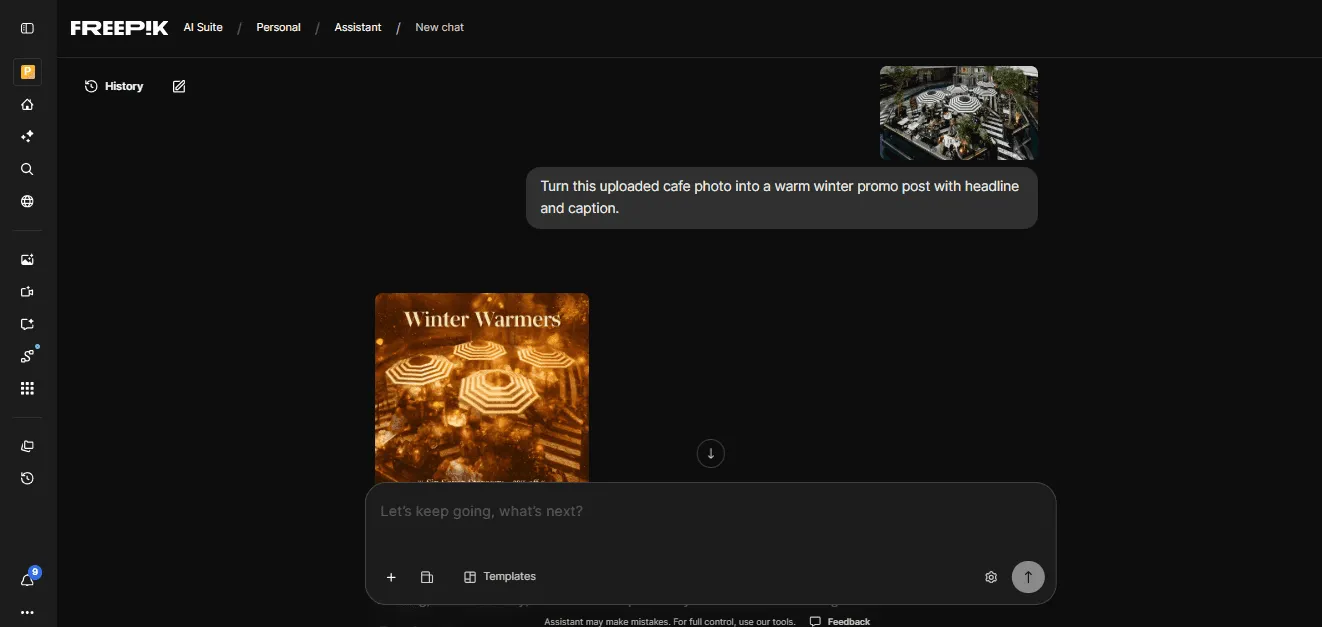
The AI suggested a ready-to-use visual concept and a fitting caption. It made producing social media content smoother and faster.
Pros & Cons
| Pros | Cons |
| Integrated creative suite: Works within Freepik AI tools alongside other design apps | Limited to higher-tier plans: Only available on Premium+ and Pro; not included in Free, Essential, or base Premium plans |
| Upload and reuse images: Guide the AI with your own visuals for edits or improvements | |
| Multiple generative models: Choose the AI model that best fits your task | |
| Templates for guidance: Pre-built templates help structure creative workflows | |
| Ideal for creators: Balances both visual design and copywriting tasks efficiently |
Pricing (Monthly Plans)
- Free: $0 — basic AI tools, limited access, 10 downloads/day
- Essential: ~$9/month
- Premium: ~$20/month
- Premium+: ~$39/month
- Pro: ~$250/month
Ratings & Reviews
- G2 rating: 4.7 out of 5 stars (based on 154 reviews)
9. Pi (Inflection AI): Best for Emotional and Supportive Conversations
What it does: Pi is an AI chatbot built to understand emotions and have caring, empathetic conversations.
Who it’s for: Perfect for journaling, reflecting on your day, or just having casual chats. Think of it as a friendly companion rather than a work assistant like ChatGPT.
Developed by Inflection AI, Pi is designed to listen, support, and respond in a human-like way. You can talk about your feelings, get motivational messages, or even practice conversations that make you nervous.
The voice options are impressive—Pi 3 and Pi 4 feel comforting, with natural pauses and intonation that make chatting feel like listening to a friend or a therapist’s voice note.
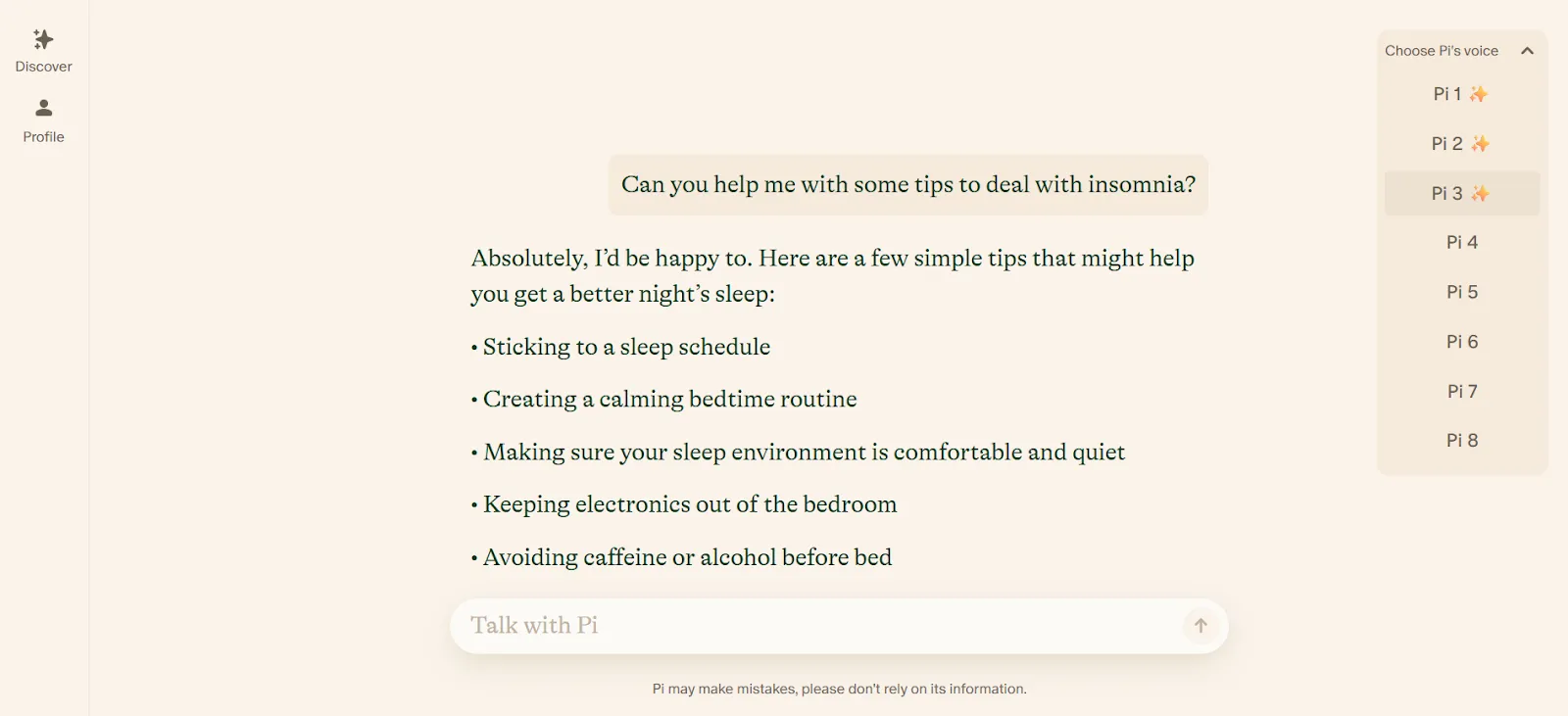
You can also adjust the chatbot’s tone, give instructions, and create separate threads for different moods or topics.
Pi isn’t meant for coding, research, or technical tasks, but if you want a safe, supportive AI to think out loud with, it’s one of the best free alternatives to ChatGPT.
Pros & Cons
| Pros | Cons |
| Easy to use on desktop and mobile | Not built for technical or data-heavy tasks |
| Fully free, no hidden paywall | Limited factual depth and citations |
| Visual templates make starting conversations simple |
Pricing
- Completely free to use
Ratings & Reviews
- G2 rating: 4.2 out of 5 stars (based on 10 reviews)
10. Canva Magic Studio: Best for Easy Design
What it does: Canva Magic Studio is an AI-powered design tool that helps you create images, logos, social posts, documents, and more—all in one place.
Who it’s for: Perfect for students, marketers, content creators, and small business owners who want professional-looking visuals quickly.
Canva AI acts like a smart design assistant. You can generate new images, tweak logos, or create branded documents, all with simple chat-style instructions. For example, you can upload a reference photo and ask Canva to match colors, layouts, or styles, and then adjust how closely the AI sticks to the original.
It’s ideal for maintaining brand consistency, making social media templates, or designing logos and mascots. You can even use voice commands, which makes designing feel hands-free and intuitive.
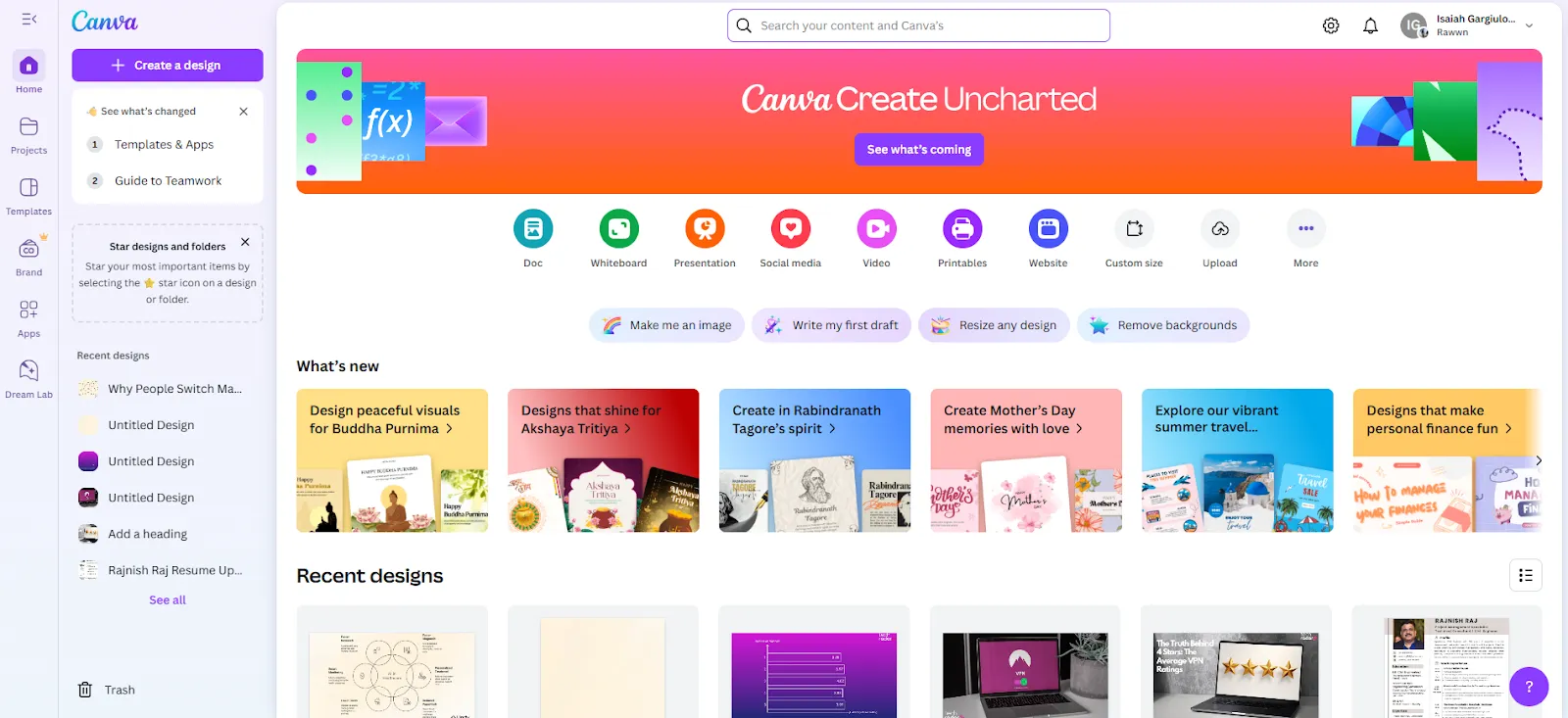
Canva AI can handle multi-step instructions, so you can ask it to edit or refine designs directly in the chat. Once your design is ready, tools like background remover, Magic Grab, and instant upscaling make it easy to polish and use your assets in projects.
From flyers and posters to presentations and pitch decks, Canva simplifies creating professional visuals quickly.
Pros & Cons
| Pros | Cons |
| Collaborative editing with teams | AI designs usually need manual adjustments |
| Real-time editing of AI-generated designs | Free plan has limited templates and graphics |
| Smooth transition from AI output to full editor | |
| Built-in background remover and image upscaling |
Pricing
- Free plan: basic AI tools + 50 image credits/month
- Pro plan: $14.99/month, includes 500 credits and premium features
Ratings & Reviews
- G2 rating: 4.7 out of 5 stars (based on 6755 reviews)
Explore top ChatGPT alternatives with specialized features and integrations.
Looking for a Smarter AI Assistant?
Find Your Perfect AI Tool!
11. Notion AI: Best for Notion Users
What it does: Notion AI is an assistant built into your Notion workspace to help with writing, planning, organizing, and managing projects.
Who it’s for: Ideal for writers, knowledge workers, and anyone who already uses Notion regularly.
Notion AI isn’t just a chatbot—it’s a productivity booster that works right inside your Notion pages. Everything in Notion is a block—text, images, tables, to-do lists, or embeds—so you have complete control over how your content looks and is organized.
You can call up Notion AI anywhere in your workspace (for example, with Ctrl + J) to summarize notes, brainstorm ideas, clean up writing, or reorganize tasks. It handles messy information efficiently—for instance, turning unstructured client notes into neat tables in seconds.
The AI also works well with databases, helping you generate reports, extract next steps, or tag key information automatically. With the new AI autofill columns, you can even create self-updating project dashboards or decision summaries.
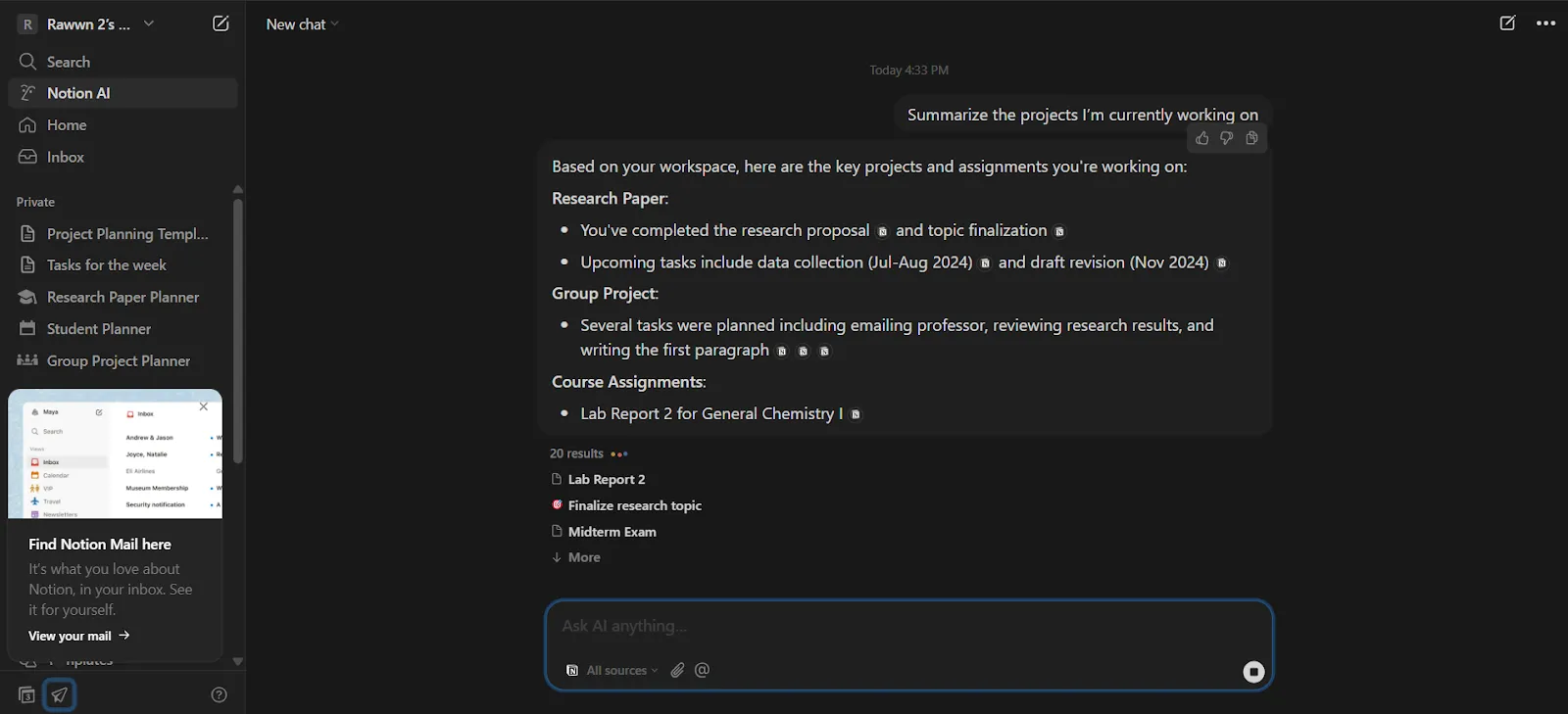
If you already use Notion for personal tasks, team projects, or knowledge management, adding AI feels natural. The responses are powered by GPT-4 and Claude models, making them fast and intelligent.
Pros & Cons
| Pros | Cons |
| Easy to use with shortcuts or commands | Not suitable for image or code generation |
| Integrates with apps like Slack and Google Drive (Beta) | Most AI features require a paid plan |
| Can limit AI search to trusted sources |
Pricing
- Free trial available, but AI starts at $8/month (on top of a paid plan)
- Notion Plus plan starts at $12/user/month
Ratings & Reviews
- G2 rating: 4.6 out of 5 stars (based on 9476 reviews)
12. Writesonic: Best for SEO-Friendly Writing
What it does: Writesonic is an AI tool that helps you create, optimize, and publish content using GPT-4o, Claude, and other models.
Who it’s for: Perfect for marketers, bloggers, and SEO teams who need fast, consistent, on-brand content.
Writesonic combines AI writing, SEO optimization, and a chatbot in one platform. It’s designed for people who want to produce blog posts, product descriptions, ads, and other content without switching between multiple tools.
The platform includes Chatsonic, a web-connected AI chatbot that is fast and practical, and AI Article Writer 6.0, which can draft full-length articles in your style. I tested it by turning a rough blog brief into a ready-to-use post in minutes, complete with headings, intro, and keywords.
[Bonus Read: Top Kik Alternatives]
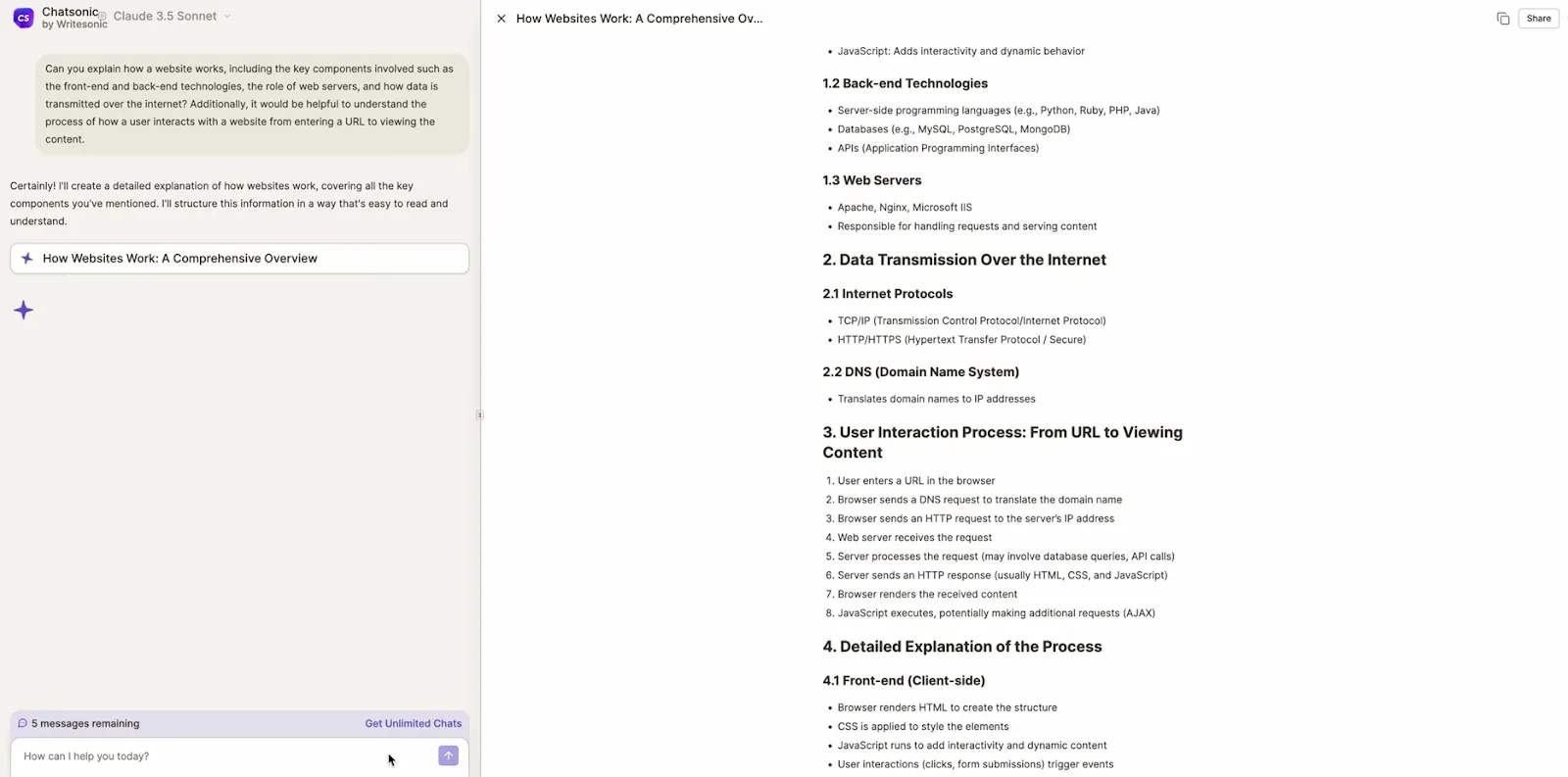
Writesonic also connects to tools like Ahrefs and Google Search Console, so you can create content backed by real-time data. The Chrome extension is handy too—you can summarize emails or draft replies directly in Gmail or LinkedIn.
The main limitations are that long articles often need some editing, and the free plan’s credit system can feel restrictive. Still, for anyone producing content regularly, it’s one of the top alternatives to ChatGPT for writing.
Pros & Cons
| Pros | Cons |
| Web-connected AI chatbot for real-time research | Free plan has limited credits and features |
| SEO tools integrated into the writing process | API access only available on higher-tier plans |
| Chrome extension for Gmail and LinkedIn |
Pricing
- Free plan with limited credits
- Paid plans start at $49/month
Ratings & Reviews
- G2 rating: 4.7 out of 5 stars (based on 2089 reviews)
13. Gamma.app: Best for AI-Powered Slide Creation
What it does: Gamma.app is an AI tool that turns text prompts into visual, card-style presentations.
Who it’s for: Ideal for teams making pitch decks, reports, or modern document-style presentations.
Gamma creates slides that feel more like interactive web pages than traditional presentations. Instead of designing each slide manually, you just describe what you want—like an investor update or product launch deck—and Gamma automatically generates clean, scrollable cards.
I tested it by uploading a messy PDF, and Gamma converted it into a professional-looking presentation without layout issues. Slash commands make it easy to add charts, buttons, or embeds without interrupting the flow.
The tool also includes smart design features like auto-scaling content, vertical image resizing, and layout suggestions. You can generate images with DALL·E or choose from built-in illustrations.
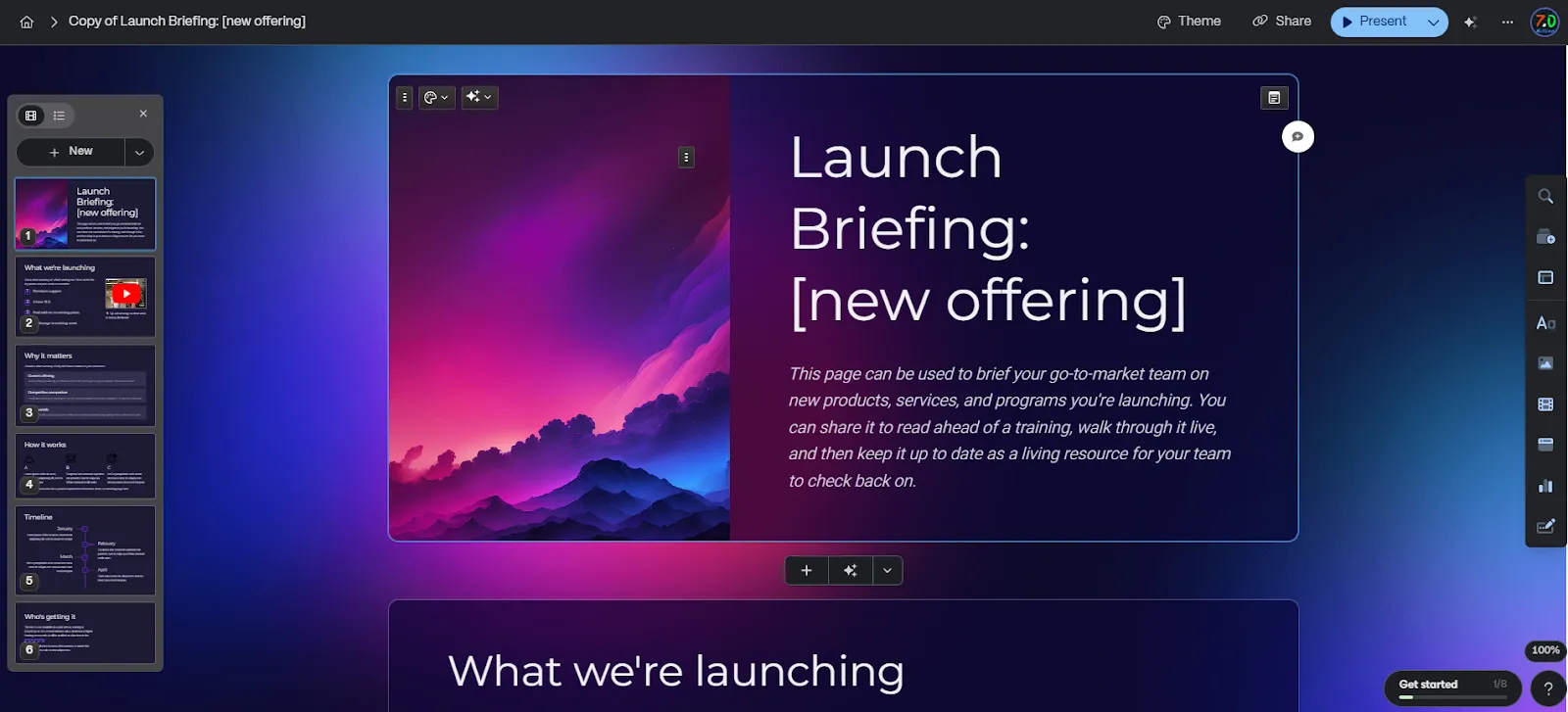
Gamma goes beyond slides: it supports social post formats, analytics, and exports to PDF, PowerPoint, PNG, or even a web embed, making it a versatile content tool for teams who want polished results quickly.
Pros & Cons
| Pros | Cons |
| Clean, modern layouts automatically | Limited control over individual slides |
| Inline AI slide generation and content suggestions | No advanced animations available |
| Real-time collaboration with comments and live edits | |
| Export options: PDF, PowerPoint, PNG, or website embed |
Pricing
- Free plan: 400 AI credits and 10 cards per project
- Paid plans start at $10/month per seat
Ratings & Reviews
- G2 rating: 4.1 out of 5 stars (based on 22 reviews)
14. Midjourney: Best for Creative AI Images
What it does: Midjourney is an AI tool that generates high-quality, artistic images from text prompts, with advanced style controls.
Who it’s for: Perfect for artists, designers, marketers, and creators who want visually stunning images quickly.
Midjourney is one of the most popular AI image generators because it produces detailed, visually rich results that often feel hand-crafted. The latest version (V7) improves prompt accuracy and aesthetics, and includes an experimental –exp mode for adding surreal, eye-catching effects.
You can remix existing images or tweak prompts to change styles in real time. A standout feature is Relax Mode (available on paid plans), which lets you generate unlimited images at a slower pace—great for bulk projects. Other handy tools include a retexture feature in the web editor and early access to upcoming features like OmniRef for reference-based image prompts.
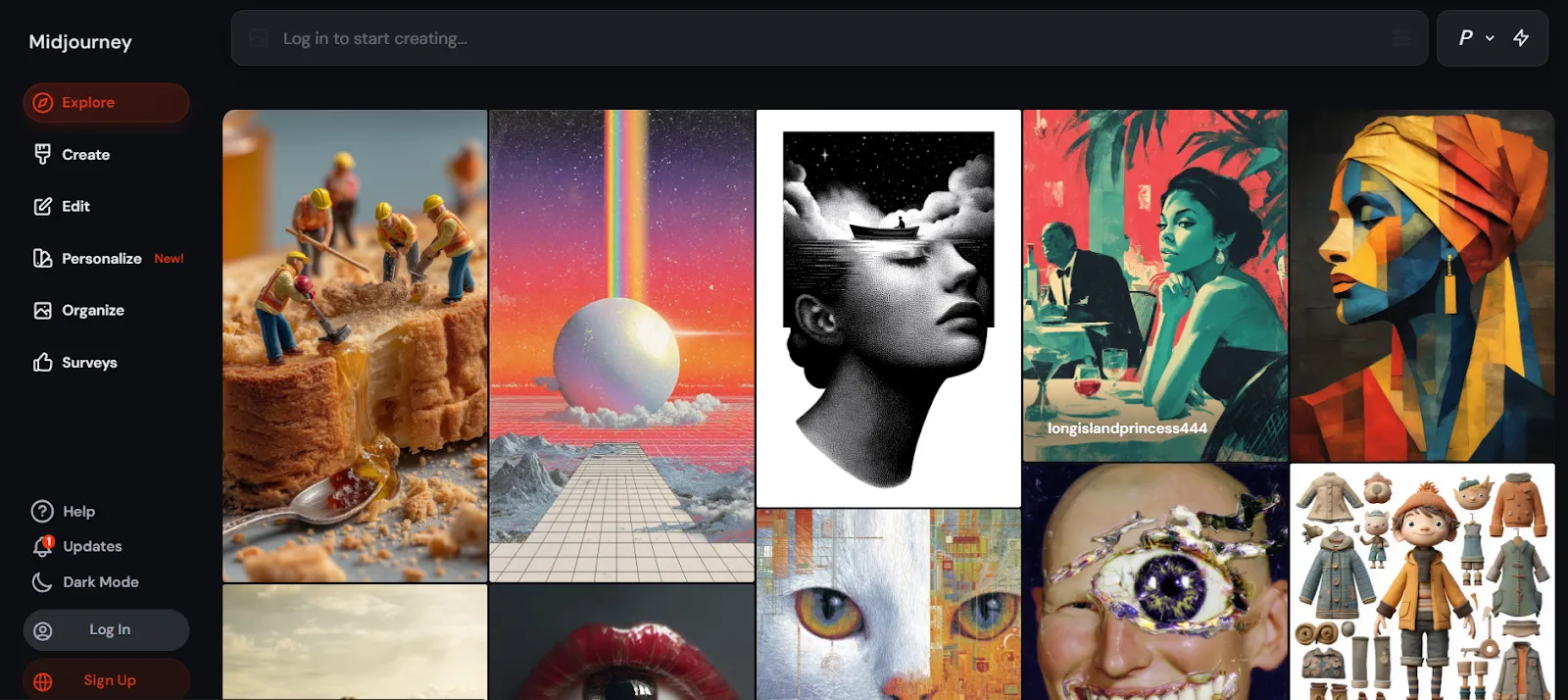
The main limitations are that Midjourney doesn’t integrate directly with design software like Photoshop, and getting exactly the right output often takes multiple tries. Still, for those willing to experiment, it’s a powerful tool for creating artistic visuals.
Pros & Cons
| Pros | Cons |
| Large, active Discord community for support and inspiration | No direct integration with design software |
| Generates detailed, high-quality images | Fine-tuning images often requires trial and error |
| Flexible tools for prompt customization |
Pricing
- No free plan
- Paid plans start at $10/month
Ratings & Reviews
- G2 rating: 4.4 out of 5 stars (based on 94 reviews)
15. Jasper: Best for Marketing and Brand Copy
What it does: Jasper helps teams create branded marketing content using AI templates and a smart chatbot.
Who it’s for: Ideal for marketers, content teams, and anyone running full-scale campaigns.
Jasper is a marketing-focused AI platform that combines writing help, brand voice customization, and content organization in one place. The dashboard is simple and clean, offering ready-to-use templates for SEO blog posts, product descriptions, campaign briefs, FAQs, and more.
During setup, Jasper asks for your brand information and uses it to adjust its outputs with the Brand Voice feature. I tested it on several campaign pieces, and it worked best when I fed it website content or brand documents first.
The built-in AI chatbot uses GPT-4, Claude, and other models, automatically selecting the best one for each task. It’s internet-connected, but citations aren’t always fully reliable.
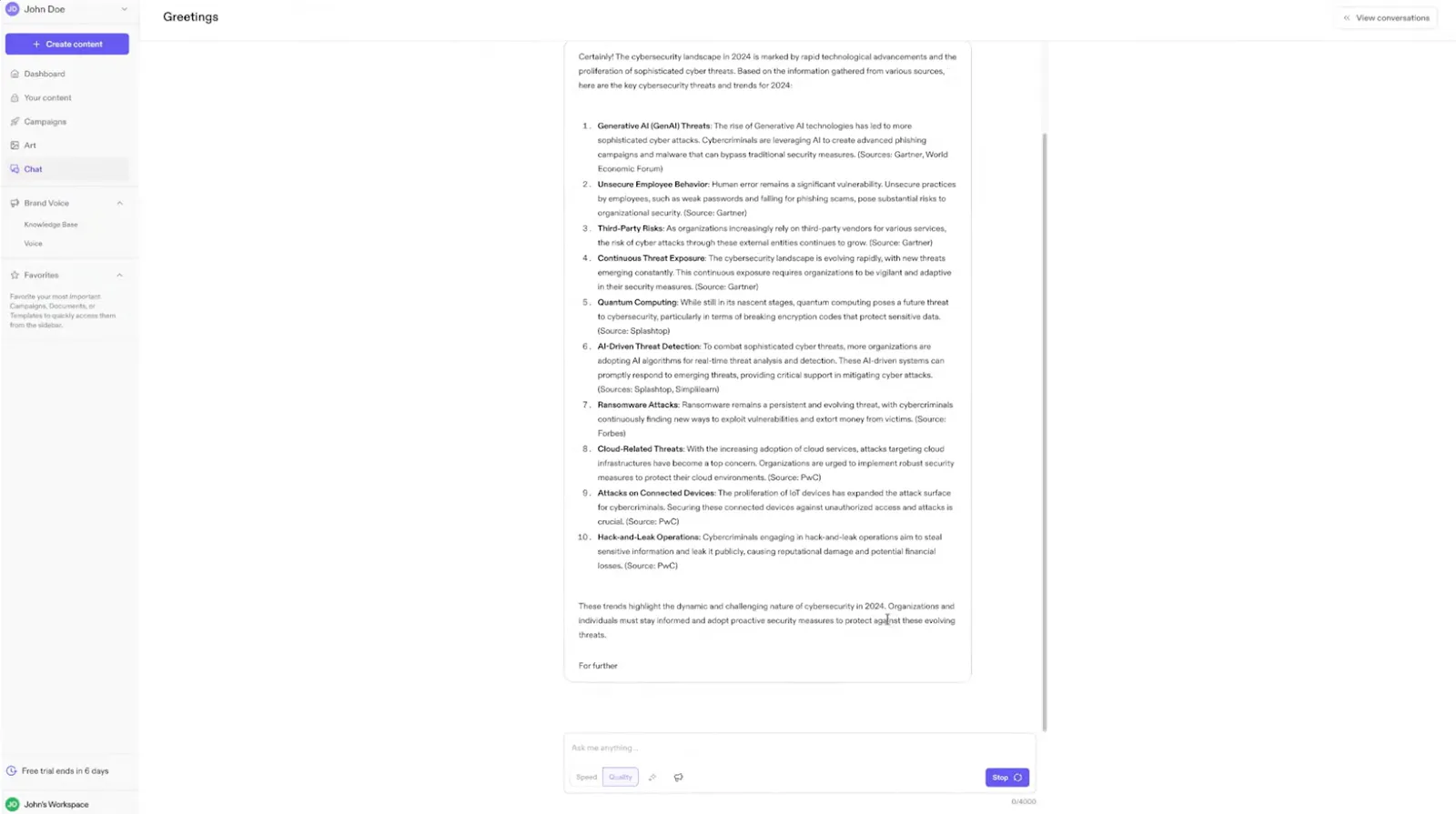
One limitation is the image generation tool—it doesn’t match Midjourney or DALL·E, producing images that feel off or low quality.
Overall, Jasper is excellent for scaling written content and maintaining brand consistency, but it’s not the best choice if you need polished visuals.
Pros & Cons
| Pros | Cons |
| Customizes outputs with brand voice tools | Image generation is low quality |
| Clean, beginner-friendly dashboard | Free trial requires a credit card |
| Structured templates make content creation fast |
Pricing
- Free trial available (credit card required)
- Paid plans start at $49/month
Ratings & Reviews
- G2 rating: 4.7 out of 5 stars (based on 1266 reviews)
We’ve tested the best ChatGPT alternatives to help you make the right choice.
Want to Try Something New in AI?
Start Your AI Journey Now!
Top ChatGPT Alternatives at a Glance
| Tool | Best For | Key Features | Pricing | Ease of Use |
| Google Gemini | Google ecosystem users | Real-time data, multimodal AI (text + images) | Free (Paid: TBA) | Easy |
| Claude | Safe and ethical chats | Focuses on ethical AI, gives thoughtful responses | Free; Pro: $20/month | Easy |
| Perplexity AI | Fact-based answers | Real-time web access with citations | Free trial; Pro: $20/month | Easy |
| Meta AI | Social media interaction | Built into WhatsApp & Facebook | Free | Easy |
| X Grok AI | Chatting on X (Twitter) | Context-aware responses, smooth X integration | Free | Easy |
| Microsoft Copilot | Productivity & Office apps | Works seamlessly with Word, Excel, and other Microsoft tools | Free for MS users | Easy |
| QuillBot AI Chat | Writing help & paraphrasing | Paraphrasing modes, grammar check, summarizer | Free; Premium available | Easy |
| Freepik Assistant | Design & creative workflow | AI image generation, design suggestions, asset search | Free (Premium with subscription) | Easy |
| Pi (Inflection AI) | Emotional & empathetic chat | Natural voice, emotion-first design, journaling support | Free | Easy |
| Canva Magic Studio | AI-assisted design | Brand kits, templates, voice commands, editing tools | $14.99/month | Easy |
| Notion AI | Productivity & organization | Inline AI commands, summaries, autofill databases | $8/month add-on | Moderate |
| Writesonic | SEO-friendly content creation | Web-connected AI, blogs, emails, campaigns | $49/month | Moderate |
| Gamma | Visual slide & card decks | AI-generated cards, DALL·E visuals, inline editing | $10/month | Easy |
| Midjourney | Artistic AI images | High-detail images, remix mode, advanced prompt control | $10/month | Advanced |
| Jasper | Marketing & brand copy | Branded templates, campaign content, AI chatbot | $49/month | Moderate |
[Bonus Read:Top 25 Instant Cash Apps Like MoneyLion]
How to Choose the Best ChatGPT Alternatives
When looking for alternatives to ChatGPT, I focus on what actually makes the AI helpful, not just fancy features. Most of these tools use large language models (LLMs), but not all LLMs work the same way. It’s easy to be impressed by big claims, so it’s important to know what really counts:
1. Answer Quality
The most important thing is how well the AI responds. It should give accurate, relevant answers that make sense in context and feel natural, not just repeat information without understanding.
2. Performance
The AI needs to be fast. Whether you’re generating ideas or working with information, slow responses break the flow. I check how well it handles tricky questions and how quickly it gives answers.
3. Integrations
A good AI should work with the tools you already use, not force you to change how you work. Whether it’s Microsoft 365, Google Workspace, or social platforms like X and Facebook Messenger, smooth integration is key.
4. Security and Privacy
If the AI works with sensitive information, it must keep your data safe. Look for features like encryption, compliance with laws, and clear privacy policies. Following security best practices helps build trust and keeps your information protected.
5. AI-Powered Features
Extra AI tools make a big difference. Features like real-time web search, understanding text and images, or summarizing documents help a good AI stand out. These smart capabilities can save time and make your work easier, whether it’s creating content or analyzing information.
6. Support and Community
It helps to have quick support when things go wrong. A helpful support team and an active user community make it easier to learn the tool and solve problems fast.
7. Pricing
It’s not about picking the cheapest tool—it’s about getting value for what you pay. Look for plans that match the features you actually need, whether that’s a free option with solid basics or a paid plan with advanced tools.
By focusing on features that truly improve your workflow, you can cut through the hype and find the ChatGPT alternative that works best for you. If you’re new to crafting better prompts, a short, free prompt-writing course can help you get more accurate and useful results from any AI.
Find the perfect alternative that suits your needs and takes your AI experience to the next level.
Tired of ChatGPT Limitations?
Explore Top Alternatives Now!
Which ChatGPT Alternative Is Right for You?
Choosing the best ChatGPT alternative depends on what you need.
If you want real-time data, Google Gemini and Perplexity AI are great at providing up-to-date, accurate information. For ethical, thoughtful responses, Claude by Anthropic stands out. If you spend a lot of time on social media, Meta AI and Grok AI integrate smoothly into platforms like Facebook and X (Twitter). For those who need productivity tools, Microsoft Copilot works perfectly within the Microsoft ecosystem.
Each AI excels at specific tasks—whether it’s coding, photo editing, or content creation—so it’s about picking the one that suits your goals best. Most of these tools offer free versions, which can be a great way to try them out and see if they meet your everyday needs.
And if you are thinking bigger, like building AI-powered apps or automating business processes, working with a custom mobile application development company such as The Hashtech can make things easier. Its affordable no-code AI platform is especially useful for small to medium-sized businesses focused on boosting productivity.
Frequently Asked Questions
Which Is the Best AI Tool for Automating Your Workflow?
For automating your workflow, there are several AI tools worth considering.
These tools let you create AI agents that can manage tasks like scheduling, summarizing, sending emails, and updating CRMs across your tools.
Some great options include Notion AI for organizing internal knowledge and You.com for building custom AI agents using various language models.
These tools are designed specifically to help with task automation, not just answering questions, making them powerful additions to your workflow.
Is ChatGPT Plus Worth It?
Yes, for many people, ChatGPT Plus is worth the $20/month.
With ChatGPT Plus, you get access to GPT-4, which provides more accurate and detailed answers. It’s much better at tasks like writing, coding, and problem-solving compared to the free GPT-3.5.
The Plus plan also gives you priority access during high-traffic times and includes extra features like file uploads, image generation, and web browsing (with GPT-4).
If you use ChatGPT regularly for work, study, or research, the upgrade is usually a good investment. However, if you’re focused on automating workflows or building smarter AI agents, there may be other tools that are a better fit.
How Does an AI Chatbot Work?
An AI chatbot uses a large language model (LLM) that has been trained on a huge amount of text.
When you send a message, the chatbot analyzes your words, predicts the most likely response based on patterns it learned during training, and then gives you an answer in real-time.
Here’s the basic process:
- You send a message (prompt).
- The AI analyzes your input.
- It understands the meaning and context.
- It predicts and creates a response.
- You reply again, and the cycle repeats.
Some advanced chatbots can also remember past conversations, search the internet, or work with other tools to provide better answers.
What Are the Best Free ChatGPT Alternatives?
The best free alternatives to ChatGPT don’t need a subscription.
Here are a few top options:
- Perplexity AI: Perfect for research and getting answers with sources.
- Claude by Anthropic: Great for writing long-form content and structured pieces.
- Pi (by Inflection AI): Ideal for emotional support and friendly conversations.
- Meta AI: Good for creative tasks like editing images or casual chatting.
- You.com: Useful for creating custom AI agents powered by different language models.
Each tool has its strengths and limitations, but they’re all worth exploring if you’re looking for something beyond OpenAI.
Is There a Free Version of ChatGPT?
Yes, OpenAI offers a free version of ChatGPT at chat.openai.com.
The free version uses GPT-3.5, which can still handle writing, brainstorming, and answering most questions.
However, you won’t have access to GPT-4, file uploads, plugins, or web browsing.
For casual users, the free version is more than enough.
But if you’re doing research, coding, or other heavy tasks, upgrading to ChatGPT Plus for $20/month makes a big difference in speed and quality.
How Much Does an AI Chatbot Cost?
The cost of an AI chatbot depends on the features you need. Here’s a general guide:
- Free tools like ChatGPT (GPT-3.5), Pi, Claude, and You.com (on the free plan) offer basic features without any cost.
- ChatGPT Plus costs $20/month and includes GPT-4, file uploads, and more.
- Business-focused tools like Writesonic or Jasper start at $49/month and provide more automation, integrations, and team collaboration features.
- Enterprise tools (like UiPath or custom bots for customer service) can range from $100 to thousands of dollars per month, depending on scale, API usage, and features.