Top 25 Apps Like Kik – Top Kik Alternatives in 2026


21 January, 2026

The truth is that, messaging apps have become a huge part of everyday life. Millions of people use platforms like Kik to chat, share updates, and stay connected. The popularity of messaging apps keeps growing experts predict the global market could reach $46.75 billion in 2024 and even $6.9 Billion by 2030!
Kik has long been a favorite for chatting and meeting new people. But today, more users are looking for alternatives that offer stronger privacy, better security, and exciting new features.
Whether you want a simple app to chat with friends or a safer space to meet new people, there are plenty of great options available.
From widely used apps like WhatsApp, Snapchat, and Discord to newer platforms with unique tools and features, the choices are endless.
In this guide, we’ll explore the top 25 Kik alternatives you should try in 2026. Each app offers something special, and we’ll help you find the one that fits your needs whether it’s for personal use or business purposes.
Pro tip: If you’re thinking of creating your own chat app, it’s best to team up with a reliable mobile app development company to build it the right way from the start.
Top 25 Apps Like Kik You Should Try in 2025
Here’s a simple guide to the top messaging apps like Kik that are popular in 2025. These apps are great for private chats, group conversations, and staying connected securely.
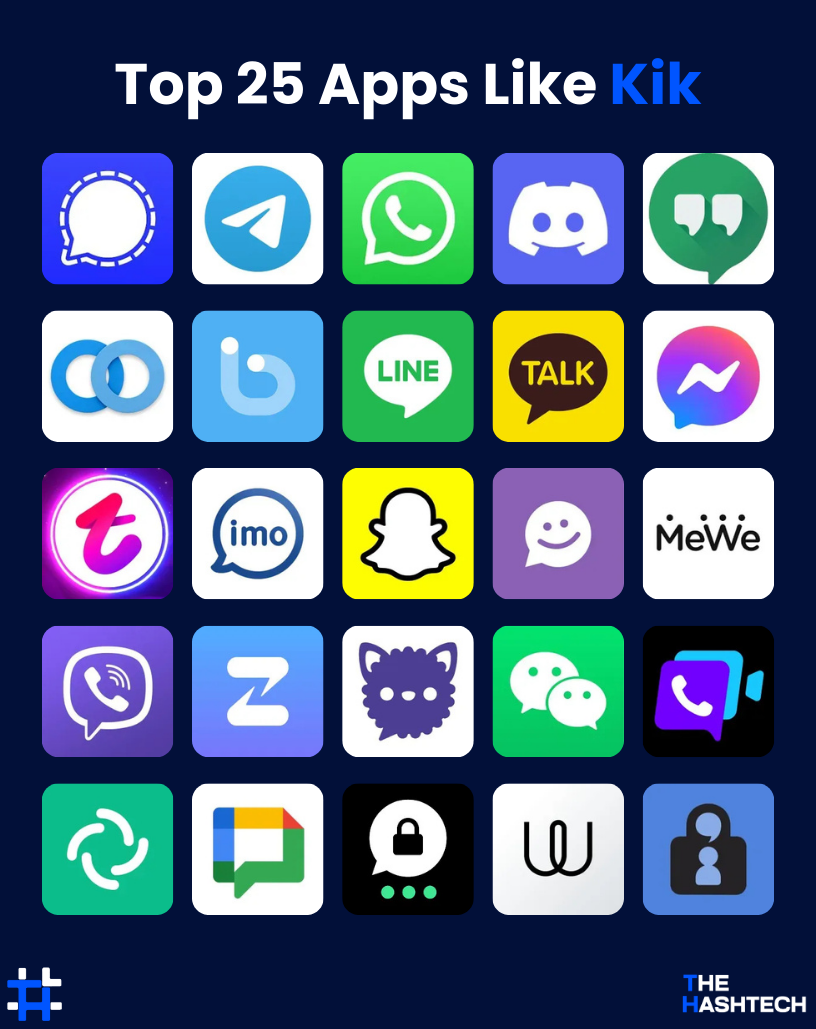
Let’s explore each app in detail to see what makes them worth trying.
1. Signal

Rating: (4.8/5)
Signal is a top alternative to Kik, especially for users who prioritize privacy and security. It’s a messaging app designed to keep your conversations safe with full end-to-end encryption, ensuring that only you and the person you’re chatting with can read the messages.
What sets Signal apart is its strong commitment to user privacy. The app doesn’t collect personal data or track your activity, making it a reliable choice for anyone concerned about online surveillance. Being open-source, Signal’s security is regularly reviewed by experts, and it works smoothly across both mobile and desktop devices, keeping you connected safely wherever you go.
Key Features of Signal:
- End-to-end encryption for messages and calls
- Self-destructing messages for extra privacy
- No ads, no tracking
- Secure video calling
Pros & Cons of Signal:
| Pros | Cons |
| Strong privacy with end-to-end encryption | Smaller user base compared to mainstream apps |
| Free to use, no ads | Finding contacts can be more challenging |
| Open-source with regular security updates | Requires a phone number to create an account |
| Self-destructing messages for added safety |
Signal is ideal if your main goal is secure messaging without compromising privacy.
2. Telegram

Rating: (4.7/5)
Telegram is another popular alternative to Kik, known for its speed, flexibility, and feature-rich platform. It’s widely used for private chats, group conversations, and sharing large files with ease.
One of Telegram’s standout features is its cloud-based system, which lets you access your messages from multiple devices mobile, desktop, or web without losing any data.
Telegram also supports very large groups, accommodating up to 200,000 members, making it perfect for communities, organizations, and large-scale discussions. Its combination of speed, versatility, and advanced features has made it a favorite for users looking for a complete messaging solution.
Key Features of Telegram:
- Cloud-based messaging, access chats from any device
- Support for large groups and public channels
- Variety of bots and automation tools
- Multimedia sharing, including files up to 2GB
Pros & Cons of Telegram:
| Pros | Cons |
| Fast and reliable cloud messaging | Standard chats are not end-to-end encrypted by default |
| Can host very large groups and channels | Too many groups or channels can feel overwhelming |
| Offers bots, automations, and integrations | No phone number protection in regular chats |
| High file-sharing limit (up to 2GB) |
Telegram is ideal for users who want a flexible, feature-packed messaging app with large group support and seamless access across devices.
3. WhatsApp

Rating: (4.6/5)
WhatsApp is one of the most widely used messaging apps worldwide, similar to Snapchat, offering fast and secure communication for both personal and professional use. With end-to-end encryption, your messages are only visible to you and the person you’re chatting with.
The app supports text messaging, voice and video calls, multimedia sharing, documents, and even location sharing. WhatsApp is easy to use and works smoothly on multiple devices, making it ideal for everyday communication.
However, some users are concerned about data privacy and the app’s ownership by Meta (formerly Facebook), which may be a drawback for those who prioritize security. Despite this, it remains one of the top alternatives to Kik.
Key Features of WhatsApp:
- End-to-end encryption for messages, calls, and media
- Voice and video calls, plus multimedia sharing
- Group chats and status updates
- Location sharing and document sending
Pros & Cons of WhatsApp:
| Pros | Cons |
| Secure end-to-end encryption | Owned by Meta, raising privacy concerns |
| Simple and user-friendly | Limited control over personal data |
| Works smoothly across multiple devices | Requires a phone number to register |
| Huge global user base |
WhatsApp is perfect for anyone looking for a reliable, widely used chat app with secure messaging and rich communication features.
4. Discord

Rating: (4.7/5)
If you’re looking for popular chat apps similar to Kik, Discord is a strong choice. It’s a messaging and voice communication platform designed for communities, making it ideal for group chats, gaming, and collaborative projects.
Discord is known for its high-quality voice and video calls, along with text messaging, media sharing, and active group discussions. One of its unique features is the ability to create custom servers, where you can organize channels for different topics and interests.
Beyond messaging, apps like Discord offer a wide range of bots, integrations, and tools that boost its functionality. Its focus on community building makes it a favorite among gamers, creators, and social groups.
Key Features of Discord:
- Voice and video calling
- Custom servers and topic-based channels
- Extensive bot and integration support
- Large group chats and community management tools
Pros & Cons of Discord:
| Pros | Cons |
| Fun stickers, emojis, and reactions | Smaller international user base compared to mainstream apps |
| Strong privacy features with hidden mode | Some features are less advanced than dedicated messaging apps |
| Community and social networking tools | Focuses more on communities than simple messaging |
| Free to use with no ads |
Discord is perfect for users who want a mix of messaging, social networking, and community engagement all in one app.
From live chat and file sharing to strong security we can handle it all.
Create a Messaging App Users Will Enjoy
Get a Free App Consultation
5. Hangouts

Rating: (4/5)
Hangouts, once a popular messaging app by Google, allows users to send text messages, make voice and video calls, and share media with friends and family.
It integrates smoothly with other Google services, making it convenient if you’re already using Gmail, Google Calendar, or other Google apps.
While Hangouts has useful features like group chats and video calls, it has largely been replaced by Google Chat and Google Meet in many Google Workspace services.
Still, it remains a good option for casual messaging, especially for users who want a simple, easy-to-use app that connects well with the Google ecosystem.
Key Features of Hangouts:
- Text messaging, voice, and video calls
- Integration with Gmail, Google Calendar, and other Google services
- Works on both mobile and desktop devices
Pros & Cons of Hangouts:
| Pros | Cons |
| Simple and easy-to-use interface | Mostly replaced by Google Chat and Google Meet |
| Seamless connection with Google apps | Limited customization options |
| Supports group chats and video calls | No dedicated tools for businesses or teams |
| Available across devices |
Hangouts is a solid Kik alternative for casual chatting, especially for users who rely on Google’s ecosystem.
6. Twinme

Rating: (4.3/5)
Twinme is a privacy-focused messaging app similar to Kik, giving users full control over their conversations.
It provides strong anonymity and security with end-to-end encryption, and you don’t need a phone number or email to sign up.
You can send text messages, make voice and video calls, and share media through a clean and easy-to-use interface.
What makes Twinme unique is its focus on privacy messages aren’t stored on any central server, keeping your data safe and private.
The only downside is its smaller user base and lower recognition, which may limit connecting with a wider audience. Still, it’s an excellent choice for anyone who values privacy.
Key Features of Twinme:
- End-to-end encryption for secure chats
- No phone number or email required for registration
- Text, voice, and video calls, plus multimedia sharing
- Messages aren’t stored on a central server
- Simple and intuitive interface
Pros & Cons of Twinme:
| Pros | Cons |
| Strong privacy with end-to-end encryption | Smaller user base than mainstream apps |
| Sign-up without phone number or email | Limited third-party integrations |
| Easy-to-use and intuitive interface | Less well-known than major messaging apps |
| No central server, adding extra data security |
Twinme is perfect for users who want a private, secure, and anonymous messaging experience.
7. BOTIM

Rating: (4.2/5)
BOTIM is a secure messaging app designed for safe communication, offering end-to-end encryption. It supports text messaging, voice and video calls, and file sharing.
The app is especially popular in countries where standard voice calls or messaging apps are restricted, helping users stay connected even under strict internet rules.
One of BOTIM’s main advantages is its ability to work in regions with heavy online restrictions, allowing free messaging and calls so users can communicate without limits.
While BOTIM is strong in security and connectivity, it lacks some advanced features and integrations found in bigger platforms like WhatsApp or Telegram.
Key Features of BOTIM:
- End-to-end encryption for secure messaging
- Text, voice, and video calls
- Works in countries with internet or call restrictions
- Simple and easy-to-use interface
Pros & Cons of BOTIM:
| Pros | Cons |
| Strong end-to-end encryption for privacy | Fewer features compared to larger apps |
| Works well in regions with internet restrictions | Smaller user base than mainstream apps |
| Supports voice/video calls and file sharing | Lacks advanced tools like bots and integrations |
| User-friendly interface |
BOTIM is ideal for users who need a secure messaging app that works even in countries with strict online restrictions.
8. LINE

Rating: (4.6/5)
LINE is a popular messaging app known for its wide range of features, including text messaging, voice and video calls, and multimedia sharing.
The app delivers a complete communication experience with an easy-to-use interface and fun extras like stickers, emojis, and social networking features. Free voice and video calls make it a convenient choice for staying in touch with friends and family.
What makes LINE unique is its integration with other services, such as LINE Pay for payments, LINE Games, and LINE News, offering more than just messaging. Overall, it’s a strong alternative to Kik.
Key Features of LINE:
- Free voice and video calls
- Text messaging, multimedia sharing, and group chats
- Stickers and emojis for fun and personalized chats
- LINE Pay for payments and money transfers
Pros & Cons of LINE:
| Pros | Cons |
| Free voice and video calls across devices | Privacy concerns due to connection with Naver |
| Offers stickers, games, and other fun features | Less popular outside Asia |
| Easy-to-use interface with cross-platform support | Not as secure as privacy-focused apps |
| LINE Pay for quick and convenient payments |
LINE is ideal for users who want a messaging app with rich features, fun customization options, and integrated services beyond just chatting.
9. KakaoTalk

Rating: (4.5/5)
KakaoTalk is a modern messaging app designed to keep your chats organized and easily accessible. It combines basic messaging with smart features like intelligent message sorting and customizable notifications.
The app focuses on providing a smooth and efficient messaging experience, helping users prioritize important conversations while reducing distractions.
What makes KakaoTalk stand out is its ability to organize and categorize messages, making it ideal for people who want a more structured way to manage their chats.
Key Features of KakaoTalk:
- Smart message sorting and prioritization
- Clean and intuitive interface for easy navigation
- Customizable notifications to control alerts
- Multi-device syncing for seamless access
- Secure message storage for easy retrieval
Pros & Cons of KakaoTalk:
| Pros | Cons |
| Organizes messages efficiently for better management | Smaller user base and still growing in popularity |
| Customizable notifications for better control | Fewer advanced features compared to bigger messaging apps |
| User-friendly interface with easy access to important chats | Limited third-party integrations |
| Syncs across devices for consistent access |
KakaoTalk is perfect for users who want a messaging app that keeps conversations organized, easy to manage, and accessible across multiple devices.
10. Facebook Messenger

Rating: (4.6/5)
Facebook Messenger is one of the most widely used messaging apps and a solid alternative to Kik. It supports text messaging, voice and video calls, and lets users share photos, videos, and files. It also allows group chats and offers fun features like games and interactive tools.
Being linked with Facebook makes it easy to stay connected with your friends directly from the social platform.
However, Messenger can feel cluttered at times because of its wide range of features, which may make the app less straightforward compared to simpler messaging apps.
Key Features of Facebook Messenger:
- Text messaging, voice, and video calls
- Multimedia sharing and file sending
- Integration with Facebook for easy contact management
- Group chats, games, and interactive features
- Works across mobile and desktop devices
Pros & Cons of Facebook Messenger:
| Pros | Cons |
| Easy integration with Facebook for seamless contacts | Privacy concerns due to data collection |
| Wide range of features including games and group chats | Can feel bloated with too many features |
| Works on mobile and desktop | Requires a Facebook account to use |
| Simple sharing of photos, videos, and files |
Messenger is ideal for users who want a feature-rich messaging app that connects directly with their Facebook network.
11. Tango

Rating: (4.3/5)
Tango is a messaging app that supports text chats, voice and video calls, and multimedia sharing. It stands out for its fun and interactive features, including live video streaming, social games, and stickers.
Users can also follow celebrities and watch live performances, making Tango a more social and engaging messaging platform.
However, the app has faced some concerns about privacy and includes ads and in-app purchases, which may affect the user experience.
Key Features of Tango:
- Text messaging, voice, and video calls
- Live video streaming and social games
- Follow celebrities and watch live performances
- Multimedia sharing with stickers and effects
- Works across mobile and desktop devices
Pros & Cons of Tango:
| Pros | Cons |
| Fun and interactive features like live streaming | More focused on entertainment than messaging |
| Free voice and video calls | Smaller user base compared to major apps |
| Easy multimedia sharing with stickers and effects | Ads and in-app purchases can be distracting |
| Works on mobile and desktop |
Tango is ideal for users who want a lively, social messaging experience beyond simple chats.
12. IMO

Rating: (4.2/5)
Imo is a reliable messaging app and a great alternative to Kik. It allows users to send text messages, make voice and video calls, and share photos and videos. The app is known for its simple, easy-to-use interface, making it ideal for anyone who wants straightforward messaging.
Imo works on both smartphones and computers, so you can stay connected on any device. It also supports group chats and international audio/video calls.
One of its biggest advantages is that it performs well even on slower internet connections, making it useful in areas with limited network coverage.
However, compared to apps like WhatsApp, Imo has a smaller user base and fewer advanced features.
Key Features of Imo:
- Free voice and video calls, including international calls
- Text messaging and multimedia sharing
- Cross-platform support for mobile and desktop
- Group chats and file sharing
- Low data usage for calls and messages
Pros & Cons of Imo:
| Pros | Cons |
| Works well on slow internet connections | Smaller user base compared to bigger apps |
| Free voice and video calls, including international | Ads can be distracting for some users |
| Available on mobile and desktop | Limited advanced features |
| Simple and user-friendly interface |
Imo is perfect for users who want a simple, reliable messaging app that works even in areas with weaker internet connectivity.
13. Snapchat

Rating: (4.8/5)
Snapchat is a popular multimedia messaging app known for its unique features like disappearing messages, fun filters, and augmented reality (AR) effects. Users can share photos and videos that automatically disappear after being viewed.
The app also supports voice and video calls, along with text messaging. It’s especially popular among younger audiences because of interactive features like Snap Maps, Stories, and Discover. Snapchat is a great alternative to Kik for those looking for a more creative and playful way to connect.
What sets Snapchat apart is its focus on creative expression. Users can add stickers, text, and drawings to their photos and videos, making communication more fun and engaging. However, it mainly focuses on short, casual interactions rather than long conversations.
Key Features of Snapchat:
- Disappearing photos and videos (Snaps)
- Fun filters and AR effects
- Snap Maps to locate friends
- Stories and Discover for sharing content
Pros & Cons of Snapchat:
| Pros | Cons |
| Fun and interactive features like filters and AR | Mainly designed for short, casual interactions |
| Disappearing messages for privacy | Privacy concerns due to data collection |
| Works on mobile devices | Not ideal for long, in-depth conversations |
| Easy-to-use interface with creative tools |
Snapchat is perfect for users who enjoy creative, playful messaging with friends and want a unique way to share moments.
14. MeetMe

Rating: (4.1/5)
MeetMe is a social networking app designed to help people connect through chat, video calls, and shared interests. It’s ideal for meeting new friends or potentially finding romantic connections.
The app features real-time messaging, video broadcasting, and virtual gifts that users can send to each other. Its interest-based matching system makes it easier to connect with like-minded people. However, the presence of ads can sometimes affect the overall experience.
Key Features of MeetMe:
- Real-time chat and video calls
- Connect with people based on shared interests
- Virtual gifts and content sharing
- Live video streaming
- Simple and easy-to-use interface
Pros & Cons of MeetMe:
| Pros | Cons |
| Great for meeting new people and forming connections | Can attract spammers or less trustworthy users |
| Easy setup with user-friendly interface | Focus on social interactions may not suit everyone |
| Fun features like virtual gifts and live streaming | Ads may disrupt the experience |
| Interest-based matching for better connections |
MeetMe is perfect for users who want a social and interactive platform to meet new people and engage in video chats.
15. MeWe
Rating: (4.4/5)
MeWe is a messaging and social networking app that focuses on privacy, making it a strong alternative to Kik. It offers text messaging, voice and video calls, and group chats, all through a simple and easy-to-use interface.
The app stands out for its strong privacy policies it doesn’t sell user data and provides end-to-end encryption for private messages. Users can share photos and videos, create and manage groups, and engage with posts, making it suitable for both personal and professional use.
While MeWe doesn’t have as large a user base as some mainstream apps, its focus on security and user control makes it a great choice for anyone looking for a safe social platform.
Key Features of MeWe:
- End-to-end encryption for private messages
- Voice and video calls with privacy protection
- Group chat creation and management
- Multimedia sharing including photos and videos
- No ads or selling of user data
Pros & Cons of MeWe:
| Pros | Cons |
| Strong privacy with end-to-end encryption | Smaller user base compared to major apps |
| No ads or data selling | Some advanced features are limited or paid |
| Easy-to-use interface with multimedia support | |
| Group management and social networking tools |
MeWe is ideal for users who want a secure, ad-free messaging and social networking experience with strong control over their data.
Let’s turn your idea into a real app — quickly, efficiently, and with full quality.
Ready to Change the Messaging World?
Let’s Build It Together
16. Viber

Rating: (4.7/5)
Viber is a popular messaging app and a good alternative to Kik. It lets users send text messages, make voice and video calls, share files, and enjoy group chats. The app also includes fun features like stickers and emojis to make conversations more engaging.
A standout feature of Viber is its ability to make low-cost international calls, helping users stay connected with friends and family around the world. The app’s Viber Out feature allows calls to non-Viber numbers at affordable rates. While Viber has a large user base, it is sometimes less popular than apps like WhatsApp and Telegram in certain regions.
Key Features of Viber:
- Free text messages, voice, and video calls
- Affordable international calls with Viber Out
- End-to-end encryption for secure chats
- Group messaging and multimedia sharing
- Stickers and emojis for fun and personalized conversations
Pros & Cons of Viber:
| Pros | Cons |
| Low-cost international calls with Viber Out | Privacy concerns due to data collection |
| End-to-end encryption for secure communication | Less popular than WhatsApp and Telegram in some areas |
| User-friendly interface with rich media sharing | Some features may be limited in certain countries |
| Works on mobile and desktop devices |
Viber is ideal for users who want secure messaging, affordable international calling, and fun ways to personalize their chats.
17. Zulip

Rating: (4.5/5)
Zulip is a messaging app designed for team communication, especially in professional environments. It uses a unique “stream” system, where messages are organized by topic, making it easier to follow conversations on specific subjects.
The app supports text messaging, file sharing, voice and video calls, and integrates with popular business tools like Google Drive and GitHub. This structured approach makes Zulip ideal for workplaces that need organized and efficient communication.
Key Features of Zulip:
- Topic-based conversation organization (streams)
- File sharing and multimedia support
- Voice and video calls
- Integrations with business apps (e.g., Google Drive, GitHub)
- Open-source with options for customization
Pros & Cons of Zulip:
| Pros | Cons |
| Organizes conversations by topic for better clarity | Mainly designed for professional use |
| Great for team collaboration and file sharing | Interface may be complex for casual users |
| Integrates well with other business tools | Smaller user base than general messaging apps |
| Open-source and customizable |
Zulip is perfect for teams or businesses that want a structured, professional messaging platform with strong collaboration tools.
18. FluffyChat

Rating: (4.3/5)
FluffyChat is an open-source messaging app that prioritizes privacy and security. It supports end-to-end encrypted messaging, voice calls, and video calls. Built on the decentralized Matrix protocol, FluffyChat allows users to communicate across different platforms while keeping full control over their data no central server stores your messages.
Key Features of FluffyChat:
- End-to-end encryption for secure chats
- Built on the decentralized Matrix protocol
- Voice and video calls with encrypted connections
- Customizable themes and stickers
- Open-source app with no data tracking
Pros & Cons of FluffyChat:
| Pros | Cons |
| Strong focus on privacy with end-to-end encryption | Can be harder to set up for beginners |
| Decentralized platform for cross-network communication | Smaller user base than mainstream apps |
| Open-source with no tracking | Lacks some advanced features found in larger platforms |
| Customizable themes and stickers |
FluffyChat is ideal for users who want a secure, private messaging app with full control over their data and a customizable interface.
19. WeChat

Rating: (4.0/5)
WeChat is often called a “super app” and is one of the most popular messaging platforms in China. It combines messaging, social networking, and payment services in a single app. Users can send text messages, make voice and video calls, share photos, and even pay bills or order food, all without leaving the app. This makes WeChat a versatile solution for personal, professional, and business use.
Key Features of WeChat:
- Combines messaging, social media, and payment services
- Supports mini-programs for third-party apps and services
- Send money, pay bills, and make reservations directly
- Public accounts for businesses, celebrities, and brands
Pros & Cons of WeChat:
| Pros | Cons |
| All-in-one platform for messaging, payments, and more | Privacy concerns due to government monitoring |
| Simple and user-friendly interface | Limited availability outside China |
| Integrates with third-party apps through mini-programs | Some features need a Chinese phone number |
| Large user base, especially in Asia |
WeChat is ideal for users who want a single app for chatting, social networking, and handling payments, especially in regions where it is widely used.
20. Beam Messenger

Rating: (4.1/5)
Beem is a secure messaging app built for users who want private and safe communication. All messages are protected with strong encryption, so only you and the person you’re chatting with can read them.
This messaging app supports text chats, voice calls, and file sharing while keeping user privacy a top priority. Unlike many popular platforms, Beem does not track users or collect personal data. Because of this, it is a good choice for people who want a clean and privacy-focused chat experience.
Beem is also easy to use, making it suitable for both beginners and privacy-conscious users. While it may not have the popularity or extra features of larger apps, it delivers solid security and simplicity.
Key Features of Beam Messenger:
- End-to-end encryption for all messages and calls
- Secure text messaging, voice calls, and file sharing
- No user tracking or data collection
- Simple and user-friendly design
- Works on both mobile and desktop devices
Pros & Cons of Beam Messenger:
| Pros | Cons |
| Strong encryption for private communication | Smaller user community compared to major apps |
| No tracking or storage of user data | Fewer advanced features |
| Easy setup with a clean interface | Not widely known in the app market |
| Supports multiple platforms |
Beam Messenger is ideal for users who want instant, expressive, and highly interactive communication rather than traditional messaging.
21. Element

Rating: (4.0/5)
Element is a secure, open-source messaging app built on the Matrix protocol, making it a strong alternative to Kik. It is designed for users who want full control over their conversations and data.
Unlike many messaging apps, Element lets users host their own servers, giving them greater flexibility and privacy. It supports text messaging, voice and video calls, and file sharing, making it useful for both personal and professional communication.
Element also works across multiple platforms, so you can access your chats on mobile or desktop easily.
Key Features of Element:
- End-to-end encryption for all messages and calls
- Open-source with options for self-hosted servers
- Secure group messaging and voice/video calls
- File sharing and integrations with other apps
Pros & Cons of Element:
| Pros | Cons |
| Strong privacy with end-to-end encryption | Can be difficult to set up for non-technical users |
| Fully open-source and community-driven | Smaller user base than mainstream apps |
| Self-hosting for maximum control | Some features may be harder to use for beginners |
| Cross-platform support for mobile and desktop |
Element is perfect for users or organizations who want a secure, private messaging platform with flexible options for hosting and data control.
22. Google Chat

Rating: (4.4/5)
Google Chat is a messaging app designed for both work and personal use. It’s part of Google Workspace and lets users send instant messages, create group chats, share files, and collaborate on documents in real time. Google Chat integrates smoothly with other Google tools like Google Drive, Docs, and Meet, making it a useful app for productivity and teamwork.
Key Features of Google Chat:
- Direct messaging and group conversations
- Works seamlessly with Google Workspace apps (Docs, Drive, Meet)
- Real-time file sharing and collaborative editing
- Customizable notifications for better control
Pros & Cons of Google Chat:
| Pros | Cons |
| Easy integration with Google services | Limited features compared to some messaging apps |
| Ideal for collaboration and productivity | Mainly designed for Google Workspace users |
| Works across mobile and desktop devices | Less suitable for casual or entertainment-focused chatting |
| Customizable notifications |
Google Chat is perfect for users who need a professional, productivity-focused messaging app that works well with the Google ecosystem.
23. Threema

Rating: (4.1/5)
Threema is a secure messaging application built for users who value privacy above everything else. It allows people to communicate without sharing a phone number or email address. Instead, the app creates a unique ID for each user, helping them stay anonymous from the start.
Developed in Switzerland, Threema follows strict data protection laws and uses strong encryption to protect messages, calls, and shared files. It supports private chats, group conversations, and secure voice communication, making it suitable for both personal and professional use.
Although Threema is a paid app and has a smaller audience compared to popular messengers, its strong focus on privacy makes it a reliable choice for users who want full control over their data.
Key Features of Threema:
- No phone number or email required for signup
- End-to-end encryption for all messages and calls
- Secure file sharing, voice messages, and polls
- Open-source technology with GDPR compliance
- Strong privacy protection under Swiss laws
Pros & Cons of Threema:
| Pros | Cons |
| High-level privacy with anonymous IDs | One-time paid download required |
| End-to-end encryption for all communication | Smaller user base than mainstream apps |
| No personal data needed to use the app | Fewer social features compared to free platforms |
| Trusted Swiss-based data protection | Not ideal for users seeking casual social networking |
Threema is best suited for users who want private, secure, and anonymous communication without compromising their personal information.
24. Wire

Rating: (3.6/5)
Wire is a secure messaging app designed for people who care about privacy. It uses strong end-to-end encryption, which means only you and the person you’re talking to can see or hear your messages and calls.
With Wire, you can send text messages, make voice and video calls, and share photos, videos, and documents safely. The app has a clean and simple design, so it’s easy to use for both personal chats and work communication.
Wire works on many devices, including smartphones, tablets, and computers. This makes it easy to stay connected whether you are at home, at work, or traveling.
One downside of Wire is that fewer people use it compared to popular apps like WhatsApp or Telegram. Because of this, you may not find all your contacts already on the platform.
Key Features of Wire:
- Strong end-to-end encryption for private chats
- Open-source system that is checked regularly for security
- Works on mobile phones and desktop computers
- High-quality voice and video calling
- Safe sharing of files, images, and documents
Pros & Cons of Wire:
| Pros | Cons |
| High level of privacy and security | Smaller number of users than mainstream apps |
| Trusted and transparent open-source technology | Basic design may feel too simple for some users |
| Clean and easy-to-use interface | Limited connection with other apps and services |
| Available on multiple devices |
Wire is a good choice for users who want safe, private communication with a simple and professional feel.
25. Tox

Rating: (4.0/5)
Tox is a secure messaging application designed for people who care deeply about privacy. It allows users to chat, make voice and video calls, and share files while keeping all communication fully encrypted.
Unlike many popular apps, Tox does not use central servers. Instead, it works on a peer-to-peer system, meaning your data is sent directly between users. This approach helps ensure that your messages stay private and under your control.
Because Tox is decentralized, there is no company storing your data or tracking your activity. This makes it a strong option for users who want a private, censorship-resistant communication tool. While it may not be as polished as mainstream apps, it offers a very high level of security.
Key Features of Tox:
- End-to-end encryption for messages, calls, and file sharing
- Peer-to-peer system with no central servers
- Supports text chat, voice calls, video calls, and file transfers
- No account or phone number required
Pros & Cons of Tox:
| Pros | Cons |
| Strong privacy through a decentralized network | Smaller number of users compared to popular apps |
| Secure encryption for all communications | User interface may feel basic |
| Open-source and completely free | Fewer extra features than mainstream messaging platforms |
| No data collection or user tracking |
Tox is best suited for users who want maximum privacy and full control over their communication without relying on centralized services.
Turn your idea into a feature-rich messaging platform that users will love.
Launch Your Own Chat App with Ease
Book Your Free Consultation Now
5 Best Kik Alternatives You Should Try
If you’re searching for a chat app that gives you more control, stronger privacy, or a fresh way to connect, Kik isn’t your only option. Many modern messaging apps now offer smarter features and safer communication.
From easy media sharing and secure chats to apps built around communities or real-time interaction, these platforms are designed to improve your messaging experience.
Here’s a handpicked list of the top 5 Kik alternatives to help you choose the one that fits your needs best:
| App | Main Features | Supported Platforms | Why It Stands Out |
| Signal | Secure chats, end-to-end encryption, voice & video calls, open-source | iOS, Android, Desktop | Best choice for users who value privacy and security |
| Telegram | Cloud chats, large groups, channels, bots, secret chats | iOS, Android, Desktop, Web | Ideal for flexibility and managing big communities |
| Encrypted messaging, voice & video calls, status updates, media sharing | iOS, Android, Web | One of the most widely used chat apps globally | |
| Discord | Voice/video chat, servers, group messaging, screen sharing | iOS, Android, Desktop, Web | Perfect for communities, teams, and gamers |
| Snapchat | Disappearing messages, photos & videos, filters, stories | iOS, Android | Known for fun, short-term communication and creative tools |
Each of these Kik alternatives offers something different whether you want stronger privacy, richer media sharing, or a platform built for group interaction. Choose the app that matches how you like to chat and connect.
What Is Driving Kik’s Massive User Base to Alternatives
Although Kik was once a go-to messaging app for millions of users, it no longer fulfills the expectations of everyone.
One major reason is the intense competition in the messaging app space. Leading platforms like WhatsApp, Facebook Messenger, and Snapchat now offer faster performance, better features, and stronger security, making it harder for Kik to stay relevant.
In addition, many users have experienced performance problems such as slow loading, frequent glitches, and app crashes. Concerns around privacy and user safety have also raised red flags.
Together, these challenges have impacted Kik’s credibility and reduced its appeal among modern users. If you’re searching for a better alternative, you’re definitely not the only one.
Below are some key reasons why users are switching to apps similar to Kik:
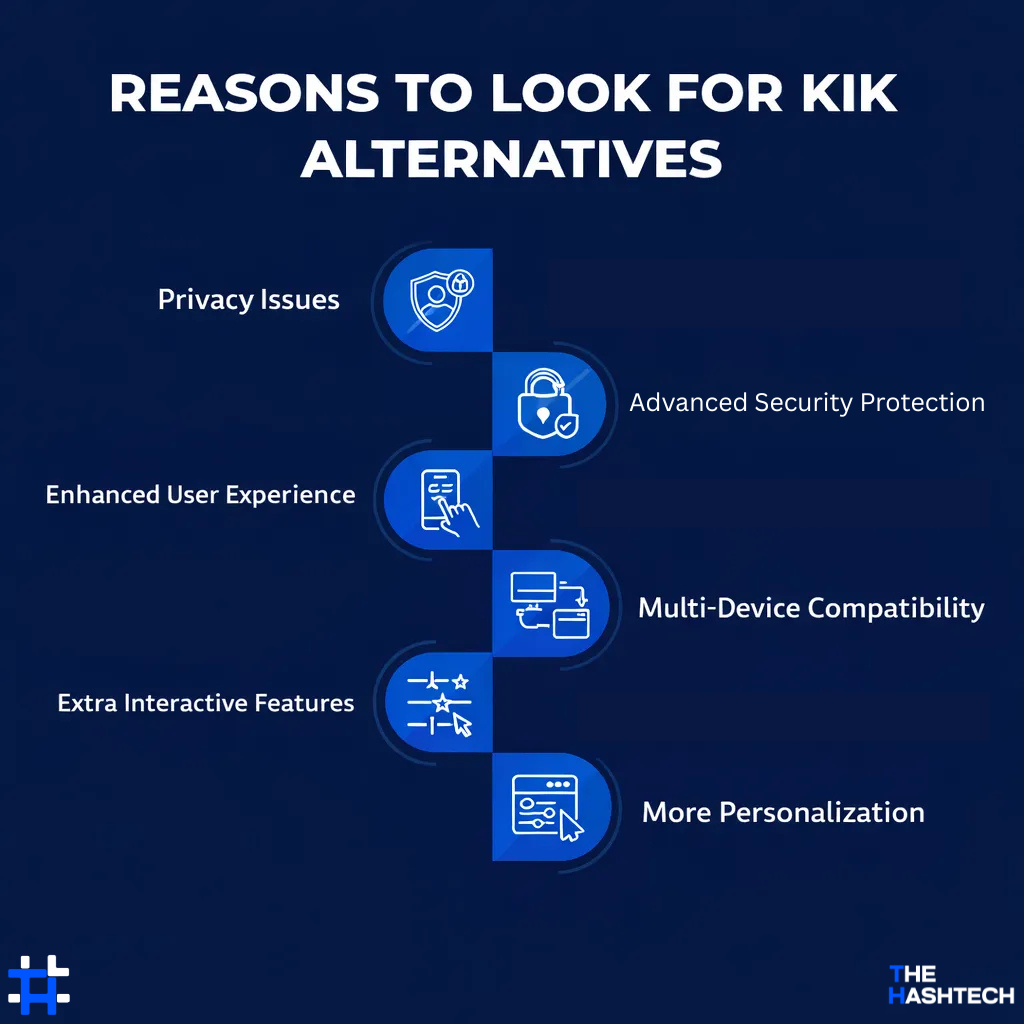
Privacy Issues
Kik has received negative feedback due to concerns about how user data is handled. Many users feel unsure about the level of privacy the app provides, which has led them to look for messaging platforms that offer stronger data protection and better control over personal information.
Advanced Security Protection
One key advantage of creating an app like Kik is the ability to include strong security measures. Modern messaging apps can offer end-to-end encryption along with enhanced safety features that protect user conversations and data from unauthorized access.
Enhanced User Experience
Many users feel that Kik’s interface is not as easy to use as it once was. In comparison, newer apps similar to Kik offer cleaner layouts, smoother navigation, and more user-friendly designs that make chatting simpler and more enjoyable.
Multi-Device Compatibility
Modern messaging apps such as Telegram and WhatsApp let users access their chats across different devices without interruptions. This smooth syncing feature makes conversations more convenient and keeps communication consistent anytime, anywhere.
Extra Interactive Features
Many apps similar to Kik go beyond basic messaging by offering engaging options such as voice and video calls, fun AR effects, and built-in games. These added features make conversations more entertaining and help users stay more connected.
More Personalization
Many messaging apps let you adjust your profile, tweak chat settings, and control notifications to match your style.
How to Choose the Best App for You
The Kik alternatives we’ve covered offer plenty of solid options, but choosing the right one can still feel confusing. With so many apps available, the decision takes more than just picking a chat tool.
Today, messaging is about more than sending texts. It’s about selecting an app that fits your lifestyle, comfort level, and personal priorities.
Here are a few key things to think about before deciding:
- Security first: Choose an app that provides strong protection, such as end-to-end encryption, to keep your conversations private.
- User base matters: Make sure the app is popular enough and that the people you want to talk to are already using it.
- Media sharing: If you often send photos, videos, or files, check that the app supports smooth multimedia sharing.
- Device compatibility: Pick an app that works across platforms like iOS, Android, and web so you can stay connected anywhere.
- Extra features: Look for useful tools such as voice messages, video calls, group chats, or custom chat settings.
- Customization control: Some users prefer more control over notifications, profiles, and chat appearance make sure the app fits your style.
In short, if you want privacy and anonymity similar to Kik, apps like Signal or Bridgefy are good options. If large groups and communities are your priority, Telegram or Discord work best. For daily, casual messaging, WhatsApp, Messenger, and Viber are reliable choices.
Choosing the right app comes down to how you communicate and what matters most to you.
The Future of Messaging Apps
Messaging apps have moved far beyond basic text chats. Today, they are turning into smart digital platforms that use modern technology to make communication faster, safer, and more engaging.
In the coming years, messaging apps will focus more on intelligence, privacy, and advanced features rather than just sending messages. These platforms are being redesigned to deliver richer and more meaningful user experiences.
With the rise of new technologies such as artificial intelligence (AI), augmented reality (AR), and other innovations, messaging apps are becoming more interactive and personalized. The goal is to make conversations feel more natural, immersive, and user-focused.
Market research also shows strong growth in this space. Reports from Cognitive Market Research indicate that the global mobile messaging app market is valued at over USD 105 billion, with the Asia-Pacific region accounting for nearly 23% of the total share. By 2025, this region alone is expected to generate more than USD 24 billion, growing at an impressive 18.9% CAGR.
Below are some of the major trends that are defining the future of messaging applications:
| Trend | What It Means |
| AI Integration | Messaging apps are using AI to offer smart replies, virtual assistants, and personalized suggestions that make chatting faster and easier. |
| End-to-End Encryption | Protecting user data is a top priority, ensuring that only the sender and receiver can read the messages. |
| Augmented Reality (AR) | AR tools like filters, interactive stickers, and virtual effects are making chats more engaging and fun. |
| Improved User Interfaces | Apps are designing simpler, cleaner layouts with easy navigation for a smoother and more enjoyable experience. |
| Cross-Device Syncing | Messaging platforms are letting users switch seamlessly between mobile, desktop, and web without losing chat history. |
| Voice and Video Features | High-quality voice and video calls, group calls, and screen sharing are becoming standard in modern chat apps. |
| Privacy-Focused Features | New apps give users more control, including anonymous chatting, self-deleting messages, and tighter data management. |
| Integration with Other Services | Messaging platforms are connecting with shopping, banking, and entertainment apps so users can do more in one place. |
These trends show that messaging apps are evolving to be more secure, interactive, and versatile, making communication smarter and more convenient than ever.
From secure chats to multimedia features, we help you build apps that stand out.
Take Your Messaging App to the Next Level
Get Started for Free Today
Wrapping Up
When it comes to Kik alternatives, Signal, Telegram, Discord, Snapchat, and WhatsApp are among the most trusted options available.
The best app for you depends on your personal needs, habits, and priorities. Each platform offers unique features and solves different problems for users worldwide.
If privacy is your top concern, apps like Threema, Twinme, and Signal are great choices.
For community chats and group discussions, Discord, Telegram, and Camfrog provide rich tools and features.
If you’re thinking about creating your own chat app like Kik that can reach millions, collaborating with a professional mobile app development company is key.
The Hashtech specializes in mobile app development and can help turn your idea into a successful, feature-rich social app. With their expertise, businesses can create messaging platforms that engage users and stand out in today’s competitive market.
Frequently Asked Questions
What Are the Best Kik Alternatives in 2026?
There are many good apps you can use instead of Kik in 2026. Popular options include Signal, Telegram, WhatsApp, Discord, and Snapchat. These platforms offer features such as group chats, voice and video calls, and better privacy controls.
Each app has its own strengths. Some focus more on strong security and encryption, while others are better for sharing media or joining communities. What works well for one person may not be the best choice for another.
The best option depends on your needs and preferences. Take some time to explore different apps and compare their features before deciding which one suits you best.
Which Kik-like Apps Offer Better Security?
Some messaging apps provide stronger security than Kik. Apps such as Signal and WhatsApp use end-to-end encryption, which means only you and the person you’re chatting with can read the messages.
These apps do not keep your messages stored on their servers once they are delivered. This helps reduce the risk of data leaks or misuse.
While no messaging app can guarantee perfect privacy, choosing platforms that focus on encryption and data protection can greatly improve your online safety.
Are Kik Alternatives Free?
Yes, most apps that can replace Kik are free to use. Popular choices like Signal, Telegram, and WhatsApp are available at no cost for basic messaging and calls.
However, some platforms offer extra features through paid plans. For example, Discord has Discord Nitro, which unlocks special perks. The basic version of Discord is still free for everyone.
So, while the core features are usually free, some apps may charge for advanced or premium options.
Can Businesses Create Their Own App Like Kik?
Yes, businesses can definitely build an app similar to Kik. There are two main ways to do it.
You can use low-code or no-code tools to quickly create a basic messaging app. This is a faster and cheaper option, but it may have limited features.
If you want a more complete and custom app, the best choice is to hire a professional app developer or a development team. They can help you shape your idea, add the features your users need, and build a reliable app that fits your business goals.
How Much Does It Cost to Create an App Like Kik?
The cost of developing an app similar to Kik usually ranges from $20,000 to $100,000. The final price depends on several factors, such as the features you want, whether it’s for iOS or Android, and how complex the design is.
If you want a more accurate estimate, you can use an app development cost calculator or talk to a development team for a detailed quote.
Which Company Is Best for Creating an App Like Kik?
To create an app like Kik, it’s best to work with a development company that has real experience in building similar messaging apps. Look for a team with a strong portfolio and proven technical skills.
The Hashtech has the expertise to build secure and scalable messaging apps. If you’re looking for a reliable partner to develop an app like Kik, feel free to contact us we are ready to help and deliver a quality solution.
Which Kik Alternative Is Best for Group Chats in 2026?
For group chats in 2026, Telegram and Discord are among the top choices. Both platforms are built for communities and make it easy to chat with many people.
Telegram allows large group chats and public channels, where you can share messages with unlimited members. Discord is great for creating custom servers with multiple chat rooms and strong moderation tools.
If you need a place for big groups, both apps offer excellent features for managing members and sharing files smoothly.
How Do Kik Alternatives Handle Spam or Unwanted Messages?
Many Kik alternatives, like WhatsApp, Telegram, and Signal, offer stronger tools to reduce spam. These apps give users more control over who can message them.
For example, WhatsApp lets you block and report suspicious contacts. Telegram provides options to manage bots and filter unwanted messages in groups. Signal also lets you block unknown users and control who can contact you.
Overall, these apps make it easier to keep your chats safe and avoid spam.