Top 25 Instant Cash Advance Apps Like Brigit in 2026


31 December, 2025
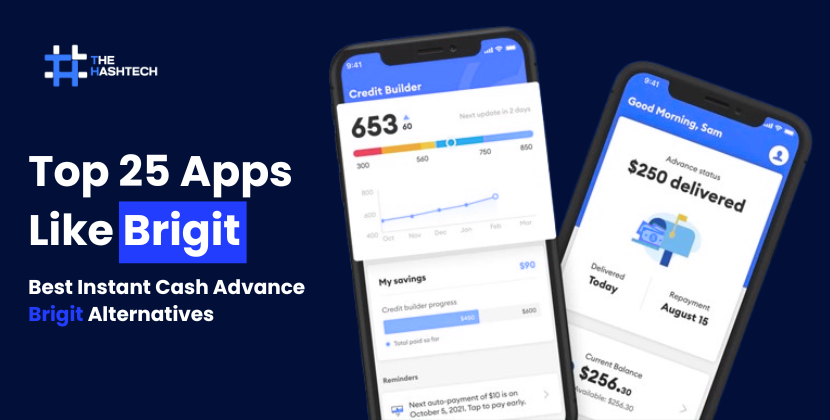
Apps like Brigit have made it a lot easier to manage money issues and get short-term loans when you need them. Unexpected expenses, like surprise bills, can mess up your budget. That’s where cash advance apps like Brigit come in handy. They offer quick help when you need money urgently, so you can stay on top of your finances.
According to a report from Globe News Wire, online shopping and digital transactions are growing rapidly. In fact, digital commerce is expected to reach about $21.62 trillion in transactions by 2025. These numbers show that the future of online finance services looks bright. So, if you’re thinking about creating a finance app, now could be the perfect time to work with a professional app development company.
Not sure what Brigit is?
Brigit is a popular finance app that helps you track your spending, avoid late fees, find side gigs, and even get small cash advances when you’re in a tough spot. With over 12 million users and more than $1 billion in advances sent out each year, it’s no wonder why so many people trust it.
But if Brigit doesn’t seem like the right fit for you, no worries. This blog will introduce you to some of the best Brigit alternatives reliable and safe apps that offer fast cash when you really need it.
Top Alternatives to Brigit You Should Try!
Looking for apps that are similar to Brigit? We’ve got you covered! These apps can help you get quick cash when you need it, avoid overdraft charges, and keep your budget in check. Let’s dive into some of the best options out there:
1. Dave

A simple app for quick cash before payday
Google Play Rating: 4.4 / 5
Apple App Store Rating: 4.8 / 5
Dave is a popular cash advance app and a strong alternative to Brigit. It helps you get a small amount of money before your paycheck arrives, so you can avoid overdraft fees and payday loans. The app also supports budgeting tools and gives you access to more than 38,000 ATMs with no withdrawal charges. If you need fast cash with fewer hassles, Dave is a reliable option.
Pros and Cons
| Pros | Cons |
| Bank account is FDIC insured up to $250,000 | Same-day transfers may cost extra |
| You can change your repayment date if needed | Instant transfer fees can be expensive |
| Tips are capped at 25% of the advance | Only one cash advance at a time |
Quick Overview
- Cash Advance Amount: Up to $500
- Processing Time: 1–3 business days
- Repayment: Automatically deducted on your next payday or deposit date
Who Can Use Dave?
To qualify for Dave, you should:
- Have a steady source of income
- Use a bank account that is at least 2 months old
- Show regular deposits and spending activity
- Set up direct deposit (recommended for better access)
How to Get Started
- Download the Dave app from Google Play or the Apple App Store
- Create an account and link your bank account
- Pay a $1 monthly subscription fee
- Request your cash advance and keep track of your repayment date
2. MoneyLion

An all-in-one app to borrow, save, and manage money
Google Play Rating: 5.0 / 5
Apple App Store Rating: 4.7 / 5
MoneyLion is a strong Brigit alternative that goes beyond simple cash advances. Along with short-term advances, it helps users build credit, save money, and explore basic investing tools. It’s designed to support your overall financial well-being, not just quick borrowing. With a global presence and millions of users, MoneyLion has built a solid reputation in the finance app space.
Pros and Cons
| Pros | Cons |
| Instacash offers advances with no interest | Premium plans can cost up to $19.99 per month |
| Credit-builder loans help improve credit score | Investing features are basic |
| No hidden fees for banking or cash advances | Borrowing limit depends on income and usage |
Quick Overview
- Cash Advance Amount: Up to $1,000
- Processing Time: 1–3 business days
(Instant delivery available for a small fee up to $5.99) - Repayment: Automatically deducted on your next payday or deposit date
Who Can Use MoneyLion?
You may qualify if you:
- Have a consistent source of income
- Maintain an active checking account with regular activity
- Meet eligibility rules for features like Instacash or credit-builder loans
How to Apply
- Download the MoneyLion app from Google Play or the Apple App Store
- Create an account using your email address
- Verify your identity with basic personal details
- Connect your checking account
- Select your cash advance option and review the terms
3. Ingo Money

A quick way to cash checks without visiting a bank
Google Play Rating: 3.1 / 5
Apple App Store Rating: 4.0 / 5
Ingo Money is a useful option for people who receive payments by check and want fast access to their money. Instead of going to a bank, you can use your phone to cash checks such as payroll, government, or personal checks. The money can be sent to your bank account, PayPal, or used to pay bills, making it a convenient choice when you need funds quickly.
Pros and Cons
| Pros | Cons |
| Cash checks anytime using your smartphone | Instant access comes with a fee |
| Works with many check types (payroll, government, personal) | Not a cash advance or loan app |
| Funds may arrive within minutes | Check approval may take time and review |
Quick Overview
- Cash Advance Amount: Not available (check cashing only)
- Processing Time: 1–3 business days
(Instant option available for a fee) - Repayment: Not required this is not a loan
Who Can Use Ingo Money?
You can use Ingo Money if you:
- Have a valid paper check
- Can link a bank account, PayPal, or prepaid debit card
- Complete identity verification if required
How to Use Ingo Money
- Download the Ingo Money app from Google Play or the Apple App Store
- Create an account and enter your personal details
- Connect your bank account, PayPal, or prepaid card
- Take clear photos of the front and back of your check
- Review the fees and submit the check for deposit
4. Chime
Simple digital banking with early access to your pay
Google Play Rating: 5.0 / 5
Apple App Store Rating: 4.8 / 5
Chime is a popular online banking app and a strong alternative to Brigit. It focuses on fee-free banking and helps users manage money easily from their phone. With direct deposit, you can get paid up to two days earlier than usual. Chime also offers a savings account that earns interest and a clean, easy-to-use mobile app. It’s a good option for anyone who wants to avoid traditional bank fees and stay organized with their finances.
Pros and Cons
| Pros | Cons |
| No monthly fees or minimum balance | Daily ATM withdrawal limit of $500 |
| Early paycheck with direct deposit | No physical branches |
| Access to 60,000+ fee-free ATMs | Online-only banking |
Quick Overview
- Cash Advance Amount: Up to $200 with SpotMe
- Processing Time: Usually within 24 hours
- Repayment: Automatically covered when your next paycheck is deposited
Who Can Use Chime?
You may qualify if you:
- Are at least 18 years old
- Have a valid Social Security Number (SSN)
- Are a U.S. citizen or permanent resident
How to Sign Up
- Download the Chime app or visit the official website
- Create an account using your basic personal details
- Set up direct deposit with your employer
- Once approved, start using Chime checking, savings, and SpotMe features
5. Branch
Get paid early without waiting for payday
Google Play Rating: 4.2 / 5
Apple App Store Rating: 4.7 / 5
Branch is a helpful app for workers who want early access to the money they’ve already earned. Instead of waiting for payday, you can take out part of your paycheck in advance. This can be useful when unexpected expenses come up. The app is easy to use, secure, and designed for quick access to funds.
Pros and Cons
| Pros | Cons |
| No interest charged on advances | Maximum advance is limited to $500 |
| Same-day deposits available | Frequent advances may affect money habits |
| Access up to 50% of earned wages | Does not help build credit |
Key Details
- Advance Amount: Up to $500
- Processing Time: Same day
- Repayment: Automatically deducted on your next payday
Who Is Eligible?
To use Branch, you must:
- Be 18 years or older
- Work for an employer that supports Branch
- Have payroll direct deposit set up
- Maintain an active and verified Branch account
How to Get Started
- Download the Branch app from Google Play or the Apple App Store
- Create an account using your basic details
- Link your bank account or debit card
- Connect your payroll for verification
- Once approved, request an advance based on your earned wages
6. EarnIn

Get access to your earned pay before payday
Google Play Rating: 4.6 / 5
Apple App Store Rating: 4.7 / 5
EarnIn is a well-known alternative to Brigit that lets you use the money you’ve already earned, even before your official payday. It’s helpful for everyday needs like paying bills, buying groceries, or handling sudden expenses. Instead of charging interest, EarnIn allows users to leave a small optional tip.
Pros and Cons
| Pros | Cons |
| Access up to $750 per pay period | Works only with supported employers and direct deposit |
| No interest or mandatory fees | Advance limit depends on earned income |
| No credit check needed | Requires steady and regular income |
Key Details
- Advance Amount: Up to $100 per day or $750 per pay period
- Processing Time: 1–3 business days
- Repayment: Automatically deducted from your next paycheck
Who Can Use EarnIn?
You may qualify if you:
- Are 18 years or older and live in the U.S.
- Work for an employer that offers direct deposit
- Have earned income in the current pay cycle
- Link the bank account where your paycheck is deposited
How to Get Started
- Download the EarnIn app from Google Play or the Apple App Store
- Sign up and enter your personal information
- Connect the bank account used for paycheck deposits
- Share your work details and verify your earnings
- After approval, request advances based on your earned wages
7. DailyPay

Access your earned money anytime, not just on payday
Google Play Rating: 4.7 / 5
Apple App Store Rating: 4.8 / 5
DailyPay lets you use the wages you’ve already earned before your official payday arrives. Instead of waiting weeks to get paid, you can transfer your earnings to your bank account whenever you need them. This makes it a useful option for covering urgent costs, paying bills, or better managing day-to-day expenses.
Pros and Cons
| Pros | Cons |
| Instant access to earned wages | Each early transfer comes with a fee |
| No credit check required | Early access amount may be limited |
| Clear pricing with no hidden fees | Not available without employer support |
Key Details
- Advance Amount: Up to 100% of earned wages
- Processing Time: Instant
- Repayment: Automatically deducted from your next paycheck
Who Can Use DailyPay?
You may be eligible if you:
- Are 18 years or older
- Work for an employer that partners with DailyPay
- Have a steady source of income
- Live in the United States
How to Get Started
- Download the DailyPay app from Google Play or the Apple App Store
- Create an account using your basic personal details
- Connect the app to your employer’s payroll system
- Choose how much of your earned pay you want to access and confirm
8. Empower

A money app that helps you borrow and budget smarter
Google Play Rating: 4.7 / 5
Apple App Store Rating: 4.8 / 5
Empower is not just for cash advances it also helps you understand and manage your money better. Along with short-term advances, the app offers tools to track expenses, set budgets, and save for the future. It’s a good option for people who want to avoid overdraft fees while improving their overall money habits.
Pros and Cons
| Pros | Cons |
| No interest or late fees on advances | $8 monthly membership fee |
| Built-in budgeting and spending insights | Available only in the U.S. |
| 14-day free trial for new users | Customer support response may be slow at times |
Key Details
- Advance Amount: Up to $250
- Processing Time: Usually within 24 hours
- Repayment: Automatically deducted from your next paycheck
Who Can Use Empower?
You may qualify if you:
- Are 18 years or older
- Have a steady source of income
- Connect an active bank account to the app
How to Get Started
- Download the Empower app from Google Play or the Apple App Store
- Sign up using your personal details
- Link your bank account for verification
- After approval, request a cash advance within your available limit
9. Affirm
Buy now, pay later with easy installments
Google Play Rating: 4.8 / 5
Apple App Store Rating: 4.9 / 5
Affirm is a “buy now, pay later” app rather than a typical cash advance app. It allows you to split purchases into smaller, manageable payments instead of paying all at once. Whether you’re shopping for electronics, clothes, or travel, Affirm provides quick access to funds and transparent repayment plans with no hidden fees.
Pros and Cons
| Pros | Cons |
| Flexible payment plans to match your budget | Interest rates may go up to 36% depending on credit |
| No late fees or hidden charges | Not meant for cash withdrawals |
| Pre-qualification won’t affect your credit score | Limited for users who need direct cash advances |
Key Details
- Loan Amount: $50 – $17,500
- Processing Time: Instant approval (pre-qualification takes a few minutes)
- Repayment: Monthly payments over 3 to 36 months
Who Can Use Affirm?
You may qualify if you:
- Are 18+ years old (19+ in some states)
- Have a valid U.S. phone number and Social Security Number
- Link a credit/debit card or checking account
- Pass Affirm’s credit eligibility check
How to Get Started
- Download the Affirm app from Google Play or the Apple App Store
- Sign up and verify your identity
- Pre-qualify for payment plans without affecting your credit
- Shop at stores that accept Affirm and choose it at checkout
10. Klover

Small cash advances with no interest or hidden fees
Google Play Rating: 4.6 / 5
Apple App Store Rating: 4.7 / 5
Klover lets you get a small cash advance from the money you’ve already earned, without charging interest or surprise fees. It’s designed for people who need quick cash before payday and want a simple, easy-to-use app. Klover also offers basic spending insights, making it helpful for users who are new to managing their finances or have limited credit history.
Pros and Cons
| Pros | Cons |
| Fast access to cash, usually within one business day | Advance limits are low |
| Works well for users with poor or no credit | Only available in certain U.S. areas |
| Spending insights help track money habits | Direct deposit needed for full features |
Key Details
- Advance Amount: Up to $100
- Processing Time: Approval in minutes, funds within 1 business day
- Repayment: Automatically deducted from your next paycheck
Who Can Use Klover?
You may be eligible if you:
- Are you a U.S. citizen
- Have a bank account with direct deposit
- Are employed or receive regular income
- Show consistent and trackable earnings
How to Get Started
- Download the Klover app from Google Play or the Apple App Store
- Create an account and link your checking account
- Submit your job and income details for verification
- Once approved, request a cash advance when you qualify
11. B9
Get part of your paycheck early when you need it
Google Play Rating: 4.1 / 5
Apple App Store Rating: 4.4 / 5
B9 is a paycheck advance app that lets you access your earned income before payday, up to $500. It’s useful for short-term needs like emergencies or unexpected bills, without using credit cards or high-interest loans. The app automatically takes repayment from your next paycheck, so you don’t have to worry about missing a due date.
Pros and Cons
| Pros | Cons |
| No interest or hidden fees | Monthly membership costs $9.99–$19.99 |
| Works for users with any credit history | Mobile app only, no desktop access |
| Automatic repayment from your paycheck | Employer support required |
Key Details
- Advance Amount: Up to $500
- Processing Time: Usually within 1 business day
- Repayment: Automatically deducted from your next paycheck
Who Can Use B9?
You may qualify if you:
- Have a U.S.-based checking account
- Are employed by a company that partners with B9
- Can verify your job and income during signup
How to Get Started
- Download the B9 app from Google Play or the Apple App Store
- Create an account and enter your personal and banking details
- Link your checking account
- Verify your employment and income
- Once approved, request a cash advance when needed
12. One@Work
Early access to your earned pay with added savings benefits
Google Play Rating: 4.8 / 5
Apple App Store Rating: 4.9 / 5
One@Work, created by One Finance, allows employees to use part of their earned wages before payday without high fees or interest. The app is designed for workers whose employers are partnered with One Finance, making transfers safe and quick. It also includes extra financial benefits, such as high-interest savings on eligible balances, helping users manage and grow their money more effectively.
Pros and Cons
| Pros | Cons |
| Little to no fees on early wage access | Only available for already earned wages |
| Direct employer connection for secure transfers | Requires employer participation |
| Extra features like high-APY savings options | Not available to all workers |
Key Details
- Advance Amount: Based on earned wages and employer setup
- Processing Time: Usually within 24 hours
- Repayment: Automatically taken from your next paycheck
Who Can Use One@Work?
You may qualify if you:
- Work for a company that partners with One Finance
- Set up direct deposit through One@Work
- Are actively employed with regular payroll payments
How to Get Started
- Download the One@Work app from Google Play or the Apple App Store
- Create an account with your job, personal, and banking details
- Connect your payroll and direct deposit for income verification
- Once approved, start requesting early access to your earned wages
13. Possible

Fast small loans with flexible repayment options
Google Play Rating: 4.0 / 5
Apple App Store Rating: 4.8 / 5
Possible is a simple cash advance app designed to offer quick loans without the stress of traditional payday lending. It allows users to borrow smaller amounts, repay in easy installments, and avoid damage to their credit score. This makes it a good option for short-term needs when you want clear terms and more control over repayment.
Looking for Similar Apps? Check out our latest blog on apps like Possible to explore other top-rated cash advance options.
Pros and Cons
| Pros | Cons |
| Borrow small amounts starting at $50 | Interest rates can be higher than some alternatives |
| No negative impact on credit score | Loan limits may not cover large expenses |
| Flexible repayment in smaller payments | Available only in select U.S. states |
Key Details
- Loan Amount: Up to $500
- Processing Time: Usually from a few minutes to a few hours
- Repayment: Based on a flexible schedule you agree to in advance
Who Can Use Possible?
You may be eligible if you:
- Have a steady source of income
- Own an active checking account
- Are 18 years or older
- Live in a state where Possible operates
How to Get Started
- Download the Possible app from Google Play or the Apple App Store
- Create an account and add your personal and work details
- Connect your checking account
- Select a loan amount and choose a repayment plan
14. FloatMe

Small cash advances for short-term needs
Google Play Rating: 4.4 / 5
Apple App Store Rating: 4.7 / 5
FloatMe is a lightweight cash advance app made for people who only need a small amount of money before their next paycheck. It works well for minor expenses like utility bills or last-minute costs. With quick approval and a very low monthly fee, FloatMe is one of the most affordable options for short-term financial help.
Pros and Cons
| Pros | Cons |
| Quick access to small amounts for emergencies | Not ideal without a steady income |
| No credit check required | Low advance limit |
| Very low monthly fee ($1.99) | Not meant for large expenses |
Key Details
- Advance Amount: $10 to $50
- Processing Time: Usually within minutes
- Repayment: Automatically taken from your linked bank account
Who Can Use FloatMe?
You may qualify if you:
- Have a checking account active for at least 3 months
- Receive income through direct deposit
- Earn a steady paycheck
How to Get Started
- Download the FloatMe app on Android or iOS
- Sign up and add your job and income details
- Link your checking account for verification
- Select the amount you need and submit your request
15. PayActiv
Early wage access with tools to manage your money better
Google Play Rating: 5.0 / 5
Apple App Store Rating: 4.8 / 5
PayActiv is a trusted earned wage access app that helps employees use part of their paycheck before payday. Instead of high-interest payday loans, PayActiv focuses on financial well-being. Along with early pay access, the app includes features for budgeting, saving, paying bills, and managing everyday expenses all in one secure platform.
Pros and Cons
| Pros | Cons |
| No interest or hidden fees | You can access only up to 50% of earned wages |
| Built-in tools for budgeting and bill payments | Requires employer participation |
| Clear pricing and strong security | Not available to all workers |
Key Details
- Advance Amount: Up to 50% of earned wages
- Processing Time: Instant or within a few minutes
- Repayment: Automatically deducted from your next paycheck
Who Can Use PayActiv?
You may qualify if you:
- Work for an employer that partners with PayActiv
- Use direct deposit to a bank account or PayActiv card
- Have earned wages available to withdraw
How to Get Started
- Check with your employer or HR team to see if PayActiv is offered
- Sign up using your employer’s registration link
- Download the PayActiv app and connect your account
- Once set up, access your earned wages whenever you need them
We specialize in creating custom apps for financial services.
Ready to Create Your Own Fintech App Like Brigit?
Book your free consultation today!
16. SoLo Funds

Peer-to-peer lending for quick emergency cash
Google Play Rating: 3.9 / 5
Apple App Store Rating: 4.3 / 5
SoLo Funds works a bit differently from most cash advance apps like Brigit. Instead of borrowing from a company, you borrow directly from other people through a peer-to-peer (P2P) system. This setup can feel more flexible and personal, especially when you need money fast for an emergency. The app is designed for small, short-term loans with a simple process.
Pros and Cons
| Pros | Cons |
| Peer-to-peer model can offer more flexible terms | Maximum loan amount is limited to $500 |
| Funds may arrive within hours | Fees can be higher than traditional loans |
| Allows borrowing small amounts for emergencies | Not available in all states or regions |
Loan Details
- Loan Amount: Up to $500
- Processing Time: Minutes to a few hours after approval
- Repayment: Automatically deducted from your linked bank account within a few weeks
Who Can Use SoLo Funds?
You may qualify if you:
- Are 18 years or older
- Have a valid U.S. bank account
- Can provide income proof if requested by lenders
How to Apply
- Download the SoLo Funds app from Google Play or the Apple App Store
- Create an account and complete your profile
- Verify your personal and banking details if required
- Once approved, submit a loan request and wait for a lender to fund it
17. Albert

Smart cash advances with built-in money guidance
Google Play Rating: 3.7 / 5
Apple App Store Rating: 4.3 / 5
Albert is a popular finance app that combines cash advances with smart money management tools. It offers interest-free advances and helps users budget, save, and track spending in one simple platform. This makes Albert a safer and more affordable option for people who need quick cash without dealing with high fees or credit checks.
Pros and Cons
| Pros | Cons |
| Cash advances up to $250 with no interest or credit checks | Monthly subscription costs around $8 |
| Includes budgeting, savings, and expense tracking tools | Advance limits may be low for large emergencies |
| Smart savings feature automatically sets money aside | Standard transfers may take up to 2 business days |
Loan Details
- Advance Amount: Up to $250
- Processing Time: Usually 1–2 business days
- Repayment: Automatically deducted from your next paycheck
Who Can Use Albert?
You may qualify if you:
- Have an active, linked bank account
- Receive regular income or direct deposits
- Show consistent banking activity, such as deposits and spending
How to Apply
- Download the Albert app from Google Play or the Apple App Store
- Sign up with your email and basic personal details
- Link your bank account to check eligibility
- Albert reviews your finances and shows how much you can borrow
18. Afterpay

Shop now and pay later in easy installments
Google Play Rating: 4.8 / 5
Apple App Store Rating: 4.9 / 5
Afterpay is a popular buy now, pay later app that helps you make purchases without paying the full amount upfront. Instead, it lets you split your total cost into smaller payments over time. There’s no traditional credit check, which makes it easy to use for everyday shopping, both online and in stores.
Pros and Cons
| Pros | Cons |
| Split purchases into four equal payments with no interest | Late payments can result in fees up to $8 |
| No extra cost if payments are made on time | Does not help build or improve credit |
| Spending limits adjust based on your usage and payment history | Not all stores accept Afterpay |
Payment Details
- Spending Limit: Usually between $500 and $1,000
- Processing Time: Approval takes minutes to a few hours
- Repayment: Total amount is divided into four payments, due every two weeks
Who Can Use Afterpay?
You may be eligible if you:
- Live in a country where Afterpay is available
- Have a valid debit or credit card
- Meet basic eligibility checks set by Afterpay
How to Get Started
- Download the Afterpay app from Google Play or the Apple App Store
- Create an account and enter your basic details
- Get a spending limit shown in the app
- Use Afterpay at checkout in supported stores or through the app
19. Beem

Quick cash advances with no interest or hidden costs
Google Play Rating: 4.1 / 5
Apple App Store Rating: 4.7 / 5
Beem is a simple cash advance app similar to Brigit that helps users get fast access to money when they need it. Unlike many loan apps, Beem does not charge interest or surprise fees on advances. This makes it an affordable choice for short-term cash needs like small bills or emergency expenses.
Pros and Cons
| Pros | Cons |
| Fast access to small cash advances | Maximum advance is limited to $300 |
| No interest or credit checks | Active bank account must be linked |
| Secure and transparent service | Instant transfers may include a small fee |
Loan Details
- Advance Amount: $20 to $300
- Processing Time: 1–2 business days (instant option available)
- Repayment: Automatically aligned with your next paycheck or deposit
Who Can Use Beem?
You may qualify if you:
- Have an active, linked bank account
- Receive regular income or direct deposits
- Live in the United States
How to Apply
- Download the Beem app from Google Play or the Apple App Store
- Sign up using your email and verify your identity
- Allow Beem to review your bank activity to check eligibility
- Choose the amount you need and select standard or instant delivery
20. Varo

Banking and small cash advances in one app
Google Play Rating: 4.7 / 5
Apple App Store Rating: 4.9 / 5
Varo is a popular finance app like Brigit that combines checking, savings, and small cash advances. It’s FDIC-insured, so your money is safe, and it helps you manage unexpected expenses without relying on high-interest loans. Varo is a great tool if you want both banking and financial flexibility in one app.
Pros and Cons
| Pros | Cons |
| Fee-free checking account with no minimum balance | Cash advance eligibility can be strict |
| Earn up to 5% APY on savings up to $5,000 | Advance amounts are limited and may not cover bigger needs |
| No credit check needed for accounts |
Loan Details
- Advance Amount: $20 to $100
- Processing Time: Usually within minutes
- Repayment: Automatically deducted when your next direct deposit arrives
Who Can Use Varo?
You may qualify if you:
- Have an active Varo bank account
- Maintain regular account activity
- Have no overdue balances or outstanding debts
How to Apply
- Download the Varo app from Google Play or the Apple App Store
- Create an account and enter your personal details
- Link an external bank account if needed
- Apply for a cash advance directly within the app
21. Avant

Personal loans for bigger financial needs
Google Play Rating: 4.8 / 5
Apple App Store Rating: 4.8 / 5
Avant is a personal loan provider that works well as an alternative to apps like Brigit if you need more than a small cash advance. It offers unsecured personal loans with flexible amounts and repayment options, making it suitable for larger expenses or debt consolidation. Once approved, funds can arrive as soon as the next business day.
Pros and Cons
| Pros | Cons |
| Offers higher loan amounts than typical cash advance apps | Requires a credit check |
| Fixed monthly payments with clear repayment terms | Interest rates can be high (9.95%–35.99% APR) |
| Fast application and quick funding | Not ideal for small, short-term emergencies |
| Can be used for debt consolidation or big purchases | May include late fees or origination fees up to 4.75% |
Loan Details
- Loan Amount: $2,000 to $35,000
- Processing Time: Funds can arrive as early as the next business day
- Repayment: Fixed monthly payments over 12–60 months
Who Can Use Avant?
You may qualify if you:
- Have fair to good credit
- Need a larger loan than typical cash advance apps provide
- Are able to meet monthly repayment requirements
How to Apply
- Visit Avant’s website or download the app
- Fill out your personal and financial information
- Submit your loan application for review
- Once approved, funds are deposited into your bank account
22. Brinks Money

All-in-one app for cash advances and money management
Google Play Rating: 4.1 / 5
Apple App Store Rating: 3.2 / 5
Brinks Money is a versatile finance app that works as a reliable alternative to Brigit. It combines cash advances, mobile banking, and budgeting tools in a single platform, making it easier to manage your money and handle unexpected expenses.
With Brinks Money, you can get fast access to funds before payday, helping you cover bills or emergencies without stress. The app also includes financial education resources, so you can learn to make smarter money decisions and improve your financial health over time.
Pros and Cons
| Pros | Cons |
| Quick access to cash advances | Some features may require linking a bank account |
| Mobile banking and budgeting tools in one app | Not all features available in every region |
| Offers educational content to improve financial skills | Instant transfers may have small fees |
Loan Details
- Advance Amount: Varies based on income and account activity
- Processing Time: Usually within minutes to a few hours
- Repayment: Automatically deducted on your next payday
Who Can Use Brinks Money?
You may qualify if you:
- Have a regular income source
- Maintain an active bank account
- Are 18 years or older
How to Apply
- Download Brinks Money from Google Play or the Apple App Store
- Sign up using your personal and banking details
- Verify your identity and income
- Request a cash advance and track repayment in the app
23. SoFi
Google Play Store Rating: 3.9 / 5
Apple Store Rating: 4.8 / 5
SoFi is a top financial app like Brigit that offers a wide range of services, including personal loans, student loan refinancing, mortgages, and investment options. It also provides banking features like checking and savings accounts, along with insurance options. SoFi helps users manage their money with tools for budgeting, credit score monitoring, and debt tracking, while giving access to personalized financial planning and educational resources.
Pros and Cons
| Pros | Cons |
| Offers personal loans, refinancing, and mortgages | Some services may require a good credit score |
| Active and automated investing options | Not ideal for users looking only for small cash advances |
| Budgeting tools and credit score tracking | Some features limited to U.S. residents |
| Financial planning support and member rewards program | Can be complex for beginners with many options |
Loan Terms and Details
- Loan Amount: Varies by product, from small personal loans to mortgages
- Processing Time: Typically 1–3 business days for loans; investments and banking are instant
- Repayment: Automatic deduction or scheduled payments depending on the loan type
Eligibility Criteria
- Must be 18 years or older
- U.S. resident with a valid Social Security number
- Active bank account linked for deposits and repayments
- Meet specific requirements for loans, refinancing, or investing
How to Apply
- Download the SoFi app from Google Play or Apple Store
- Sign up and enter your personal details
- Link your bank account for deposits and repayments
- Select the service you want loan, investment, or banking and follow the instructions to get started
24. Cleo

Google Play Store Rating: 4.4 / 5
Apple Store Rating: 4.6 / 5
Cleo is an AI-powered money app that helps users manage their finances in a fun and easy way. The app offers cash advances, budgeting tools, saving tips, and a credit builder card. Cleo’s main goal is to make money management simple and approachable, giving users insights into their spending and helping them plan budgets that actually work. The app uses a friendly, conversational style to guide users toward better financial habits.
Pros and Cons
| Pros | Cons |
| Offers cash advances with no interest or credit checks | Advance limits may be small for bigger needs |
| Personalized budgeting tips and saving recommendations | Some features require a subscription |
| Credit builder card to improve your credit score | Limited support for non-U.S. residents |
| AI chat interface makes managing money engaging | Not designed for large loans or investments |
Loan Terms and Details
- Advance Amount: Varies depending on account and income
- Processing Time: Usually instant or within a few hours
- Repayment: Automatically taken from your linked account
Eligibility Criteria
- Must be 18 years or older
- Active bank account linked for deposits and repayments
- Regular income or paycheck deposits
- U.S. residents only
How to Apply
- Download the Cleo app from Google Play or Apple Store
- Sign up and enter your personal and banking details
- Link your bank account for cash advances and budgeting tools
- Start using Cleo to track spending, save money, and access small advances
25. Lenme

Google Play Store Rating: 4.2 / 5
Apple Store Rating: 4.4 / 5
Lenme is a digital lending app that connects people who need loans with those who want to lend money. The app makes borrowing simple and fast, removing the usual hassles and fees of banks. Borrowers can request funds in just a few taps, while lenders get helpful insights to make smart lending decisions. Lenme automates payments, tracking, and collections, making the process smooth for everyone.
Pros and Cons
| Pros | Cons |
| Fast and easy loan requests | Not available in all countries |
| Lenders get detailed borrower info | Loan amounts may be limited for larger needs |
| Transparent and automated process | Some features require approval from the platform |
| Enterprise tools for financial institutions | Mostly focused on U.S. users |
Loan Terms and Details
- Loan Amount: Depends on borrower profile and lender offer
- Processing Time: Usually within a few hours to 1 business day
- Repayment: Managed automatically through the app
Eligibility Criteria
- Must be 18 years or older
- Linked bank account for receiving and repaying funds
- Must meet borrower or lender criteria as defined by the platform
- U.S. residents (some features limited internationally)
How to Apply
- Download Lenme from Google Play or Apple Store
- Sign up with your personal and banking details
- Verify your account to start borrowing or lending
- Borrowers can request loans and lenders can review borrower info to offer terms
Let The Hashtech turn your idea into reality with top-notch mobile app development.
Got a Great App Idea? Let’s Make It Happen!
Get your free consultation now!
Are Payday Advance Apps Like Brigit Safe to Use in 2026?
Payday advance apps like Brigit, EarnIn, and Dave can help when you need cash before your next paycheck. But you might wonder are these apps really safe? Here’s what you should know in 2026:
1. Strong Security for Your Data
These apps use strong security, similar to banks, to protect your personal and financial information. Your data is encrypted, which makes it very hard for hackers to access.
2. Safe Login Options
To keep your account secure, these apps use methods like two-factor authentication (2FA). This could be a code sent to your phone or using your fingerprint to log in.
3. Follows the Law
Good payday apps follow U.S. financial rules. They clearly explain how much you can borrow, when to pay it back, and any fees involved. Everything is transparent no hidden tricks.
4. Clear Privacy Policies
Apps like Dave and EarnIn explain exactly how they collect and use your data. They follow strict privacy rules to make sure your information stays private.
How to Use Payday Advance Apps Like Brigit Safely
Cash advance apps can be useful, but it’s important to use them carefully. Since you’re giving them personal and bank information, you need to stay safe. Here are some easy tips to protect your money and data:
1. Research the App First
Before downloading, check the app’s reviews on the App Store or Google Play. Make sure it comes from a reliable company. Visit the official website to understand any fees, how the app works, and how your data is handled.
2. Monitor Your Bank Account
Check your bank account often after using the app. Make sure all charges and payments are correct. If you notice anything unusual, report it immediately.
3. Use a Secure Password
Make a password that’s hard for others to guess. Avoid using birthdays or easy words. If the app has two-factor authentication (2FA), turn it on for extra protection.
4. Limit App Permissions
Only give the app access to what it really needs. Don’t allow it to see your photos, contacts, or location unless it’s necessary for the app to function.
5. Use the App Only When Necessary
Cash advance apps like Brigit are helpful in a pinch, but don’t depend on them regularly. Try to save a small emergency fund so you won’t always need to borrow before payday.
Top Features to Check in Cash Advance Apps
Before choosing a cash advance app, it’s smart to compare some key features. Apps are not all the same, and choosing the right one can save you time, money, and stress. Here’s what to pay attention to:
1. Loan Amount
Look at how much money you can borrow. Some apps let you borrow up to $50, while others offer up to $500. Make sure the loan amount matches what you need.
2. Fees and Costs
Some apps are free, but others might charge a monthly fee or ask for optional tips. Always check the terms to know exactly what you’ll be paying for.
3. Repayment Process
Check how the app will take back the money. Most apps will automatically deduct it from your next paycheck. Make sure this fits with your budget.
4. Transfer Speed
If you need money quickly, see how fast the app sends the funds. Some apps give you instant cash, while others may take a few hours or even a day.
5. Eligibility Requirements
Some apps only work if your employer partners with them. Others just need proof of your income. Select one that matches your job and how you get paid.
6. Credit Score Effect
Check if the app affects your credit score. Most well-known apps don’t do a hard credit check, which is good if your score isn’t great.
7. Security and Privacy
Choose apps with strong security, like bank-level protection, and make sure they offer two-factor authentication. They should also have a clear privacy policy to protect your data.
8. Extra Features
Some apps offer extra tools like budgeting advice, bill reminders, or savings tips. These features can help you manage your money more easily.
Brigit vs. Other Cash Advance Apps – Which Is Best in 2026?
| Feature | Brigit | EarnIn | Dave | Possible | FloatMe |
| Max Loan Amount | Up to $250 | Up to $750 | Up to $500 | Up to $500 | Up to $50 |
| Fees | $9.99/month | No fee (tips are optional) | $1/month + tips | Varies per loan | $1.99/month |
| Credit Check | No | No | No | No (but reports credit) | No |
| Employer Required? | No | Sometimes yes | No | No | No |
| Speed of Funds | Same day or next day | Instant | Within minutes | A few minutes to hours | Within minutes |
| Helps Build Credit | No | No | No | Yes | No |
| Other Features | Budgeting, alerts | Tip-based advances | Side gigs, overdraft | Flexible repayment | Simple interface only |
Create a Cash Advance App Like Brigit with The Hashtech
The demand for cash advance apps like Brigit is growing quickly in 2026. More people are looking for easy ways to get financial help without dealing with complicated loan processes. The apps listed above are helping users reduce money stress and stay on top of their financial goals.
Want to build an app like Brigit? The Hashtech is here to help! We’re a trusted mobile app development company Dallas that can bring your idea to life. Whether you want to offer quick cash advances, smart budgeting features, or credit-free lending, our expert team can create a custom app that stands out.
Let The Hashtech turn your cash advance app idea into a success. Contact us today to get started!
Let us help you estimate the cost with expert guidance and mobile app development.
Wondering How Much It Costs to Build an App Like Brigit?
Start Your Free Estimate Now!
Frequently Asked Questions (FAQs)
Which Apps Let You Borrow Money Right Away?
If you need cash fast, there are several apps that can help! Popular options include EarnIn, Dave, Brigit, MoneyLion, and Empower. These apps allow you to get money before your next paycheck, often without checking your credit score. Each app offers different benefits like no hidden fees, budgeting tools, or even rewards. Choose the one that fits your needs best.
Brigit vs. Dave – Which App Is Better?
It really depends on what you need. Brigit is perfect if you want help with managing your money. It can alert you before you overdraft and has budgeting tools. With Brigit, you can borrow up to $250 with no interest.
On the other hand, Dave lets you borrow up to $500 and also offers ways to earn extra cash through side gigs.
If you’re looking for a budgeting tool, Brigit is a solid choice. But if you need a bigger loan or want to make extra money, Dave might be the better option. Both apps have their perks!
Are Apps Like Brigit Safe to Use?
Yes! Apps like EarnIn, Dave, and Brigit are legit and trusted by many users. They help you borrow small amounts of money to cover costs between paychecks. However, it’s important to read the rules carefully, especially about fees and when you need to pay back the money. If you use them responsibly, these apps can be really helpful but only borrow what you know you can pay back.
Can Apps Like Brigit Hurt Your Finances?
Not if you use them carefully. Brigit can help you avoid costly overdraft fees and gives you tools to manage your money better. However, if you keep borrowing without addressing bigger financial issues, it could lead to problems. Think of these apps as a backup, not a long-term solution. Finding a balance is important!
How Much Can I Borrow with Apps Like Brigit?
It depends on the app and how much you earn. Brigit typically lets you borrow up to $250. Apps like Dave and Empower might let you borrow up to $500. Always check each app’s rules and your eligibility to see your borrowing limit.
Can Apps Like Brigit Help Improve My Credit Score?
Some apps have features that can help build your credit. For example, they might report your payments or offer small loans that improve your credit. Brigit doesn’t directly affect your credit score, but if you use these extra features correctly, it can support your overall financial health.