Top 25 Apps Like Discord – Best Discord Alternatives You Should Try in 2026


23 January, 2026
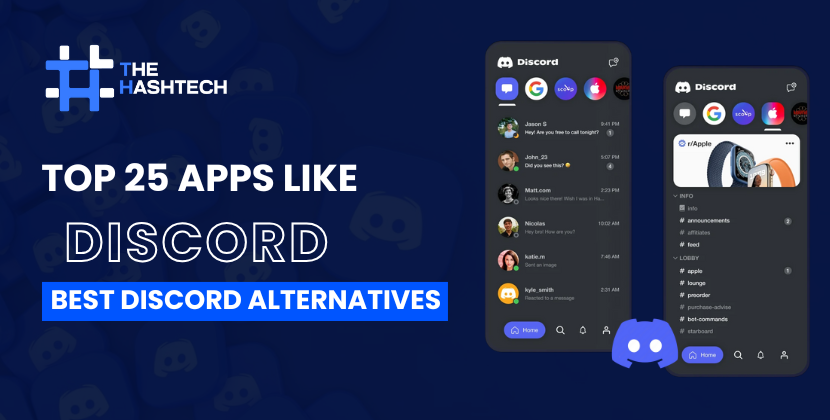
Discord has over 200 million people using it every day, which makes it one of the most popular chat platforms in the world.
But there’s one important thing to know: more than 90% of Discord users are gamers. That’s why the app is designed mainly for gaming communities. The fun features, animations, and playful design are great for casual use, but they don’t always work well in a professional environment.
Because of this, many teams that once used Discord for work, especially startups in their early days, are now searching for tools that feel more business-friendly and better suited for professional communication.
On top of that, Discord has faced several issues in recent years. These include concerns about user safety, data privacy, information leaks, and how user data is collected.
Due to these problems, a growing number of users are looking for safer and more reliable alternatives to Discord.
If that sounds like you, you’re in the right place.
I’ve tested many apps similar to Discord and put together a list of the 25 best Discord alternatives for 2026. Along the way, I’ll also share practical tips to help you choose the right communication tool for your team.
Now, let’s explore these apps like Discord one by one and help you find the best option for your needs. And if you’re thinking about building your own platform like Discord, our application development company can support you throughout the entire process.
Ready to dive in? Let’s begin!
Try our App Cost Calculator to get an instant price estimate.
Curious About Your App Development Cost?
Get your free estimate today!
What Is Discord and Why Do People Use It?
Discord is an online communication platform that was launched in 2015. It was first made for gamers who needed fast and clear voice chat. Over time, it became much more than that. Today, millions of people use Discord every month to talk, share ideas, and build communities.
Discord allows users to communicate using text messages, voice calls, and video calls all in one place. Some of its main features include:
- Servers – Private or public spaces where communities are created
- Channels – Separate rooms inside servers for different topics
- Bots – Automated tools for music, moderation, games, and tasks
- Integrations – Easy connection with apps like YouTube, Twitch, and GitHub
Gamers enjoy Discord because it works smoothly during live play. Developers use it to work together on projects. Many people also use it for study groups, hobbies, online classes, and social communities.
Even though Discord is very popular and useful, it may not be the best option for everyone. That’s why some users look for other platforms that better fit their needs.
Why Users Are Leaving Discord in 2026
Discord is still widely used, but many people are now choosing other platforms. As online communities grow and needs change, some limits of Discord have become more noticeable.
Here are a few common reasons why users are switching:
- Community Size Limits: Large servers can feel restricted due to user and emoji limits.
- Privacy Issues: Messages are not fully end-to-end encrypted, which worries some users.
- Paid Features: Better streaming quality and bigger file uploads require a Nitro subscription.
- Complex Design: The interface can be confusing, especially for beginners or casual users.
- Work Limitations: Discord is not designed for professional teams or business productivity.
If these problems sound familiar, you’re not alone. Many people are now exploring platforms that offer better privacy, simpler design, and tools made for their specific needs.
Key Features to Look for in a Discord Alternative
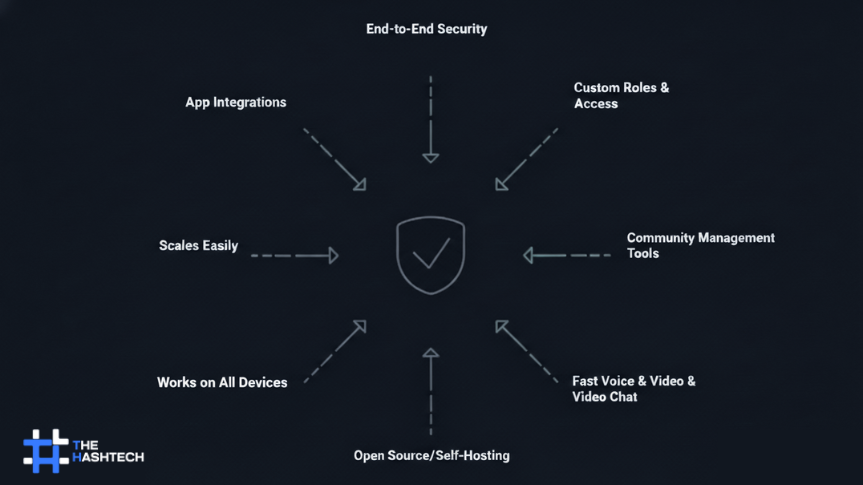
| Feature | Why It Matters |
| End-to-End Security | Keeps messages private and protects user data. |
| Custom Roles & Access | Lets you control who can view, post, or manage content. |
| Community Tools | Helps with moderation, announcements, and planning events. |
| Fast Voice & Video | Ensures smooth calls with little or no delay. |
| Open Source / Self-Hosted | Gives more control and flexibility over the platform. |
| Works on All Devices | Allows users to join from mobile, desktop, or web. |
| Scales Easily | Supports small groups and large communities as they grow. |
| App Integrations | Connects with tools like GitHub, Zoom, or Trello for better workflow. |
Top 25 Discord Alternatives to Try in 2026
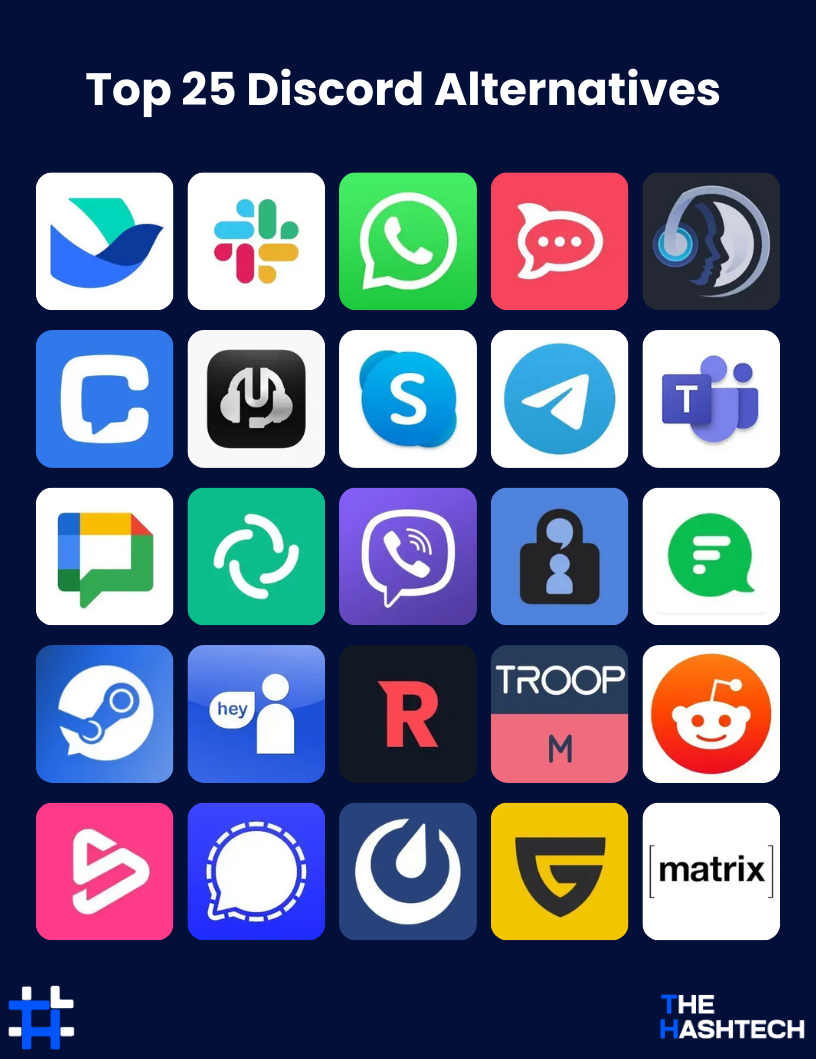
If you’re a gamer, a remote worker, or someone who cares about privacy, there are many great alternatives to Discord in 2026. These platforms offer useful features, stronger privacy options, and tools designed for different types of communities and teams.
1. Lark – A Complete Communication and Teamwork Platform

Lark is a strong Discord alternative, especially for people who focus on work, teamwork, and productivity.
It was first created for business use, but now it works well for teams of all sizes. Lark brings chat, video meetings, and collaboration tools together in one single app.
Users can create different chat groups, share files, and join meetings without switching between apps. The clean and simple design makes it easy to handle both work and personal conversations in one place.
One of Lark’s standout features is its built-in documents and calendar. Team members can edit documents together in real time and plan meetings directly inside the app.
For teams that want everything in one platform, Lark helps save time and improve workflow.
Key Features of Lark
- Chat, video calls, and teamwork tools in one app
- Real-time document editing with team members
- Built-in calendar for meeting planning
- Free plan with basic tools
- Paid plans start at $12 per user per month
- Workflow automation and team management options
Pricing
Lark offers a free plan with essential features. To unlock advanced tools like more storage and admin controls, users need a paid plan starting at $12 per user per month.
Pros & Cons of Lark
| Pros | Cons |
| Chat, files, and documents work smoothly together | Fewer customization options |
| Free version available for small teams | Advanced features require payment |
| Live document collaboration | Can feel complex for first-time users |
| Built-in calendar for easy scheduling | Smaller community compared to popular platforms |
2. Slack – A Popular Messaging Tool for Team Communication

Slack is one of the most widely used alternatives to Discord for professional teams and workplaces.
It is designed to keep team conversations organized and easy to manage. Users can create separate channels for different projects, topics, or departments, which helps reduce confusion and keeps discussions focused.
Slack has a clean and modern interface, making it easy to follow conversations, find messages, and access shared files anytime.
One of Slack’s strongest points is its wide range of integrations. The platform connects with many tools such as Google Drive, Trello, and Zoom, allowing teams to work from one central place.
Because of this, Slack is often used as a main communication hub for businesses and organizations.
Key Features of Slack
- Topic-based channels for better communication
- Works with over 2,000 apps and services
- Easy file sharing and searchable chat history
- Free plan available for small teams
- Paid plans start at $6.67 per user per month
- Custom alerts and workflow automation
Pricing
Slack offers a free plan with basic features. To unlock advanced options like unlimited message history and better admin controls, users need a paid plan starting at $6.67 per user per month.
Pros & Cons of Slack
| Pros | Cons |
| Simple and user-friendly design | Free plan has limited features |
| Large number of app integrations | Can be expensive for big teams |
| Searchable messages and file sharing | Too many notifications at times |
| Organized channels for team topics | Message history is limited on free plan |
Bonus Read: Check out our latest blog on “Best apps like Kik”
3. WhatsApp – The Popular Messenger for Personal and Team Chats

Looking for a simple Discord alternative? WhatsApp is one of the most widely used messaging apps around.
While it is mainly known for personal messaging, it also works well for group communication. Users can send text messages, voice messages, and make voice or video calls easily.
Although it doesn’t have the same community or server features as Discord, its ease of use and large user base make it a reliable option for staying connected.
WhatsApp supports group chats with up to 1024 members, making it suitable for both small and large groups. You can also share files, photos, videos, and even your real-time location.
The best part? WhatsApp is completely free with no hidden fees.
Key Features of WhatsApp
- Free messages, voice calls, and video calls
- Group chats with up to 1024 participants
- End-to-end encryption for secure conversations
- Share files, photos, videos, and live locations
- Works on mobile and desktop
Pricing
WhatsApp is fully free to use.
Pros & Cons of WhatsApp
| Pros | Cons |
| Free to use with no hidden costs | Lacks community-style features |
| Simple and easy to use | Limited customization options |
| Supports voice and video calls | Not ideal for professional team workflows |
| End-to-end encryption for privacy | No built-in document collaboration |
4. Rocket.Chat – Open-Source and Secure Team Chat

If you’re looking for a Discord alternative that gives full control over your communication, Rocket.Chat is a strong choice.
It is an open-source platform, meaning you can host your own server and manage your data completely. This makes it ideal for teams that prioritize privacy and security.
Rocket.Chat allows users to create channels, send private messages, and even hold video calls. Its flexibility makes it useful for both personal groups and professional teams.
One of its biggest strengths is customization. You can change the interface, add third-party apps, and adjust features to match your team’s needs. This makes it a powerful replacement for Discord.
Key Features of Rocket.Chat
- Self-hosted and open-source platform
- Channels, private messages, and video calls
- Highly customizable interface and tools
- Free self-hosted plan; paid plans start at $3 per user per month
- Integrates with tools like Jira, GitHub, and more
Pricing
Rocket.Chat offers a free self-hosted version. For enterprise-level features and hosted plans, pricing starts at $3 per user per month.
Pros & Cons of Rocket.Chat
| Pros | Cons |
| Full control over data | Needs technical knowledge to set up |
| Highly customizable platform | Smaller user base than Discord |
| Open-source with free self-hosted option | Some features require paid plans |
| Supports third-party integrations | Requires ongoing maintenance |
5. TeamSpeak – Best for Lag-Free Voice Chat

TeamSpeak is a popular Discord alternative for users who need reliable, high-quality voice communication. It is widely used by gamers and communities that want fast, clear audio with minimal lag.
The app gives you full control over server settings, letting you manage permissions, user roles, and channels easily. Its interface is simple and intuitive, so even beginners can navigate it without problems.
While it doesn’t offer video calls or some modern messaging features, its voice chat performance is excellent. Features like background noise suppression, automatic volume adjustment, and military-grade encryption make it secure and enjoyable for long gaming sessions.
Key Features of TeamSpeak
- High-quality, low-latency voice chat
- Full server control with permissions and roles
- Text chat and file sharing options
- Multi-platform support: Windows, macOS, Linux, Android, and iOS
- 3D surround sound for immersive gaming
Pricing
TeamSpeak offers a free plan with basic features. Paid server hosting starts at $30 per server per year, or you can use free hosting with limited slots.
Pros & Cons of TeamSpeak
| Pros | Cons |
| High-quality, lag-free voice chat | Lacks video conferencing and modern messaging |
| Customizable server settings and user roles | Setup can be tricky for beginners |
| Secure communication with encryption | Interface feels a bit outdated |
| Works on multiple platforms | Requires third-party hosting for some features |
| 3D audio support for immersive experience | Limited integration with other apps |
Contact our expert app development team today!
Planning to Create an App Like Discord?
Let’s get in touch!
6. Chanty – Task-Focused Team Chat

Chanty is a lightweight team collaboration app that works as a professional alternative to Discord. It is designed for teams that want organized communication and task management in one place.
The app allows text chat, voice, and video calls, making it suitable for small to medium-sized teams. One of its key advantages is that you can turn messages into tasks, assign them to team members, and set deadlines, keeping projects on track without switching apps.
Chanty also integrates with tools like Trello and Google Drive, which makes team workflows smoother. While it doesn’t have the large community features of Discord, it excels at keeping teams productive and organized.
Key Features of Chanty
- Task management directly from chat for easy project tracking
- Voice and video calling for team meetings
- Unlimited searchable message history
- Integrates with tools like Trello and Google Drive
- Simple, clean, and user-friendly interface
Pricing
Chanty offers a free plan for small teams with basic features. Paid plans start at $4 per user per month, unlocking advanced features, larger group calls, and more integrations.
Pros & Cons of Chanty
| Pros | Cons |
| Task management integrated into chat | Limited community and gaming features |
| Simple and easy-to-use interface | No custom server hosting |
| Affordable pricing for small teams | Fewer customization options |
| Unlimited message history in free plan | Smaller user base compared to Discord |
| Integrates with popular productivity tools | Group calls only in paid plans |
7. Mumble – Lightweight Open-Source Voice Chat
Mumble is an open-source voice communication app designed for users who need fast, low-latency voice chat. It is especially popular among gamers, but its secure, self-hosted setup also appeals to teams concerned about privacy.
The app delivers crystal-clear audio with minimal delay, and features like positional audio make in-game conversations more immersive. Its admin controls are strong, giving you full control over servers and permissions.
While Mumble is lightweight and high-performing, its interface is simple and somewhat outdated, which may feel different for users accustomed to modern apps like Discord.
Key Features of Mumble
- Low-latency, high-quality voice chat
- Positional audio for immersive gaming experiences
- End-to-end encryption for secure communication
- Customizable servers and user permissions
- Open-source and free to use
Pricing
Mumble is completely free. You may need to pay for server hosting, depending on the provider you choose.
Pros & Cons of Mumble
| Pros | Cons |
| Low-latency, clear voice chat | Outdated and less intuitive interface |
| Secure communication with encryption | No text or video chat features |
| Positional audio for immersive experience | External server hosting may be required |
| Completely free and open-source | Limited community and social features |
| Strong admin controls | Mostly focused on gaming use |
8. Skype – Reliable Communication for Teams and Individuals
Skype is a well-known communication app that works for both personal and professional use. It offers voice, video, and text chat, making it a versatile choice for staying connected.
While it isn’t designed for gamers, Skype provides a stable platform for group calls and meetings. You can host large video calls with up to 100 participants, share your screen, and send files quickly.
Its integration with Microsoft tools like Outlook makes it convenient for work, and it’s available across desktop and mobile devices. Although it lacks some of the community features of Discord, Skype is still a popular free alternative for general communication.
Key Features of Skype
- Voice, video, and text chat
- Group video calls for up to 100 participants
- Screen sharing and file sharing
- Integration with Microsoft apps like Outlook
- Cross-platform support on desktop and mobile
Pricing
Most of Skype’s features are free. For international calling to phones, plans start at $2.99 per month, depending on the region.
Pros & Cons of Skype
| Pros | Cons |
| Multiple ways to communicate (text, voice, video) | Lacks gaming and large community features |
| Supports large group video calls | Slightly higher latency than Discord |
| Easy file and screen sharing | Can use a lot of system resources |
| Works on multiple platforms | Limited customization options |
9. Telegram – Fast and Reliable Messaging App

Telegram is a popular alternative to Discord for users who want quick, efficient, and secure communication. It is well-known for instant messaging, voice calls, and media sharing without noticeable delays.
The app works smoothly across multiple devices and is lightweight, so it performs well even with slow internet connections. Telegram also supports large group chats and public channels, making it perfect for communities and team discussions.
One of its standout features is cloud storage and self-destructing messages, which provides both convenience and added privacy. Whether for personal use or community management, Telegram offers a smooth and reliable chat experience.
Key Features of Telegram
- Instant messaging with real-time delivery
- Large group chats and public channels
- Secret chats with end-to-end encryption
- Unlimited cloud storage for chat history
- Self-destructing messages for privacy
Pricing
Telegram is free to use. Telegram Premium costs $5 per month and adds features like larger file uploads, faster downloads, and extra customization options.
Pros & Cons of Telegram
| Pros | Cons |
| Fast message delivery | Not fully end-to-end encrypted by default |
| Supports large groups and channels | Limited business-oriented features |
| Unlimited cloud storage for easy access | Some regions block Telegram |
| Works across multiple devices | Less popular for professional networking |
| Self-destructing messages for added privacy | Advanced features require Premium |
10. Microsoft Teams – Ideal for Microsoft-Focused Teams
Microsoft Teams is a powerful collaboration platform designed for professional and enterprise use. It combines chat, video calls, file sharing, and project management in one place.
Because of its deep integration with Microsoft 365, Teams works best for organizations already using Office tools. You can collaborate on documents in real-time, manage projects, and communicate efficiently across small teams or large enterprises.
Teams also includes AI features in premium plans, such as summarizing meetings, marking important sections, and helping remote workers plan their schedules. It’s an excellent alternative to Discord for organized, professional communication.
Key Features of Microsoft Teams
- Integration with Microsoft 365 for seamless workflow
- Video calls, meetings, and live events for large groups
- Channels for team-specific discussions and file sharing
- Real-time collaboration on documents
- Enterprise-level security and compliance
Pricing
Microsoft Teams offers a free plan with limited features. Paid plans start at $4 per user per month, while Microsoft 365 Business Basic is $6 per user per month, offering additional tools and AI features.
Pros & Cons of Microsoft Teams
| Pros | Cons |
| Strong integration with Microsoft apps | Steep learning curve for new users |
| Supports large meetings and events | Requires a Microsoft 365 subscription |
| High-quality audio and video calls | Can feel cluttered for smaller teams |
| Real-time document collaboration | Limited customization options |
| Enterprise-grade security and compliance | Some AI features only in paid plans |
Check out The Hashtech! Enjoy premium features at budget-friendly prices.
Want a Better Discord Alternative?
Book a FREE consultation!
11. Google Chat – Streamlined Communication for Teams
Google Chat is a reliable alternative to Discord for users who want organized, fast, and secure workplace communication. It works well as part of Google Workspace or as a stand-alone app.
The app offers direct messaging, group chat rooms, and threaded conversations, helping teams stay on top of discussions. Its integration with Google Drive, Calendar, and Meet makes accessing files, scheduling meetings, and sharing documents seamless.
You can separate chats into Personal and Professional spaces, keeping work and personal conversations organized. With a clean and intuitive interface, Google Chat is easy to use for both small teams and larger organizations.
Key Features of Google Chat
- Integrated with Google Workspace for easy workflow
- Direct messages, group chats, and threaded conversations
- Smart suggestions for quick replies and actions
- Secure communication with built-in Google security
- Works across desktop and mobile devices
Pricing
Google Chat comes with Google Workspace plans. Paid plans start at $6 per user per month for the Business Starter plan, providing extra storage and advanced features.
Pros & Cons of Google Chat
| Pros | Cons |
| Easy integration with Google services | Fewer features compared to other platforms |
| Clean, intuitive interface | Requires a Google Workspace account |
| Threaded conversations for organized chats | Less suitable for very large teams |
| Smart suggestions for faster replies | Limited customization options |
| Supports personal and professional spaces | Video calls rely on Google Meet |
12. Element – Safe and Decentralized Chat App

Looking for a secure alternative to Discord or other team chat apps? Element could be the right choice.
It’s a communication app built on the Matrix network, which focuses on decentralized communication and privacy. All messages, calls, and shared files are protected with end-to-end encryption, keeping your conversations private.
Element allows users to join public servers or host their own, giving full control over your data. You can create group chats, video calls, and share files, making it useful for both personal chats and professional teams.
It’s great for people or organizations that want secure, private communication without depending on big centralized services.
Key Features of Element
- End-to-end encryption for all messages, files, and calls.
- Decentralized platform: join servers or host your own.
- Create private or public group chats.
- Video calls and file sharing supported.
- Open-source and updated regularly.
- Available on Windows, Mac, Linux, Android, and iOS.
Pricing
Element is free for personal use. Paid plans for businesses start at $5 per user per month, with options for custom server hosting.
Pros & Cons of Element
| Pros | Cons |
| Strong security and encryption | Self-moderated rooms may have unwanted content |
| Full control over data and servers | Smaller user base than Discord |
| Flexible communication: chat, calls, file sharing | Interface may feel less polished |
| Open-source with community support | Requires technical setup for self-hosting |
Also Read: Top 25 Apps Like Venmo
13. Viber – Great for Free Messaging and Calls

Looking for a simple and reliable app like Discord for chatting? Viber is a strong option.
Viber is a free messaging app that lets you send texts, photos, and videos, as well as make voice and video calls. All messages are protected with end-to-end encryption, keeping your conversations private.
The app is easy to use. You can start group chats or calls in just a few taps, making it perfect for staying in touch with friends and family. While it’s not designed for professional project management, it works well for personal communication.
Viber also offers fun features like stickers, GIFs, and reactions, making chats more engaging. With Viber Out, you can even call people who don’t use Viber at affordable rates.
Key Features of Viber
- Free voice and video calls.
- End-to-end encryption for messages.
- Send texts, photos, videos, and audio messages.
- Fun stickers, GIFs, and emoji reactions.
- Viber Out for low-cost international calls.
- Available on Windows, Mac, Linux, Android, and iOS.
Pricing
Viber is free for messaging and calls. Paid plans for Viber Out calls start at $1.99, depending on the destination.
Pros & Cons of Viber
| Pros | Cons |
| Free messaging and calls | Needs an internet connection |
| High-quality voice and video calls | Fewer professional features |
| Easy to use | Some in-app ads |
| End-to-end encryption | Certain features may cost extra |
14. aTox – Focused on Private and Secure Chats

Looking for a Discord alternative that doesn’t ask for your personal information? aTox is built for users who value privacy and security.
It’s an open-source messaging app that uses peer-to-peer technology, meaning your chats are not stored on central servers. You can send text messages, make voice and video calls, and create group chats all without sharing your phone number or email.
Getting started is simple. You just download the app, set a username, and get your unique aTox ID, which you can use to connect with others. The platform is ideal for casual users who want anonymity, but it can also be useful for organizations that need secure communication.
Since it’s open-source, aTox is constantly updated by the community, adding new features and security improvements.
Key Features of aTox
- Peer-to-peer architecture for secure communication.
- End-to-end encryption for all messages and calls.
- Create anonymous accounts no phone number needed.
- Text, voice, and video calls supported.
- Open-source software with community-driven updates.
- Available on Windows, Mac, Linux, and Android.
Pricing
aTox is completely free to use.
Pros & Cons of aTox
| Pros | Cons |
| Strong privacy protections | Smaller user base |
| No central server storing data | May need some technical setup |
| Open-source with community support | Interface can feel basic |
| Supports multiple platforms | Connections can be slow at times |
15. Flock – Designed for Team Collaboration

Looking for a Discord alternative that makes teamwork easy? Flock is built for small to medium teams that want to collaborate efficiently.
The app combines messaging, video calls, task management, and file sharing in one platform. You can create channels for different projects, share notes, set reminders, and manage tasks all in real time. These features make it ideal for teams working together on projects, even with people outside your main group.
Flock is simple to set up. With just an email and password, you can create a workspace and invite teammates. One-on-one video calls are free, but group calls and scheduled audio/video meetings require a paid plan.
While Flock is powerful, the interface can feel a bit cluttered, and the free plan limits messaging history to 10,000 messages. Still, it’s a strong choice for small teams looking for organized communication without switching between multiple apps.
Key Features of Flock
- Real-time messaging and video calls.
- Task management with notes and reminders.
- File sharing and collaborative editing.
- Polls and surveys for team feedback.
- Integration with third-party apps.
- Available on Windows, Mac, Linux, Android, and iOS.
Pricing
Flock has a free plan for small teams. Paid plans start at $4.50 per user/month for extra features like unlimited messaging and group calls.
Pros & Cons of Flock
| Pros | Cons |
| Great for team collaboration | Free plan has limited features |
| User-friendly and easy to set up | Interface can feel busy |
| Supports file sharing and task management | Smaller user base than bigger competitors |
| Integrates with many apps | Occasional performance issues |
Let The Hashtech guide you every step of the way!
Not Sure Which App Development Company to Choose?
Connect with us today!
16. Steam Chat – Perfect for Gamers

Looking for a Discord alternative made for gamers? Steam Chat is a free messaging and voice app designed for people who play games on Steam.
Getting started is simple you just sign in with your Steam account, and you can start chatting right away. You can use the app on your desktop or mobile, although the desktop version is smoother and more reliable.
Steam Chat lets you send messages, join group chats, and make voice calls with friends. You can even create voice channels for group conversations while gaming. You can also set your status to show whether you’re available, busy, or in a game.
Recent updates added support for inline videos, GIFs, tweets, and image pasting. Group chats, voice chats, invite links, and notifications have all been improved to make communication easier.
Key Features of Steam Chat
- Built into the Steam gaming platform.
- Voice and text chat options.
- Group chats and voice channels for multiplayer games.
- Easy friend management and invitations.
- Access to a large gaming community.
- Available on Windows, Mac, Linux, Android, and iOS.
Pricing
Steam Chat is free for all Steam users.
Pros & Cons of Steam Chat
| Pros | Cons |
| Works seamlessly with Steam games | Only available for Steam users |
| Easy to connect with friends | Lacks some advanced chat features |
| Supports both voice and text chats | Can get cluttered in large groups |
| Access to a large gaming community | Not ideal for non-gaming purposes |
17. SpaceHey – Simplified Team Collaboration
Looking for a Discord alternative to improve team communication? SpaceHey is a simple and flexible platform for messaging, task management, and project collaboration.
With SpaceHey, you can create separate channels for different projects, keeping conversations organized. The app also supports video calls and file sharing, making teamwork smoother and more efficient. It’s especially useful for small to medium teams who want to collaborate without dealing with a complicated interface.
SpaceHey also integrates with tools like Google Drive, allowing seamless access to files and documents. Overall, it’s a practical choice for teams that need a lightweight yet capable communication platform.
Key Features of SpaceHey
- Combines messaging and task management in one platform.
- Video calls for real-time collaboration.
- File sharing and document collaboration.
- Project channels to keep discussions organized.
- Integrates with popular tools like Google Drive.
- Available on web, Windows, Mac, Android, and iOS.
Pricing
SpaceHey offers a free plan for small teams. Premium plans start at $4.99 per user/month for extra features.
Pros & Cons of SpaceHey
| Pros | Cons |
| Easy-to-use interface | Free plan has limited features |
| Combines messaging and tasks | Fewer third-party integrations |
| Supports video calls | Limited advanced customization |
| Good for small and medium teams | Can feel overwhelming for new users |
Also Read: Top 25 Cash Advance Apps Like Possible Finance
18. Revolt – A Community-Focused Chat App
Looking for a Discord alternative that focuses on communities? Revolt is a modern messaging platform designed to help people connect and build online communities.
With Revolt, you can create servers, set up voice and text channels, and invite friends or like-minded people to join. The app also supports fun features like custom emojis, reactions, and GIFs, making conversations more lively.
Since it’s open-source, Revolt allows for flexibility and customization, and its simple interface makes it easy to use even for beginners. It’s a solid choice for anyone who wants a community-centered chat app without the complexity of bigger platforms.
Key Features of Revolt
- Create and customize servers for communities.
- Voice and text channels for easy communication.
- Support for custom emojis, GIFs, and reactions.
- Open-source software for flexibility and customization.
- Intuitive and user-friendly interface.
- Available on Windows, Mac, Linux, Android, and iOS.
Pricing
Revolt is completely free to use, with optional paid features expected in the future.
Pros & Cons of Revolt
| Pros | Cons |
| Modern and easy-to-use design | Still under development |
| Focused on building communities | Smaller user base than Discord |
| Open-source with customization options | Limited features at launch |
| Custom emoji and reaction support | May have occasional bugs |
19. Troop Messenger – Safe and Efficient Team Chat
Looking for a Discord alternative for team communication? Troop Messenger is designed for businesses of all sizes, offering secure messaging and collaboration tools.
You can send text messages, voice notes, and files, as well as make video and voice calls. One standout feature is the burnout timer, which lets you send messages that self-destruct after a set time perfect for sensitive information.
Troop Messenger also supports group chats, task tracking, and integrates with third-party apps, making it easy to sync data and stay organized. All communications are encrypted, keeping your team’s information private.
While there’s no free plan, a 7-day trial is available, after which paid plans start at $2.50 per user/month. The app also includes AI-powered tools to summarize chats, translate messages, and suggest replies.
Key Features of Troop Messenger
- End-to-end encryption for all messages and files.
- Group chats and voice messaging for teams.
- Video calls for meetings and discussions.
- Task management and project tracking tools.
- File sharing with secure storage.
- AI assistant for chat summaries, translations, and reply suggestions.
- Available on Windows, Mac, Linux, Android, and iOS.
Pricing
Troop Messenger offers a free 7-day trial. Paid plans start at $2.50 per user/month.
Pros & Cons of Troop Messenger
| Pros | Cons |
| High-level security with encryption | No free plan after trial |
| Great for team collaboration | Interface can feel dated |
| Task management and project tracking | Requires some setup |
| Works on multiple platforms | Less popular than competitors |
20. Reddit – Connect and Discuss with Communities

Looking for a Discord alternative to join communities and have discussions? Reddit is a popular social platform where users can ask questions, share ideas, and connect with people worldwide.
Reddit is organized into subreddits, which are communities focused on specific topics. You can post content, comment on posts, and vote on discussions to highlight the most popular content. The platform also supports private messaging, allowing you to chat one-on-one with other users.
With its large and diverse user base, Reddit is perfect for anyone who wants to explore new ideas, join conversations, or get answers to questions from a global audience.
Key Features of Reddit
- Thousands of communities (subreddits) for different interests.
- Post, comment, and vote on discussions.
- Private messaging between users.
- Voting system to promote popular content.
- Mobile and web apps for access anywhere.
- Available on Windows, Mac, Android, and iOS.
Pricing
Reddit is free to use. Optional Reddit Premium features are available for $5.99/month, which removes ads and adds extra perks.
Pros & Cons of Reddit
| Pros | Cons |
| Large and active global community | Can feel overwhelming for new users |
| Covers a wide range of topics | Moderation can be inconsistent |
| Supports private messaging | Some discussions may be toxic |
| Easy to join and participate | Ads can be intrusive |
Chat with our expert developers and bring your app idea to life!
Ready to Start Your App Development Journey?
Book a FREE call today!
21. StoryPrompt – A Creative Hub for Writers

Looking for a Discord alternative for writers? StoryPrompt is a platform designed to help writers generate ideas, create characters, and develop stories.
The app’s simple and intuitive interface makes it easy to browse prompts, start writing, and organize projects. Users can share their work with others and get feedback from the community, which makes it great for both beginners and experienced writers.
StoryPrompt also encourages collaboration, allowing writers to discuss ideas, exchange tips, and improve their skills in a supportive environment.
Key Features of StoryPrompt
- Generate story ideas and character prompts.
- User-friendly interface for easy navigation.
- Share stories and collaborate with other writers.
- Get feedback from the writing community.
- Save, organize, and manage writing projects.
- Available on web, Android, and iOS.
Pricing
StoryPrompt has a free version with basic features. Premium plans start at $5/month for extra tools and resources.
Pros & Cons of StoryPrompt
| Pros | Cons |
| Helps generate creative ideas | Free version has limited features |
| Encourages collaboration with peers | Smaller user base than larger platforms |
| Simple and easy-to-use design | May not fit all writing styles |
| Organizes and tracks writing projects | Can be distracting for some users |
22. Signal – Secure and Private Messaging

Looking for a Discord alternative that focuses on privacy? Signal is a messaging app designed to keep your conversations safe with end-to-end encryption.
With Signal, you can send text messages, voice notes, and make audio or video calls without worrying about anyone intercepting your data. It also supports disappearing messages for extra privacy.
Signal is open-source, which means anyone can check how it works, and its simple interface makes it easy to use for both personal and group communication. It’s a reliable choice for users who value security above all.
Key Features of Signal
- End-to-end encryption for all messages and calls.
- Disappearing messages for added privacy.
- Voice and video calling.
- Open-source software for transparency.
- Simple and easy-to-use interface.
- Available on Windows, Mac, Linux, Android, and iOS.
Pricing
Signal is completely free to use.
Pros & Cons of Signal
| Pros | Cons |
| High-level security and privacy | Limited social and community features |
| Easy-to-use interface | Smaller user base compared to other apps |
| Open-source for transparency | Contacts must use Signal to communicate fully |
| Disappearing messages feature | May feel basic for advanced users |
Discover More: How Much Does It Cost to Create an App in 2026
23. Mattermost – Flexible Team Collaboration Platform

Looking for a Discord alternative for teams? Mattermost is a strong platform for team communication and project management.
It lets you create channels for different projects, share files, and collaborate on documents, keeping your team organized. One of its biggest advantages is that it can be self-hosted, giving organizations full control over their data.
Mattermost is also highly customizable, allowing teams to adjust the interface and features to fit their specific needs. With support for third-party app integrations, it’s a versatile choice for teams of all sizes.
Key Features of Mattermost
- Project channels for organized team communication.
- File sharing and document collaboration.
- Self-hosting option for complete data control.
- Customizable interface to suit team needs.
- Integration with third-party apps.
- Available on Windows, Mac, Linux, Android, and iOS.
Pricing
Mattermost offers a free version. Paid plans for advanced features start at $10 per user/month.
Pros & Cons of Mattermost
| Pros | Cons |
| Highly customizable for teams | May need technical setup |
| Strong tools for team collaboration | Can be complex for new users |
| Self-hosting ensures full data control | Limited features in free plan |
| Supports third-party integrations | Requires maintenance for self-hosted setups |
24. Guilded – A Platform Built for Gamers

Looking for a Discord alternative designed for gaming? Guilded is made for gamers and gaming communities, helping players connect and organize their activities easily.
The platform supports voice and video chat, event scheduling, and team management. It also allows users to create forums, manage rosters, and track game stats when integrated with popular games. These features make it a great choice for gaming clans, guilds, or any multiplayer groups.
With customizable server settings and tools tailored for gamers, Guilded focuses on improving the social and organizational side of online gaming.
Key Features of Guilded
- Schedule events and gaming sessions.
- Team management tools and rosters.
- Voice and video chat options.
- Integration with popular games for stats and progress tracking.
- Customizable servers for gaming communities.
- Available on Windows, Mac, Android, and iOS.
Pricing
Guilded is free to use, with optional premium features for extra tools.
Pros & Cons of Guilded
| Pros | Cons |
| Designed specifically for gaming communities | Smaller user base than Discord |
| Easy event scheduling and management | Some features limited in free version |
| Supports voice and video chat | Less well-known outside gaming circles |
| Game integration features | Lacks some broader social features |
25. Matrix Chat – A Decentralized Messaging Platform
If you’re looking for a Discord alternative with strong privacy and flexibility, Matrix Chat is a great choice. It’s an open-source, decentralized platform that lets users communicate securely through text, voice, and video.
Matrix allows users to choose from multiple clients, giving the freedom to select the interface that suits them best. It also supports interoperability, which means you can connect with other messaging services easily. With end-to-end encryption, your conversations remain private and secure.
Its decentralized structure makes it ideal for users and organizations that want control over their data and a customizable messaging experience.
Key Features of Matrix Chat
- Decentralized architecture for full control over communication.
- End-to-end encryption for secure messaging.
- Works with other messaging platforms for interoperability.
- Multiple clients and interfaces to choose from.
- Open-source for transparency and community contributions.
- Available on Windows, Mac, Linux, Android, and iOS.
Pricing
Matrix Chat is free to use, with optional hosted services for convenience.
Pros & Cons of Matrix Chat
| Pros | Cons |
| Highly customizable and flexible | Can be complicated for new users |
| Strong privacy with encryption | Smaller community compared to mainstream apps |
| Open-source and transparent | Integrations may need technical setup |
| Works with other messaging platforms | Performance can depend on the server used |
Top Discord Alternatives We Like
There are many apps like Discord that let you chat, voice call, and share media. Each of these apps has its own pros and cons. Here are our four favorite alternatives:
- Slack – Great for work and team communication.
- Microsoft Teams – Perfect for businesses and group collaboration.
- Telegram – Simple, fast, and secure messaging.
- TeamSpeak – Popular for gamers who need clear voice chat.
When you’re searching for a reliable communication tool, Slack is a strong choice. It works smoothly with lots of productivity tools, making it perfect for teams. While it’s mainly used by businesses, its easy-to-use design also makes it a favorite among communities.
If you need organized channels and good teamwork features, Slack is definitely worth considering.
On the other hand, Microsoft Teams shines when it comes to combining chat, video calls, and file sharing all in one place. If you’re already using Office 365, Teams works even better since it integrates seamlessly with Microsoft’s tools. Teams is a great alternative to Discord for anyone looking for a full-featured collaboration platform.
Telegram is all about privacy and security. It offers end-to-end encryption and even self-destructing messages, which makes it perfect for users who care about keeping their conversations private. Plus, since it’s cloud-based, you can easily access it from any device, making it an excellent choice for community chats.
Let’s dive deeper into these four popular Discord alternatives, as well as Discord itself, so you can figure out which one is the best fit for your needs!
Top 25 Discord Alternatives: Features, Pricing, and More
Looking for a Discord alternative? Here’s a comparison of 25 popular options, breaking down their best uses, group limits, voice chat features, pricing, and privacy features.
| Name | Best For | Group Limit | Voice Chat | Price | Privacy |
| Guilded | Gaming communities, tournaments | Unlimited | Yes (HD, low-latency) | Free | Basic encryption |
| TeamSpeak | Competitive gaming, esports | Custom (via server) | Yes (ultra-low latency) | Paid (server-based) | Encrypted, self-hostable |
| Slack | Professional teams and businesses | 1,000+ | Yes (basic) | Free & Paid (from $7.25) | Basic encryption |
| Element | Privacy-focused, decentralized teams | Unlimited | Yes (via Jitsi) | Free & Enterprise plans | End-to-end encryption (E2EE) |
| Telegram | Large-scale communities | 200,000 | Yes (no channels) | Free & Premium ($4.99/mo) | Optional E2EE (Secret Chats) |
| Rocket.Chat | Developer teams, customizable workflows | Unlimited (self-hosted) | Yes (via Jitsi, Zoom) | Free & Paid (from $2/user) | Full control, E2EE optional |
| Mumble | Lightweight gaming voice chats | Unlimited (self-hosted) | Yes (positional audio) | Free | Encrypted, self-hosted |
| Chanty | Startups and productivity teams | 100+ | Yes | Free & Paid ($3/user/mo) | Basic encryption |
| Signal | Private one-on-one or small group chats | 1,000+ | Yes | Free | End-to-end encryption (E2EE) |
| Revolt | Open-source, Discord-like private chatting | Unlimited | Yes | Free | Strong privacy, self-hosting |
| Jami | Peer-to-peer privacy-first communication | Unlimited (peer-based) | Yes (no central server) | Free | Full decentralization, E2EE |
| Tox | Anonymous, activist communication | Unlimited (peer-based) | Yes | Free | Full decentralization, E2EE |
| Mattermost | DevOps teams, enterprise collaboration | Unlimited (self-hosted) | Yes (plugin) | Free & Paid | Self-hosted, enterprise-ready |
| Microsoft Teams | Enterprise & remote collaboration | 25,000+ | Yes (HD, integrated) | Free & Paid | Compliant, enterprise-grade |
| Wire | Security-focused enterprise teams | 1,000+ | Yes | Free & Enterprise plans | End-to-end encryption (E2EE) |
| Lark | Teams needing a full suite of tools | Unlimited | Yes | Free & Paid | End-to-end encryption (E2EE) |
| Casual chatting, small groups | 256 | Yes | Free | End-to-end encryption (E2EE) | |
| Skype | Video calls and casual conversations | 50 | Yes | Free & Paid | Basic encryption |
| Google Chat | Google Workspace integration | 8,000 | Yes | Free & Paid | Compliant, enterprise-grade |
| Viber | International calls and messages | Unlimited | Yes | Free & Paid | End-to-end encryption (E2EE) |
| aTox | Secure, anonymous communication | Unlimited (peer-based) | Yes | Free | Full decentralization, E2EE |
| Flock | Teams and workplace collaboration | 50 | Yes | Free & Paid ($3.99/user/mo) | Basic encryption |
| Steam Chat | Gamers and gaming communities | Unlimited | Yes (HD, integrated) | Free | Basic encryption |
| SpaceHey | Retro-style social networking | Unlimited | Yes | Free | Basic encryption |
| Troop Messenger | Small teams and enterprise chat | Unlimited | Yes | Free & Paid ($3/user/mo) | Basic encryption |
| Community discussions and groups | Unlimited | No | Free | Anonymous posts, but not encrypted | |
| StoryPrompt | Writers and creative collaborations | Unlimited | No | Free | Minimal privacy, no encryption |
| Matrix Chat | Open-source, decentralized chat | Unlimited | Yes (via Element) | Free | Full decentralization, E2EE |
How Much Does It Cost to Create an App Like Discord?
The cost to create an app like Discord can vary a lot. Generally, the development of a similar app can range from $50,000 to $250,000 or more. The exact cost depends on several factors, including the app’s features, design, and complexity.
Things That Affect the Cost of Creating an App Like Discord
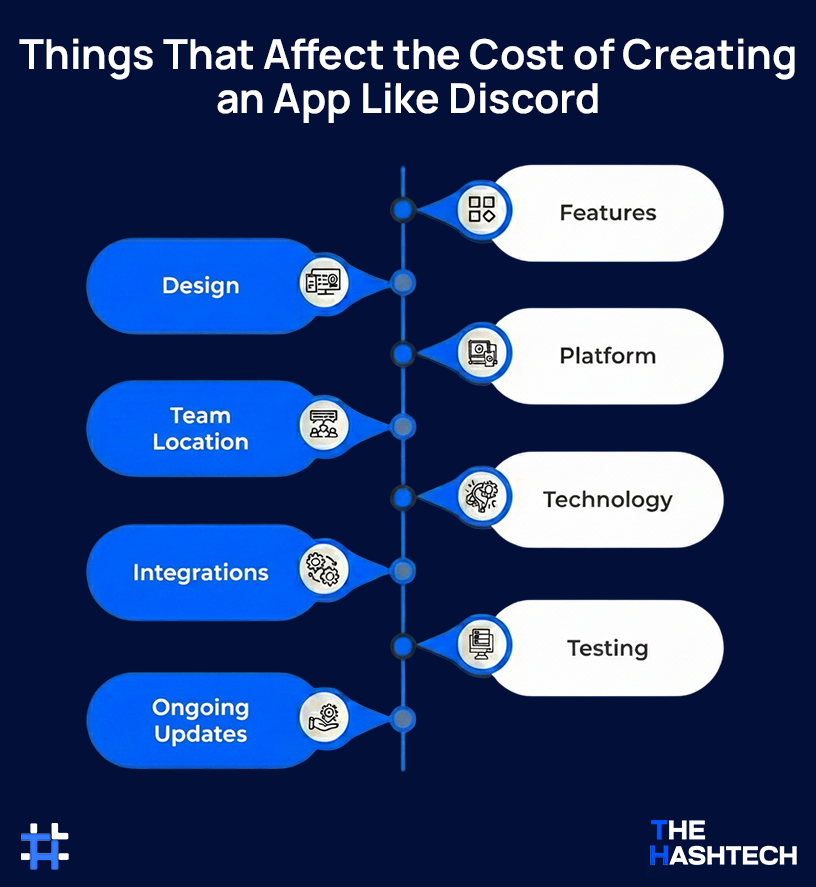
- Features: The more complex the features, the higher the cost.
- Design: A custom, high-quality design will cost more.
- Platform: Whether you’re building for iOS, Android, or both affects the price.
- Team Location: Development costs vary depending on where your team is based.
- Technology: The tools and technologies you choose will impact the overall cost.
- Integrations: Adding extra tools or services can raise the price.
- Testing: Ensuring the app works smoothly requires thorough testing, which adds to the cost.
- Ongoing Updates: Regular updates and maintenance will add long-term costs.
| Cost Element | Estimated Range |
| Initial Development | $50,000 – $250,000 |
| Advanced Features | Varies (depends on features) |
| Design & Testing | Varies (depends on complexity) |
| Server Costs | $100 – $5,000 per month |
| Support Team Salaries | Varies (depends on team size) |
Work with our skilled app development team today!
Looking for a Clear Estimate for Your App Idea?
Let’s chat!
Final Thoughts
In today’s world, communication is more important than ever, and choosing the right app is key. While Discord is still a favorite, there are many other apps with their own unique features. For example:
- Slack and Microsoft Teams are perfect for work and team collaboration, keeping things organized and efficient.
- TeamSpeak and Mumble are built for gamers, offering low-latency voice chat for smoother gameplay.
- And if privacy is important to you, Telegram and Signal focus on keeping your messages secure and private.
If you are inspired to build your own custom communication tool, consulting with a top-tier app development company San Francisco can help bring that vision to life with the latest tech.
As you look at different options, think about what fits your needs best. Each app has its own strengths, so it’s about finding the one that works for you. Ultimately, the right choice depends on how you like to communicate.
So, why not check out our top picks for Discord alternatives and find the one that’s right for you? Also, Facebook groups are a great option if you’re looking for something more casual.
FAQ’s (Frequently Asked Questions)
Why Consider a Discord Alternative?
If Discord isn’t working for you, trying an alternative could be a better fit. Some apps offer more privacy, while others have features that cater to specific groups or interests. Depending on what you’re looking for, switching to a different app could give you a better overall experience.
What to Look for in a Discord Alternative?
To get the best experience with a Discord alternative, make sure the app has these features:
- Voice and Video Calls
- File Sharing
- Customizable Chat Rooms
- Strong Security and Privacy
- Third-Party Integrations
Are There Any Free Discord Alternatives?
Yes, if you’re on a budget, there are plenty of free options. Apps like Telegram, Mumble, and Element offer solid features at no cost. You can also try Slack for small teams or Guilded if you’re into gaming communities. While these free versions work well, they might have some limitations. If you need extra features, you may need to upgrade to a paid plan.
Which Discord Alternative is Best for Gamers?
If you’re a gamer, TeamSpeak is a top pick. It’s known for its low-latency and high-quality voice chat. Mumble is another solid option, focusing on security and performance. For something built specifically for gaming communities, try Guilded. It offers great features for team management and building communities, making it a perfect fit for gamers.
Can I Use These Apps on Mobile and Desktop?
Yes, most Discord alternatives work on both mobile and desktop, giving you plenty of flexibility. Apps like Telegram, Slack, and Microsoft Teams offer smooth experiences across all devices, so you can stay connected wherever you go. If you’re more into gaming, Guilded and TeamSpeak also support multiple platforms, keeping you in touch with your community at all times.