Top 25 Apps Like Venmo – Best Alternatives in 2026


7 January, 2026

Sending and receiving money should be easy, right? That’s why apps like Venmo have become essential to our daily lives. No matter if it’s about splitting a dinner bill, paying rent, or sending a quick gift, Venmo set the standard by being fast and social.
Today, as we become more reliant on our smartphones, digital transactions play a significant role in convenience. Just open the app, send the payment, and you’re done in seconds.
This ease of use is why the future of payments is mobile. Experts predict that tap-to-pay usage will increase by 150% by 2028, and the digital payment market is expected to grow from $4 trillion in 2020 to over $10 trillion by 2026.
With the market expanding this rapidly, there is more room than ever for specialized alternatives. To make your search easier, we have explored the top 25 payment apps you can use this year. And if these success stories inspire you to build your own payment app, our leading mobile app development company is ready to help you bring your idea to life.
Here is our comprehensive list of the top 25 payment apps like Venmo in 2026:
25 Best Venmo-Like Payment Apps You Can Use in 2026
Before we look at the top alternatives to Venmo, let’s take a quick moment to understand what Venmo is and why it’s so popular with users.
What Is Venmo?

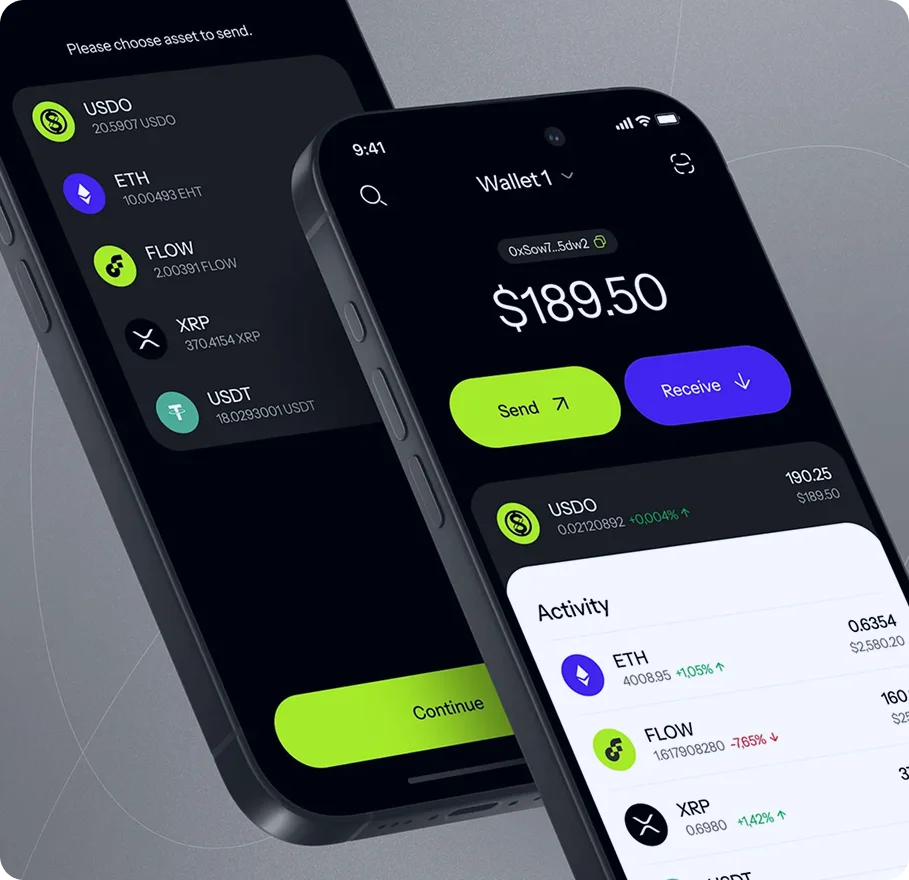
Venmo is a mobile payment app that lets you send and receive money in just a few taps. You can pay friends, split bills, or send rent money directly from your smartphone.
People like Venmo because it’s fast, simple, and easy to use. One unique feature is its activity feed, where you can see payments between friends. If you prefer privacy, you can change the settings so your transactions stay private.
Venmo allows you to link your bank account, debit card, or credit card. You can also use the Venmo debit card to shop in stores or withdraw cash from ATMs.
It’s not just for personal use many businesses accept Venmo too, making it useful for both everyday payments and shopping.
One thing to keep in mind is privacy. If your settings are public, others may see your payment activity, so it’s important to manage those options carefully.
Key Features of Venmo
- Simple and quick money transfers
- Supports bank accounts, debit cards, and credit cards
- Activity feed with privacy control options
- Venmo debit card for purchases and ATM withdrawals
- Business accounts for accepting customer payments
Pros and Cons of Venmo
| Pros | Cons |
| Easy to use with a simple interface | Public payment feed may affect privacy |
| Free standard bank transfers | Fees for instant transfers |
| Quick payments to friends and family | Extra charges when using credit cards |
| Works with many banks and cards | Not available for international transfers |
| Widely accepted by people and businesses | Risk of fraud if security settings are weak |
Our skilled developers are here to help turn your idea into reality.
Looking to Create a Payment App Like Venmo?
Contact us today!
App Rating: ⭐⭐⭐⭐☆ (4.1/5)
1. Zelle
Zelle is a popular money transfer service in the United States that lets you send and receive money quickly. It works directly with many major banks, so you can often use it inside your own banking app without downloading anything extra.
There are no fees to send or receive money with Zelle. If your bank supports it, payments usually arrive within minutes. If your bank isn’t connected yet, you can still use the standalone Zelle app, though some limits may apply.
Zelle is a good choice for people who want fast and secure payments without sharing bank account details with others.
Key Features of Zelle
- Near-instant money transfers in the U.S.
- Available inside many bank mobile apps
- No fees for sending or receiving payments
- Strong security with encrypted transactions
- Easy way to pay friends and family
Pros & Cons of Zelle
| Pros | Cons |
| Very fast money transfers | Daily limits depend on your bank |
| No transaction fees | Only works within the U.S. |
| Secure and bank-backed service | Limited features if your bank doesn’t support it |
| Works with most U.S. banks | No international payments |
App Rating: ⭐⭐⭐⭐☆ (4.0/5)
2. PayPal

PayPal is one of the most trusted digital payment platforms in the world. It lets you send, receive, and store money online with ease. You can connect your bank account, debit card, or keep money in your PayPal wallet.
PayPal is widely used for online shopping, freelance work, and international payments. It also offers protection for both buyers and sellers, which helps reduce risk during transactions.
Key Features of PayPal
- Send and receive money globally
- Connect bank accounts and payment cards
- Buyer and seller protection for safer payments
- Easy payments for online shopping and subscriptions
- Mobile app for managing money anytime
Pros & Cons of PayPal
| Pros | Cons |
| Accepted in many countries | Fees for international and instant transfers |
| Ideal for online and freelance payments | Accounts may be temporarily limited |
| Strong security and encryption | Higher charges for business transactions |
| Works with most online platforms | Not always the fastest option |
App Rating: ⭐⭐⭐⭐☆ (4.3/5)
3. Meta Pay (via Messenger)
Meta Pay is a payment feature built into Facebook Messenger that lets you send and receive money while chatting. It’s a convenient option if you often communicate with friends and family on Facebook.
You don’t need to install a separate app. Simply connect your debit card or PayPal account, and you can send or request money directly within Messenger conversations.
Key Features of Meta Pay
- Send and receive money inside Messenger chats
- Connect debit cards or PayPal accounts
- No fees for peer-to-peer payments
- Works smoothly with Facebook contacts
- Quick setup and simple design
Pros & Cons of Meta Pay
| Pros | Cons |
| Built directly into Messenger | Only available for Facebook/Messenger users |
| No transaction fees | Limited to U.S.-based accounts |
| Fast and easy to use | Not suitable for business payments |
| Secure payment system | Fewer features than full payment apps |
App Rating: ⭐⭐⭐⭐☆ (3.9/5)
4. Payoneer

Payoneer is designed for people and businesses that work across borders. It’s commonly used by freelancers, remote workers, and companies that receive payments from international clients or online platforms.
With Payoneer, you can get paid in different currencies and withdraw money to your local bank account. You can also use the Payoneer prepaid card to make purchases or withdraw cash.
Key Features of Payoneer
- International payments in multiple currencies
- Receive money from global marketplaces and clients
- Prepaid MasterCard for easy access to funds
- Suitable for freelancers and international businesses
Pros & Cons of Payoneer
| Pros | Cons |
| Great for global payments | Fees for currency exchange |
| Supports multiple currencies | Not ideal for daily personal transfers |
| Available in many countries worldwide | Annual fees for the prepaid card |
| Works well with freelance platforms | Setup may feel complex for beginners |
App Rating: ⭐⭐⭐⭐☆ (4.2/5)
5. Braintree

Braintree is a payment platform built mainly for businesses that need to accept online and mobile payments. It is owned by PayPal and is often used by companies that want a flexible and secure payment system for their apps or websites.
Braintree supports many payment options, including credit and debit cards, PayPal, and digital wallets like Apple Pay and Google Pay. It’s a strong choice for businesses that want to scale and offer smooth checkout experiences.
Key Features of Braintree
- Complete payment solution for online and mobile businesses
- Accepts cards, PayPal, and popular digital wallets
- Developer-friendly tools and APIs
- High-level security and fraud protection
- Scalable for growing companies
Pros & Cons of Braintree
| Pros | Cons |
| Supports many payment methods | Requires technical knowledge to set up |
| Backed by PayPal and trusted brands | Not designed for personal use |
| Strong security and fraud prevention | Transaction fees apply |
| Good for scaling businesses | May be complex for small teams |
App Rating: ⭐⭐⭐⭐☆ (4.0/5)
6. Stripe

Stripe is a popular payment platform designed for businesses and developers who need a flexible way to handle online payments. It works well for everything from one-time purchases to subscription services and can be easily integrated into websites and apps.
Stripe also supports global payments, making it ideal for businesses with international customers.
Key Features of Stripe
- Flexible and customizable payment options
- Tools for subscriptions, billing, and invoicing
- Accepts multiple currencies worldwide
- Advanced security and fraud prevention
- Easy integration with websites and mobile apps
Pros & Cons of Stripe
| Pros | Cons |
| Developer-friendly and flexible | Not designed for personal money transfers |
| Works well for online businesses | Setup can be complex for beginners |
| Accepts payments from around the world | Transaction fees apply |
| Transparent pricing and reporting | Requires technical knowledge for integration |
App Rating: ⭐⭐⭐⭐☆ (4.8/5)
Find out more about the top 25 Apps Like Dave
7. Amazon Pay

Amazon Pay is a payment service that allows users to pay using the cards and payment methods already saved in their Amazon accounts. It’s mainly used for online shopping, but businesses can also use it to offer quick and secure checkout options.
Since many people already have an Amazon account, paying through Amazon Pay is fast and familiar.
Key Features of Amazon Pay
- Checkout quickly using Amazon login and saved payment methods
- Secure and trusted payment process
- Accepted by many online merchants
- Works on both desktop and mobile devices
Pros & Cons of Amazon Pay
| Pros | Cons |
| Fast and easy checkout for Amazon users | Limited to stores that support Amazon Pay |
| Built-in fraud and security protection | Cannot send money to friends or family |
| Trusted and reliable platform | Mostly focused on online shopping |
App Rating: ⭐⭐⭐⭐☆ (4.1/5)
8. Apple Cash®

Apple Cash lets iPhone users send, receive, and spend money directly from the Wallet app. It works seamlessly with Messages and Apple Pay, making payments quick and convenient for Apple device users.
Key Features of Apple Cash
- Send money through iMessage
- Spend with Apple Pay or transfer funds to a bank account
- Uses Face ID or Touch ID for secure transactions
- Works only on Apple devices
Pros & Cons of Apple Cash
| Pros | Cons |
| Simple and fast for iPhone users | Only works within Apple devices |
| Instant money transfers | Not available on Android or web |
| No fees for standard transfers | Limited to U.S. residents |
| Integrated with Apple Pay and Wallet |
App Rating: ⭐⭐⭐⭐☆ (4.2/5)
9. Google Pay
Google Pay is a digital wallet that makes sending money, paying in stores, and shopping online easy for Android users. It also works on iOS devices, so you can manage payments across multiple devices.
Key Features of Google Pay
- Tap-to-pay at physical stores
- Send and receive money with friends
- Works on Android and iOS
- Store loyalty cards, tickets, and passes
Pros & Cons of Google Pay
| Pros | Cons |
| Fast and secure payments | Some smaller stores may not accept it |
| Works on multiple devices | International features may vary by region |
| No fees for standard transfers | |
| Easy to store cards and passes |
App Rating: ⭐⭐⭐⭐☆ (4.3/5)
10. Square (Cash App)

Square’s Cash App is a popular peer-to-peer payment app that lets you send and receive money quickly. Beyond simple transfers, it also allows you to invest in stocks or Bitcoin and use a Cash Card to spend your balance anywhere.
Key Features of Cash App
- Send and receive money instantly
- Cash Card for spending or ATM withdrawals
- Buy Bitcoin or invest in stocks
- Easy-to-use app interface
Pros & Cons of Cash App
| Pros | Cons |
| Fast and simple to use | Fees apply for instant deposits |
| Extra features like investing | Limited availability outside the U.S. |
| Offers a physical Cash Card | |
| Convenient peer-to-peer payments |
Quickly get a price estimate with our simple tool and take the first step to making your idea happen.
Curious About Your App Development Cost?
Get Started Now!
App Rating: ⭐⭐⭐⭐☆ (4.2/5)
11. Cash App

Cash App is a peer-to-peer payment app similar to Venmo, but it offers a unique feature: users can send or receive money using a $Cashtag instead of emails or account numbers, making transactions more private.
The app also provides extra security, like a one-time login code that’s unique to the account owner, keeping your money safe. The interface is simple and easy to use, making it convenient for sending money to friends, splitting bills, or paying for services.
For unverified users, Cash App allows up to $1,000 per month without extra identity checks. Verified users can send up to $7,500 per week, which is slightly lower than Venmo’s verified limit but still enough for most users.
Key Features of Cash App
- Send and receive money privately using a unique $Cashtag
- One-time login codes for extra security
- $1,000 monthly limit before verification; higher limits for verified users
- Instant deposits available for a small fee
- Uses encryption and fraud detection for maximum protection
Pros & Cons of Cash App
| Pros | Cons |
| Private payments with unique $Cashtags | Lower limits compared to Venmo |
| Extra security with one-time login codes | Fees for instant deposits |
| Simple and user-friendly interface | Verification required for higher limits |
| Strong encryption and fraud protection |
App Rating: ⭐⭐⭐⭐⭐ (4.6/5)
Also Read: Explore our trending blog on “Apps like Possible Finance”
12. Chime® Pay Anyone

Chime’s Pay Anyone feature lets you send money to friends or family quickly and safely without any fees. It’s built into the Chime app, so users can manage their checking and savings accounts while making transfers.
You don’t even need the recipient to have a Chime account. Simply use their phone number or email, and they’ll receive a link to claim the money. You can also cancel a transfer anytime before it’s completed, giving you more control over your payments.
Key Features of Chime® Pay Anyone
- Fee-free money transfers
- Unlimited transactions
- Cancel pending transfers anytime
- Send money to non-Chime users via phone or email
- Integrated with the Chime app for easy account management
Pros & Cons of Chime® Pay Anyone
| Pros | Cons |
| No transaction fees | Sending is limited to Chime account holders |
| Unlimited transfers | Recipient’s phone number or email is required |
| Can cancel pending payments | Non-Chime recipients may experience slight delays |
| Simple process to pay anyone |
App Rating: ⭐⭐⭐⭐⭐ (4.7/5)
13. Revolut

Revolut is a modern digital banking app that gives users a full suite of financial tools in one place. It’s ideal for people who travel often, work internationally, or need to manage money in multiple currencies.
With Revolut, you can exchange currencies, send money abroad at low fees, and track your spending in real time. The app also offers extra features like buying and selling cryptocurrencies, as well as travel and device insurance, making it a versatile financial solution.
Key Features of Revolut
- Multi-currency accounts for easy currency exchange
- Low-cost international money transfers
- Real-time spending insights and budgeting tools
- Cryptocurrency buying and selling
- Extra services like travel and device insurance
Pros & Cons of Revolut
| Pros | Cons |
| Supports multiple currencies | Digital-only banking, no physical branches |
| Low fees for international transfers | Some features require premium membership |
| Real-time spending tracking | Cryptocurrency trading carries risk |
| Offers extra services like insurance |
App Rating: ⭐⭐⭐⭐☆ (4.4/5)
14. Wise

Wise, formerly known as TransferWise, is an online money transfer service designed for sending and receiving money internationally at low fees. It’s widely recognized for its transparency fees are shown upfront, and exchange rates are often better than traditional banks.
Wise is especially useful for people who regularly send money across borders, whether it’s to family, for business payments, or for international purchases. Its clear policies and simple interface make it one of the top choices for global transfers.
Key Features of Wise
- Transparent fees with upfront pricing
- Competitive exchange rates for international transfers
- Easy-to-use platform for sending and receiving money
- Multi-currency accounts for global transactions
- Real-time tracking of transfers
Pros & Cons of Wise
| Pros | Cons |
| Low and transparent fees | No physical branches for in-person support |
| Competitive exchange rates | Transfer times can vary by country |
| Simple and user-friendly interface | Limited extra financial services |
| Supports multiple currencies |
App Rating: ⭐⭐⭐⭐⭐ (4.6/5)
15. Skrill

Skrill is a digital payment service that allows users to send money, make online payments, and transfer funds internationally in a secure way. It’s also compatible with cryptocurrency platforms, making it versatile for modern online transactions.
Skrill supports over 40 currencies and provides a prepaid Mastercard, which makes it convenient for everyday spending or international transfers. Its user-friendly digital wallet makes managing money simple and fast.
Key Features of Skrill
- Secure online payments and money transfers
- Supports over 40 currencies worldwide
- Works with cryptocurrency exchanges
- Prepaid Mastercard for easy spending and withdrawals
- Easy-to-use digital wallet interface
Pros & Cons of Skrill
| Pros | Cons |
| Secure and reliable money transfers | Some fees can be high for certain transactions |
| Supports multiple currencies | Customer support options are limited |
| Compatible with cryptocurrency platforms | Verification may take time |
| Prepaid Mastercard for convenient access to funds |
App Rating: ⭐⭐⭐⭐☆ (4.5/5)
16. Dayforce HCM

Unlike Venmo, which focuses on personal payments, Dayforce HCM is a business-focused platform designed to manage workforce and human resources efficiently. It helps companies streamline payroll, talent management, and employee analytics all in one place.
Dayforce provides a single platform for handling all aspects of the employee lifecycle. This helps businesses improve efficiency, boost employee engagement, and make better HR decisions. Its advanced tools make it easier for organizations to manage staff performance, track workforce data in real time, and optimize overall productivity.
Key Features of Dayforce HCM
- Full payroll processing for accurate and timely payments
- Talent management tools for hiring, development, and retention
- Real-time workforce analytics for better decision-making
- Integration with other business systems
- Scalable solutions suitable for companies of any size
Pros & Cons of Dayforce HCM
| Pros | Cons |
| Complete human capital management tools | Can be complex to set up and implement |
| Real-time analytics for workforce insights | Higher cost for smaller businesses |
| Scalable for any company size | Requires training to use effectively |
| Helps improve employee engagement and satisfaction |
App Rating: ⭐⭐⭐⭐⭐ (4.7/5)
17. Remitly

Remitly is a popular app for sending money internationally, making it a strong alternative to Venmo for global transfers. It’s designed for people who want a fast, secure, and cost-effective way to send money abroad.
Remitly allows users to transfer money to over 90 countries using different delivery methods such as bank deposits, cash pickup, or mobile money. The platform focuses on security and speed, ensuring funds reach the recipient quickly and safely.
Its mobile app is easy to use, and fees and exchange rates are clear upfront, helping users know exactly what they’re paying.
Key Features of Remitly
- Send money to more than 90 countries
- Multiple delivery options: bank transfer, cash pickup, mobile money
- Transparent fees and competitive exchange rates
- Fast and secure transfers
- Easy-to-use mobile app
Pros & Cons of Remitly
| Pros | Cons |
| Multiple delivery methods | Higher fees for express transfers |
| Competitive exchange rates | Customer support is limited in some regions |
| Fast and secure transactions | Not available in every country |
| User-friendly mobile app |
App Rating: ⭐⭐⭐⭐⭐ (4.8/5)
18. WePay
WePay is a versatile payment solution that works well for platforms like peer-to-peer marketplaces and crowdfunding sites. Unlike Venmo, which focuses on personal payments, WePay is designed for businesses and platforms that need reliable payment processing and fraud protection.
The platform supports multiple currencies and includes tools for document management, payment tracking, and compliance. Its Veda risk engine helps prevent fraud while keeping transactions secure. WePay is compatible with many platforms, making it easier for businesses to manage payments online.
Key Features of WePay
- Advanced payment processing API for platforms
- Supports multiple currencies
- Document management and payment tracking tools
- Fraud prevention with Veda risk engine
- Smooth integration with online platforms
Pros & Cons of WePay
| Pros | Cons |
| Strong API for platform payments | Can be expensive for small businesses |
| Supports multiple currencies | Implementation may be complex |
| Built-in fraud prevention | Requires technical knowledge |
| Easy integration with platforms |
App Rating: ⭐⭐⭐☆ (3.6/5)
Discover our latest blog on the top 25 Ingo-free check cashing apps and learn how to create a similar app for your business.
19. WorldRemit
WorldRemit is a reliable alternative to Venmo for sending money internationally. It allows users to send funds to over 150 countries using multiple delivery options such as bank deposits, cash pickup, or mobile airtime.
The app is fast, secure, and easy to use, making it a popular choice for people who need to transfer money abroad. Fees and exchange rates are competitive and transparent, helping users send money at a reasonable cost. With its variety of delivery methods, WorldRemit meets different needs for global money transfers.
Key Features of WorldRemit
- Send money to more than 150 countries
- Multiple delivery methods: bank transfer, cash pickup, mobile airtime
- Competitive exchange rates and low fees
- Fast and secure transfers
- Simple and user-friendly mobile app
Pros & Cons of WorldRemit
| Pros | Cons |
| Multiple delivery options | Higher fees for certain transfer methods |
| Competitive exchange rates | Transfer limits can be restrictive |
| Fast and reliable transactions | Customer support is limited |
| Easy-to-use mobile app |
App Rating: ⭐⭐⭐⭐⭐ (4.6/5)
20. XE Money Transfer

XE Money Transfer is an online service designed for people who frequently send money internationally, whether for work, travel, or personal reasons. It supports transfers to over 130 countries, including popular destinations like France, Japan, and New Zealand, often at lower costs than traditional banks.
For businesses, XE offers a Mass Payments feature, allowing companies to manage multiple payments in one file while handling different currencies securely. Personal users can also send large amounts, with a limit of up to $535,000 per transaction. Fees are transparent, though small charges may apply for certain transfers or when using a credit/debit card.
Key Features of XE Money Transfer
- Lower fees than banks for international transfers
- Mass Payments feature for handling multiple transfers efficiently
- No maximum transfer limits on the app for personal use
- Transparent and upfront fee structure
- Secure platform for personal and business transfers
Pros & Cons of XE Money Transfer
| Pros | Cons |
| Cheaper than banks for international transfers | Small fees for some transactions |
| Mass Payments for easy business transfers | Extra fees may apply with credit/debit cards |
| No maximum transfer limits via the app | Customer support is more limited compared to big banks |
| Transparent and clear fees |
App Rating: ⭐⭐⭐⭐⭐ (4.8/5)
21. Beem

Beem is a unique alternative to Venmo, offering innovative financial tools beyond just sending money. It started as a tipping and gifting platform but now includes features like Everdraft™, which gives users an instant cash advance of up to $1,000 without interest, minimum income requirements, or credit checks.
Beem also provides the Better Financial Feed™, which gives personalized financial tips and notifications to help users manage their money better. You can send money to anyone, even if they don’t have a bank account or the Beem app. Users can also earn up to 20% cashback on purchases and monitor or improve their credit score with strong security protections.
Key Features of Beem
- Everdraft™: Instant cash advance up to $1,000
- Personalized financial insights with Better Financial Feed™
- Send money instantly without the recipient needing a bank account or Beem app
- Earn up to 20% cashback on purchases
- Monitor and improve your credit score with advanced security
Pros & Cons of Beem
| Pros | Cons |
| Instant cash advances via Everdraft™ | Limited to eligible users |
| Personalized financial insights and alerts | Less widely known than other payment apps |
| Send money to anyone without a bank account | Some features may require a subscription or fees |
| Earn up to 20% cashback on purchases |
App Rating: ⭐⭐⭐☆ (2.9/5)
22. Samsung Pay
Samsung Pay is designed for Samsung device users, allowing them to make quick and secure mobile payments. It uses MST (Magnetic Secure Transmission) and NFC technology, so you can pay at most terminals even older card readers. The app also works with Samsung Wallet, making it easy to store loyalty cards and manage payments.
While it’s limited to Samsung devices and some features are only available in the U.S., Samsung Pay is known for broad acceptance and strong security.
Key Features of Samsung Pay
- Contactless payments with NFC and MST technology
- Integrates with Samsung Wallet for loyalty cards and passes
- Works with both modern and traditional card readers
- Secure and convenient mobile transactions
Pros & Cons of Samsung Pay
| Pros | Cons |
| Accepted at many stores | Only available on Samsung devices |
| Uses MST for older terminals | Some features limited to the U.S. |
| Secure and reliable | Fewer banking partners compared to competitors |
| Easy integration with Samsung Wallet |
Check out our blog on “How much does it cost to create an app”
Wondering How Much it Costs to Create an App?
Read it now!
App Rating: ⭐⭐⭐⭐ (4.0/5)
23. MoneyGram
MoneyGram is a well-known service for sending money worldwide. It offers a large network of locations for cash pickups and bank deposits, making it a convenient choice for international transfers. The mobile app makes it simple to send money on the go, though fees can be higher than some competitors.
Key Features of MoneyGram
- Large global network of agent locations
- Cash pickups and bank deposits supported
- Mobile app for quick, on-the-go transfers
- Competitive exchange rates for international payments
Pros & Cons of MoneyGram
| Pros | Cons |
| Wide global reach | Fees can be higher than other services |
| Multiple transfer options | Exchange rates may not always be the best |
| Easy-to-use mobile app | Limited availability in some countries |
| Reliable and secure |
App Rating: ⭐⭐⭐⭐ (4.0/5)
24. Western Union

Western Union is a well-established service for sending money worldwide. It provides options like cash pickup, bank deposits, and mobile transfers, making it easy to reach recipients almost anywhere. While fees can be high and exchange rates may not always be ideal, Western Union is known for its reliability and wide global network.
Key Features of Western Union
- Extensive global network for sending money
- Multiple payout options: cash, bank transfer, mobile money
- Mobile app for sending money on the go
- Secure and reliable international transfers
Pros & Cons of Western Union
| Pros | Cons |
| Huge global reach | Fees can be high for some transfers |
| Multiple payout options | Exchange rates may be less favorable |
| Reliable and secure | Transfer times can vary by country |
| Mobile app for convenience |
App Rating: ⭐⭐⭐⭐ (4.0/5)
25. Honeygain

Honeygain is an app that lets users earn money by sharing their internet bandwidth. It’s a simple way to make extra income passively without much effort. Once installed, the app runs in the background and pays you for the data you share.
Key Features of Honeygain
- Earn money passively by sharing internet bandwidth
- Runs in the background without much user effort
- Simple setup and easy-to-use interface
- Available for Android and other devices
Pros & Cons of Honeygain
| Pros | Cons |
| Easy way to earn extra money | Earnings may be small depending on usage |
| Works in the background | Requires a stable internet connection |
| Simple and user-friendly | Only pays in certain regions |
| Free to download |
App Rating: ⭐⭐⭐⭐☆ (4.5/5)
Compare the Top Venmo Alternative Apps in 2026
| App Name | Key Features | What Makes It Special | Available On | Best For | Pricing |
| Zelle | Instant transfers, connects directly to bank | Transfers money instantly between banks | iOS, Android, Web | Sending money to friends | Free |
| PayPal | Works worldwide, strong security, many pay options | Good for both people and businesses | iOS, Android, Web, Windows | Online shopping, freelancers | 2.9% + $0.30 per transaction |
| Meta Pay | Linked to Facebook Messenger, quick and safe | Send money easily via Messenger | iOS, Android, Web | Social payments | Free |
| Payoneer | Supports multiple currencies, low-cost global transfers | Great for business payments worldwide | iOS, Android, Web | Freelancers, sellers | Fees vary |
| Braintree | Protects against fraud, supports many currencies | Good security and reports for businesses | iOS, Android, Web | Business payments | 2.59% + $0.49 per transaction |
| Stripe | Customizable, developer-friendly, global use | Perfect for online businesses and startups | iOS, Android, Web | Online stores, startups | 2.9% + $0.30 per transaction |
| XE Money Transfer | Great exchange rates, no hidden fees | Cheap international money transfers | iOS, Android, Web | Sending money internationally | Fees vary |
| Beem | Instant cash advance, rewards, easy money send | Get emergency cash quickly without fees | iOS, Android, Web | Emergencies, managing money | Free |
| Google Pay | Tap to pay (NFC), rewards program, secure | Works well with Google apps | iOS, Android, Web | Paying friends, stores | Free |
| Square | POS system, online store, QR code orders | All-in-one business tools | iOS, Android, Web | Small & medium businesses | 2.6% + $0.10 per transaction |
| Cash App | Unique $cashtag ID, instant transfers, crypto | Easy personal money and investing app | iOS, Android | Personal finance, investing | 0.5%-1.75% instant deposit fee |
| Apple Cash | Works with Apple Pay, fast and secure transfers | Perfect for Apple users | iOS | Sending money to contacts | 1.5% instant transfer fee |
| Chime Pay | No fees, unlimited transfers, simple sending | Easy and free to use | iOS, Android | Peer-to-peer transfers | Free |
| Revolut | Multi-currency, low-cost global transfers, crypto | Great for travelers and crypto users | iOS, Android | Traveling, crypto trading | Fees vary |
| Wise | Low fees, real exchange rates, multi-currency | Cheap and fair international transfers | iOS, Android, Web | Sending money overseas | Fees vary |
| Skrill | Secure payments, supports 40+ currencies, crypto | Flexible digital wallet | iOS, Android, Web | Online payments, crypto | Fees vary |
| Dayforce HCM | Workforce management, payroll, benefits | All-in-one HR management platform | Web | HR management | Subscription-based |
| Remitly | Competitive rates, many delivery choices | Fast, affordable international transfers | iOS, Android, Web | Sending money abroad | Fees vary |
| WePay | Payments API, multi-currency, fraud protection | Designed for marketplaces and crowdfunding | Web | Marketplaces, crowdfunding | Custom pricing |
| WorldRemit | Various transfer options, global coverage | Easy international money transfers | iOS, Android, Web | Sending money internationally | Fees vary |
| Samsung Pay | Works with Samsung devices, tap-to-pay, secure | Convenient for Samsung phone users | Android | In-store payments | Free |
| MoneyGram | Worldwide transfers, cash pickup, mobile app | Fast and easy international money transfer | iOS, Android, Web | Sending money abroad | Fees vary |
| Western Union | Huge global network, cash pickup, mobile app | Trusted for worldwide money transfers | iOS, Android, Web | International transfers | Fees vary |
| Honeygain | Earn money by sharing unused internet bandwidth | Passive income through internet sharing | Android, Windows, Mac | Passive income | Free to download |
How to Choose the Best Payment App for Your Business
Finding the right payment app for your business can feel tricky because there are so many options available. But don’t worry, it doesn’t have to be confusing.
By thinking about a few key points, you can pick a payment app that fits your business needs, helps you manage money easily, and keeps your transactions safe. If you’re also interested in apps that offer cash advances, apps like Brigit, we have some good options for that as well.
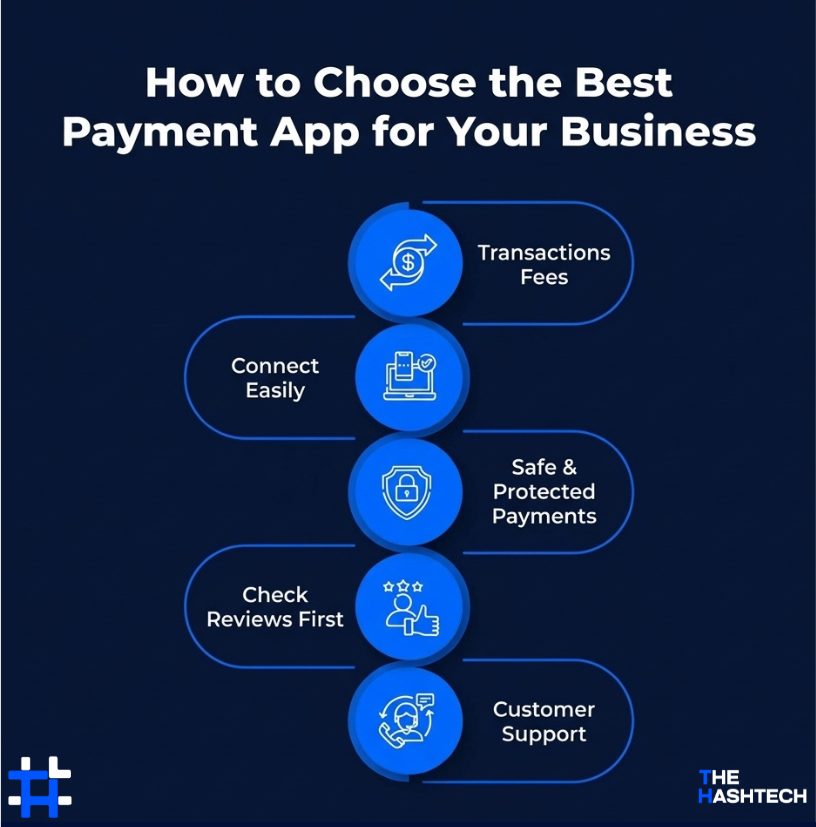
Here are some useful tips to help you choose the best payment app for your business:
Transactions Fees
Different apps charge in different ways some take a small percentage of each sale, while others charge a fixed fee. Consider how much you usually receive per transaction so you can choose an app that keeps more money in your pocket.
Connect Easily
Ensure the payment app fits smoothly with your existing tools, like your online shop, cash register (POS), or accounting software. The simpler the connection, the smoother the experience for you and your customers.
Safe & Protected Payments
Choose apps that keep your data safe. Look for strong encryption, fraud checks, and account security features to make sure your customers’ payments are protected.
Check Reviews First
Before choosing an app, look at reviews from other users. Hearing from small business owners or freelancers who already use it can help you avoid problems. Apps with good feedback are usually more reliable.
Customer Support
Having reliable support can make your life easier. Choose a payment service that responds quickly and solves problems efficiently, especially if you handle payments daily.
Which Venmo Alternative Works Best for You?
When it comes to choosing the best alternative to Venmo, it can be a bit overwhelming with so many options available. But don’t stress it’s all about figuring out what you need the most. Whether you’re using it for personal payments or for your business, the right app will depend on your preferences, goals, and how much you want to spend.
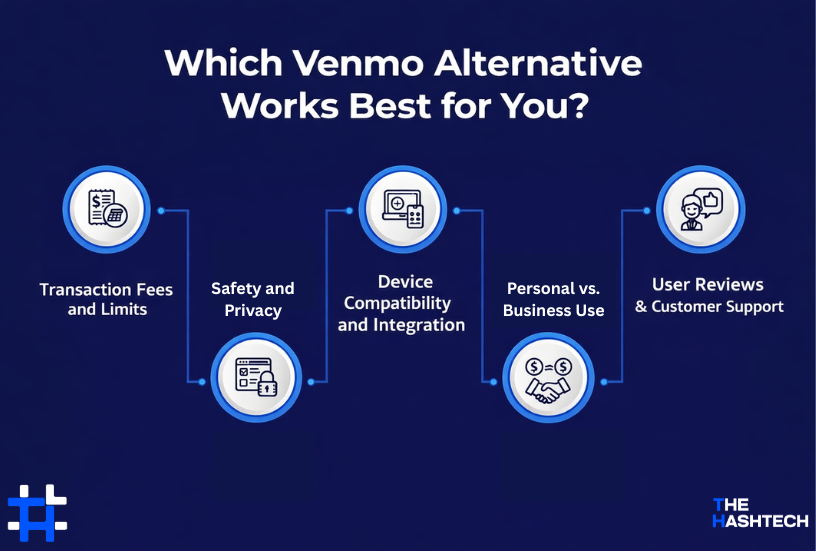
Here are some key things to consider before picking the right app:
Transaction Fees and Limits
Make sure to check the fees each platform charges for transfers, as well as any limits on how much you can send or receive. Some apps might seem free, but small fees can quickly add up, especially if you’re sending money often or for business purposes.
Safety and Privacy
Protecting your money is important. Choose apps that have strong security features like encryption, fraud alerts, and follow trusted security practices. This ensures your personal and business information stays safe during every transaction.
Device Compatibility and Integration
Check that the app works well on your phone or device. If you own a business, it should also easily connect with your website, point-of-sale system, or accounting tools. Smooth integration helps save time and reduces mistakes.
Personal vs. Business Use
Consider how you’ll use the app. Is it just for splitting bills with friends, or do you need extra features for managing client payments? Some apps offer tools like spending reports, tax summaries, and team access, which are especially helpful for business users.
User Reviews and Customer Support
Before downloading an app, see what other users are saying about it. Apps with good reviews and helpful customer service are usually more reliable and easier to deal with if any issues come up.
Talk to our experts to find the best solution.
Unsure Which Venmo Alternative is Right for Your Business?
Collaborate Today!
Wrapping Up
Picking the right payment app can make managing your money a lot easier. While Venmo is popular, it’s not the only choice. There are plenty of alternatives that might suit your needs even better.
If you’re a business owner needing international payment solutions like Payoneer or XE Money Transfer, or a merchant looking for advanced tools like Stripe or Braintree, or just someone who wants a simple app like Cash App or Google Pay, there’s an option for you.
By exploring these choices, you’ll find the best fit for personal or business use. And if you ever need a custom app built for your specific needs, The Hashtech offers expert app development services in Miami to create the perfect solution.
These apps are a great starting point to help you discover the best alternatives to Venmo.
So, why wait? Find the right app today and take control of your payments with ease!
Frequently Asked Questions (FAQs)
What Makes Venmo Different from Other Payment Apps?
Venmo is popular for its social features and user-friendly design, making it easy and fun to send money to friends. But other apps like PayPal, Cash App, and Zelle each have their own unique features. PayPal is great for international transfers and is accepted by many online stores. Cash App lets users invest in stocks and Bitcoin. Zelle allows fast, free transfers directly from one bank account to another. Understanding these differences will help you choose the app that works best for you.
Are Venmo Alternatives Safe for Sending Money?
Yes, most Venmo alternatives prioritize security. Apps like PayPal and Google Pay use strong encryption and fraud protection to keep your payments safe. Cash App and Zelle also offer extra security, like two-factor authentication and real-time monitoring, to prevent unauthorized access or transactions.
Can I Use Venmo Alternatives for International Transfers?
Yes, many Venmo alternatives allow international money transfers. PayPal is widely used around the world, but keep in mind that fees may differ depending on the country. Wise (formerly TransferWise) is known for low fees and clear pricing when sending money abroad. Remitly is another option, offering affordable international transfers and several ways to send money.
Do Venmo Alternatives Have Fees?
It depends on the app. For instance, PayPal charges around 2.9% plus 30 cents for domestic payments. Cash App has fees between 0.5% and 1.75% for instant deposits. Zelle usually doesn’t charge fees if you’re transferring money through its partner banks. It’s a good idea to check the fee details for each app before making your choice.
Who Competes with Venmo the Most?
Venmo’s biggest competitors in the payment space are Stripe, PayPal, and Authorize.net. Stripe leads the market with about 38% share and is known for its easy-to-use tools for developers. PayPal comes in close second, famous for its global availability and strong security. Authorize.net focuses on providing secure payment gateways for small and medium businesses. Each of these alternatives offers great features, making them strong options against Venmo.