Top 25 Apps Like Dave – Best Dave Alternatives in 2026


29 December, 2025
Looking for cash advance apps like Dave? These apps let you get an advance on your paycheck, with Dave offering up to $500 for just $1 a month, which sounds like a pretty good deal.
In the U.S., the cash advance market is huge, with a projected value of $99.55 billion by 2025. This shows that investing in mobile app development services could be a smart move. With the growing demand for fast financial solutions, building apps in this space has great potential for success.
According to 2025 data, the average overdraft fee in the United States is about $26.77 per transaction. These fees are still quite high and can quickly push someone into more debt if they’re not careful.
Luckily, there are many apps out there that can help you avoid those fees and offer a quick solution to tide you over until your next payday. This blog will explore some of the top apps available in the U.S. for anyone who needs a small cash advance to make it through.
25 Best Cash Advance Apps Like Dave
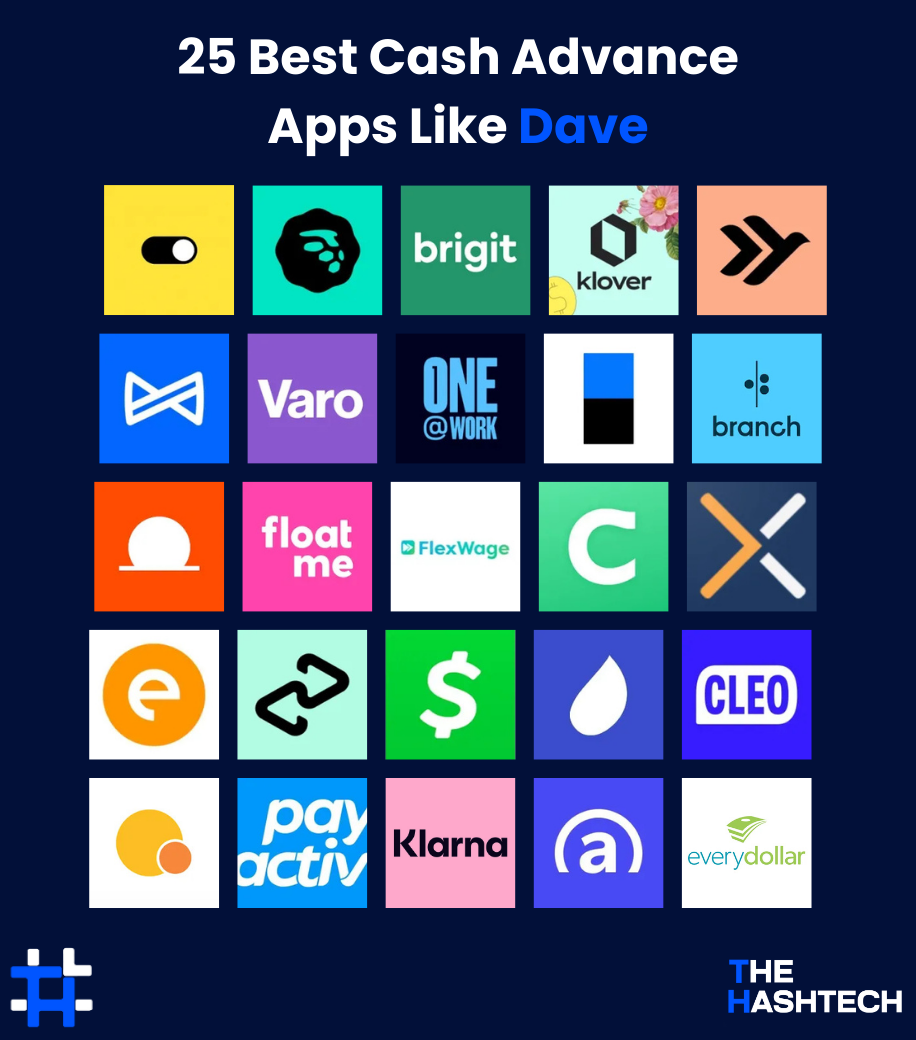
Did you know that the popularity of cash advance apps has jumped by around 40% in 2025? In this article, we’ve put together a list of the top 25 cash advance apps like Dave that you can check out:
1. EarnIn

- Google Play Store Rating: 4.6/5
- Apple Store Rating: 4.7/5
EarnIn is a free app that lets you access the money you’ve already earned before payday, without high fees or interest. It helps you avoid waiting until the end of the month to get paid.
Pros and Cons
| Pros | Cons |
| Access up to $750 per day | Requires personal info like bank details |
| Easy-to-use with Balance Shield feature | Must have a steady job |
| No monthly fees, interest, or credit checks | Needs a reliable income |
Details and Terms
- Loan Amount: Up to $100 per day / Up to $750 per pay period
- Processing Time: 1-3 business days
- Repayment Date: The borrowed amount is automatically deducted from your next paycheck
Eligibility Criteria
To use EarnIn, you’ll need:
- A stable job with a regular schedule
- A consistent pay schedule (weekly, bi-weekly, etc.)
- Your paychecks must be direct deposited into your checking account
Application Process
- Download the App: Available for iOS and Android
- Create an Account: Sign up with your personal details
- Link Your Bank Account: Connect your account where your paycheck goes
- Verify Your Info: Confirm your employment and earnings
- Set Up Direct Deposit: Ensure your paycheck is deposited directly into your account
Other Features
Wondering what makes EarnIn different from other cash advance apps like Dave? Here are some key features that make it stand out:
Balance Shield
This feature helps you avoid overdraft fees by alerting you when your bank balance is getting too low. It can offer you a small cash advance to cover the gap.
Cash Back Rewards
Earn cash back on purchases made at participating stores, helping you save more while spending.
Health Aid
Get access to affordable healthcare services right from the app, helping you manage medical costs on a budget.
Financial Insights
This tool helps you track your spending habits and gives you a better understanding of your overall financial health.
Tip System
A smart way to save, the tip system lets you turn your savings into something social and active. It can be a fun way to meet financial goals while connecting with others.
For more social features, apps like Wizz also offer networking opportunities, adding a social element to managing your money.
2. MoneyLion

- Google Play Store Rating: 5.0/5
- Apple Store Rating: 4.7/5
MoneyLion is a well-known financial app that offers more than just cash advances. It provides a range of financial services, including personal loans, credit monitoring, and investment options. It’s a great tool for those looking for quick access to funds, and for managing other money-related needs. For easy money transfers, you can also check out apps like Venmo.
Pros and Cons
| Pros | Cons |
| Offers personal loans, credit monitoring, and digital banking services | Some features require paid membership (like Credit Builder Plus) |
| Get cash advances with no interest or credit check | High interest rates on personal loans |
| Invest in portfolios with no minimum balance requirement | Some features like Instacash may not be available to all users |
Details and Terms
- Cash Advances: Up to $500
- Personal Loans: Up to $50,000
- Processing Time: 1-3 business days for personal loans, 24 hours for cash advances
- Repayment Date: The borrowed amount is automatically deducted from your linked bank account on your next payday
Eligibility Criteria
To be eligible for cash advances, you must:
- Be a U.S. resident
- Have an active bank account to link to the app
- Provide proof of regular income
- A credit check is required for personal loans
Application Process
- Download the App: Available on both Google Play and the Apple Store
- Create an Account: Sign up by entering your personal details
- Link Your Bank Account: Connect your bank account for verification and transactions
- Select Services: Choose from cash advances, personal loans, or other financial tools
- Verification: Complete identity verification and submit any necessary financial applications
Other Features
MoneyLion offers a variety of features to make managing your finances easier and more convenient:
RoarMoney Account
A digital banking service that lets you get paid early with direct deposit, without any hidden fees. It also gives you a virtual debit card for easy online spending.
Managed Investment Accounts
You can invest in a range of diversified portfolios with automatic rebalancing. There’s no minimum balance requirement, making it accessible for most users.
Financial Tracking Tools
MoneyLion provides tools to help you track your spending, create budgets, and even get personalized advice on how to improve your finances.
Rewards and Cashback
When you use the RoarMoney debit card for purchases, you can earn cashback, giving you extra savings on your everyday spending.
Mobile Banking
MoneyLion offers online banking services that let you access your accounts, manage transactions, and perform other banking tasks directly from the app.
3. Brigit

- Google Play Store Rating: 4.7/5
- Apple Store Rating: 4.8/5
Brigit is a popular app that lets you extend your repayment deadline if you can’t make it by your due date. With over 4 million users, Brigit offers free cash advances and overdraft protection. If you’re looking for other apps like Brigit, check out our blog listing popular loan platforms.
Pros and Cons
| Pros | Cons |
| Extend your repayment deadline up to three times | Monthly membership fee ($8.99 to $14.99) |
| Partnered with over 6,000 banks | Requires an external bank account for cash advances |
| Automatic advances to help avoid overdraft fees |
Details and Terms
- Loan Amount: Up to $250
- Processing Time: 1-3 business days
- Repayment Date: Flexible repayment options available
Eligibility Criteria
To qualify for cash advances on Brigit, you need:
- An active checking account for at least 60 days
- A balance of $0 or more in the account
- Recurring deposits for at least 3 months from the same source
Application Process
- Download the App: Available on both the Apple Store and Google Play
- Create an Account: Sign up using your email and create a password
- Set Up Your Profile: Enter personal details like your name, date of birth, and contact info
- Link Your Bank Account: Connect your primary checking account to Brigit
- Request an Advance: Once you’re set up, request a cash advance when needed
Other Features
Brigit offers a variety of features designed to help you manage your finances more easily:
Financial Insights
This feature gives you a clear view of your spending habits and offers tips to help improve your financial health.
Saving Feature
You can save small amounts of money regularly with this tool, making it easier to build up savings over time.
Credit Monitoring
Premium users can access credit monitoring to track their credit score and stay on top of their financial health.
Personalized Alerts
Get custom alerts for upcoming bills, low account balances, and trends in your spending so you never miss an important financial update.
Referral Program
Brigit rewards users for referring friends and family to the app, giving you a way to earn while helping others.
4. Klover

- Google Play Store Rating: 4.6/5
- Apple Store Rating: 4.7/5
Klover is a popular app that offers small cash advances based on your bank account activity. You can also earn advances by completing surveys, uploading receipts, and connecting retail accounts. In exchange, Klover shares your data with its advertising and business partners.
Pros and Cons
| Pros | Cons |
| No interest or hidden fees | Requires a steady income to qualify |
| Get cash advances without any credit check | The maximum cash advance may not meet all needs |
| Fast access to cash | Some users may find data sharing intrusive |
Details and Terms
- Loan Amount: Up to $100 in cash advances
- Processing Time: A few minutes after approval
- Repayment Date: The amount is automatically deducted from your linked bank account, usually on your next payday
Eligibility Criteria
To be eligible for cash advances, you need:
- A steady source of income with regular direct deposits
- An active checking account with consistent banking activity
- A history of positive account balances and sufficient activity
Application Process
- Download the App: Available on Google Play and the Apple Store
- Create an Account: Sign up by providing your bank account and debit card information
- Check Eligibility: The app will show your available cash advance limit if you’re eligible
- Optional Tip or Fee: You’ll be asked to provide an optional tip or pay a fee during the process
- Request Advances: If you decline the fee, you’ll receive your funds within 3 business days
Other Features
The Klover app comes with several helpful features to make managing your finances easier:
Budgeting Tools
These tools help you create personalized budgets, track your spending, and stay on top of your finances.
Spending Insights
Klover gives you detailed insights into your spending habits, helping you spot areas where you can save money.
Rewards Program
Users can earn rewards by linking their bank accounts, referring friends, or setting up direct deposits.
Financial Education
Klover offers helpful articles, tips, and guides to help you improve your budgeting, saving, and credit management skills.
Chatbot Assistance
AI-powered chatbots are available to provide instant help with using the app’s features and offer financial advice.
With these features, Klover not only helps you get cash advances but also supports you in building better financial habits. If you want to share your own financial journey, apps like TikTok can be a great way to connect with others and reach a bigger audience.
The Hashtech helps startups and businesses build secure, smart fintech apps.
Want to create an app like Dave?
Book a free consultation today
5. Empower

- Google Play Store Rating: 4.7/5
- Apple Store Rating: 4.8/5
Empower is a great cash advance app, especially for gig workers and freelancers. Although it offers smaller loans compared to other platforms, it provides fast funding. Plus, the app reports payments to credit bureaus like Equifax and TransUnion, which can help users build their credit over time.
Pros and Cons
| Pros | Cons |
| Refunds for overdraft fees | Monthly membership fee of around $8 |
| No credit check needed for loans | Loan amounts may not be enough for bigger financial needs |
| Cash advances with no interest | Recurring payments are needed to avoid overdraft fees |
Details and Terms
- Loan Amount: Up to $250
- Processing Time: 24 hours
- Repayment Date: Typically due on your next payday
Eligibility Criteria
To qualify for a cash advance on Empower, you need to meet the following:
- An active bank account linked to the app
- A regular source of income
- Must be 18 years old or older
Application Process
- Download the App: Available on the Apple Store or Google Play
- Create an Account: Sign up by entering your personal details and linking your bank account
- Request a Cash Advance: Once your account is set up, you can request a cash advance directly through the app
- Receive Funds: The cash advance is sent straight to your linked bank account
Other Features
Empower has a range of helpful features to make managing your finances easier. Here are some of the most popular ones:
AutoSave
This feature looks at your spending habits and automatically moves small amounts of money into a separate savings account, helping you save without thinking about it.
Credit Score Monitoring
You can track your credit score directly in the app, with free access to updates and tips on how to improve it.
Smart Recommendations
Using AI, Empower provides personalized suggestions and strategies to help you improve your financial situation
Empower Card
The Empower Card is a debit card linked to your account, making it easy to access your funds. Plus, you can earn cashback on everyday purchases.
Instant Notifications
Get alerts for important events, like large transactions, low bank balances, upcoming bill due dates, or unusual activity in your account.
These features make Empower more than just a cash advance app, giving you the tools to better manage your money, build savings, and track your financial progress.
6. Albert

- Google Play Store Rating: 4.2/5
- Apple Store Rating: 4.6/5
Albert is an all-in-one financial app that helps you manage your money, save, invest, and even get cash advances. It offers tools for budgeting, recurring savings, personalized investment portfolios, and much more to help you reach your financial goals.
Pros and Cons
| Pros | Cons |
| Offers a variety of investment themes and portfolios | Membership fee is higher compared to other apps |
| Supports fractional share investing | Cash advances can take time to qualify |
| Genius feature helps with automated savings | Low APY for Albert Cash accounts |
Details and Terms
- Loan Amount: Up to $250 cash advances
- Processing Time: 24 hours
- Repayment Date: Albert automatically withdraws the repayment amount on the agreed date
Eligibility Criteria
To qualify for a cash advance, you must meet the following:
- An active bank account with no negative balance and at least two months old
- A history of transactions in your account
- Consistent direct deposits from the same source
Application Process
- Register: Sign up by providing your personal details
- Connect Your Bank Account: Link your bank account to check if you’re eligible for cash advances
- Sign Up for Genius: Get a Genius membership to unlock Albert’s Instant Cash Advance feature
- Set Up Direct Deposits: Enable “Smart Money Transfers” to receive a cash advance
- Request a Cash Advance: Confirm the amount you want and wait for the funds to be deposited, usually within 2-3 business days
Other Features
Apps like Dave and Albert offer a variety of useful features to help users manage their money. Some of the key features include:
Genius
A subscription service that provides personalized financial advice, offering insights to help users improve their spending and saving habits.
Budgeting and Spending Tracking
This feature helps you track your expenses, set budgets, and get insights into your financial behavior, making it easier to stick to your goals.
Saving Goals
You can set specific savings goals, which helps you stay focused and motivated to reach your financial targets.
Subscription Monitoring
The app tracks your recurring subscriptions and sends alerts for upcoming charges, so you can avoid surprise expenses.
Bill Negotiation
Albert offers a bill negotiation service, where they negotiate on your behalf to lower your bills, including cable, internet, and phone services.
7. Varo Bank

- Google Play Store Rating: 4.7/5
- Apple Store Rating: 4.9/5
Varo Bank is an online app that offers instant cash advances and helps users save money while building their credit scores. It’s a great option for anyone who wants to simplify their finances or learn to manage money more effectively.
Pros and Cons
| Pros | Cons |
| No minimum balance required to open an account | Cash deposits can only be made through third-party retailers |
| No monthly fees or minimum deposit requirement | Does not offer money market accounts or CDs |
| Offers a savings account with a competitive APY |
Details and Terms
- Loan Amount: Starts at $250, can go up to $500
- Processing Time: 1-2 business days
- Repayment Date: The borrowed amount is automatically deducted when your next deposit is made
Eligibility Criteria
To qualify for a cash advance on Varo, you need:
- Be at least 18 years old and a U.S. resident
- Have a Varo account in good standing
- Have a history of regular direct deposits into your Varo account
Application Process
- Download the App: Get Varo Bank from the App Store or Google Play
- Create an Account: Enter your personal details, including your name, address, and employment information
- Fund Your Account: Deposit money into your Varo account via direct deposit or external bank transfer
- Request an Advance: Go to the “Varo Advance” section and choose the amount you need
Other Features
Varo Bank offers a complete digital banking experience with a variety of features to help manage your money efficiently:
Fee-Free Banking
You can access cash advance options without worrying about monthly maintenance fees, overdraft fees, or minimum balance requirements.
Overdraft Protection
This feature lets you overdraw your account by up to $50 without incurring any fees, giving you extra flexibility.
Varo Advance
Need cash fast? Varo lets you get advances of up to $100 to help with unexpected expenses, all with no high interest rates.
Security
Varo Bank uses strong security measures, including biometric login and encryption, to keep your information safe.
Customer Support
With 24/7 customer support, you can always get help with any questions or issues you may have.
8. One@Work

- Google Play Store Rating: 4.7/5
- Apple Store Rating: 4.9/5
One@Work is a great cash advance app that helps you manage your earnings between paydays. You can request up to 50% of your net earnings and get the money instantly. It’s a useful tool for those who want quick access to their paycheck without waiting for payday.
Pros and Cons
| Pros | Cons |
| Flexible cash advances to help manage finances | Cash advances depend on income and employer policies |
| No interest charges on cash advances | Only available to employees of partnered companies |
| Earn 5% APY on eligible savings |
Details and Terms
- Loan Amount: Varies based on income and employer agreement
- Processing Time: 24 hours
- Repayment Date: Automatically deducted from your next paycheck
Eligibility Criteria
To qualify for a cash advance on One@Work, you must:
- Be 18 years old or older
- Be employed by a company that partners with One@Work
- Have a steady income and a regular pay schedule
Application Process
- Download the App: Available on Google Play and the Apple Store
- Sign Up: Create an account and provide your personal information
- Verification: Your employment will be verified with a partner employer
- Link Payroll: Connect your payroll system for smooth disbursement of funds
- Choose Cash Advance: Select the amount you need and submit your request
Other Features
One@Work offers several features that make managing your finances easier and more flexible:
Budgeting Tools
The app provides simple, easy-to-use budgeting tools to help you track your spending and stay on top of your finances.
Savings Programs
One@Work offers savings programs that encourage users to save money, helping build financial security for the future.
Education Resources
Want to improve your financial knowledge? The app includes clear and easy-to-understand resources to help you learn more about budgeting, saving, and managing money.
Customizable Alerts
You can set up personalized notifications to keep track of your budget, savings goals, and spending habits, so you always know where you stand.
Employer Contributions
Some employers offer matching contributions or extra incentives to employees using the app’s savings programs, helping you save even more.
These features make One@Work a powerful tool for not just managing cash advances, but also improving your overall financial health and planning.
9. Possible

- Google Play Store Rating: 4.0/5
- Apple Store Rating: 4.8/5
Possible is a popular cash advance app, especially for those who may have trouble getting loans due to poor credit scores. It’s a good option for people facing unexpected expenses and looking for a quick solution. If you’re curious about more options, check out our blog on apps like Possible Finance that offer flexible loan solutions.
Pros and Cons
| Pros | Cons |
| Low minimum loan amount starting from $50 | High interest rates, between 54.51% and 240.52% |
| On-time payments are reported to credit bureaus | Low maximum loan amount of up to $500 |
| Quick approval and funding process | Flat fee of $15 to $20 for every $100 borrowed |
Details and Terms
- Loan Amount: Up to $500
- Processing Time: A few minutes to a few hours
- Repayment Date: Set based on the terms you agree to during the application process
Eligibility Criteria
To qualify for a loan with Possible, you need:
- A valid checking account
- A steady source of income or employment
- To live in a state where the app operates
Application Process
- Download the App: Available on Google Play and the Apple Store
- Sign Up: Create an account by providing your personal details
- Connect Bank Account: Link your checking account to the app
- Review Loan Offer: Read the loan terms and conditions carefully
- Sign the Agreement: Accept the loan offer and receive your funds, usually within one day
Other Features
Possible offers several useful features to help users manage their finances and improve their credit:
Credit Building
This feature helps you build a positive payment history that gets reported to credit bureaus, which can improve your credit score over time.
Payment Reminders
The app sends reminders for upcoming payments so you can stay on top of your due dates and avoid missing payments or late fees.
Refinancing Options
If you need more time to repay your loan, Possible offers refinancing options to give you extra flexibility.
Credit Score Tracking
You can monitor your credit score directly in the app and receive insights into how your financial behavior affects your score.
Instant Bank Verification
The app allows you to securely and quickly link your bank account using instant verification, making the process smooth and fast.
10. Branch

- Google Play Store Rating: 4.4/5
Branch is a top personal finance app that offers fast cash advances, similar to apps like Dave. It makes it easy to access your earnings without needing any physical documents. The app also provides various other features like tips, wages, and mileage reimbursement.
Pros and Cons
| Pros | Cons |
| Cash advances up to 50% of your paycheck | Available only to employees linked with Branch |
| Get loans and advances without credit checks | Funds may take up to three days to arrive |
| Many features are free of charge | The sign-up process can be complicated for some users |
Details and Terms
- Loan Amount: Varies based on earned wages and company policies
- Processing Time: Usually takes a few minutes
- Repayment Date: Deductions are made automatically from the next paycheck
Eligibility Criteria
To use the Branch app, you need to meet these requirements:
- Be associated with a company partnered with Branch
- Have a steady income from your employer
- Meet employment tenure and status criteria set by the company
Application Process
- Download the App: Available on Google Play and Apple Store
- Sign Up: Create a new account by entering your personal details
- Profile Setup: Provide information about your job and employment status
- Link Your Account: Add your bank account details for smooth transactions
- Review and Approve: Review the terms and agree to receive the loan amount
Other Features
Branch offers several useful features to make managing your work and finances easier:
Shift Scheduling
This feature lets you view and manage your work schedule directly within the app, so you can stay on top of your hours.
Expense Tracking
It helps you track your spending and manage your expenses, giving you better control over your finances.
Savings Goals
You can set and monitor your savings goals, encouraging better saving habits and financial planning.
Overtime Requests
The app allows you to submit and manage requests for overtime work, making it easier to track extra hours.
Team Messaging
For better communication, the app includes team messaging, allowing employees to stay connected with their colleagues.
11. DailyPay

- Google Play Store Rating: 4.7/5
- Apple Store Rating: 4.8/5
DailyPay is a leading financial app that makes it easy for you to access 100% of your earned wages whenever you need them. The platform offers quick and easy financial solutions, helping you get paid faster without waiting for payday.
Pros and Cons
| Pros | Cons |
| Access your earned wages instantly | Charges a fee for each transaction |
| No credit checks needed to access your wages | The amount you can access early may be limited |
| Clear and transparent fee structure with no hidden charges |
Details and Terms
- Loan Amount: Up to 100% of your earned wages
- Processing Time: Instant
- Repayment Date: The amount is automatically deducted from your next paycheck
Eligibility Criteria
To qualify for an advance with DailyPay, you need:
- Be employed by a company partnered with DailyPay
- Have a steady and regular income
- Meet any additional eligibility criteria set by your employer or DailyPay
Application Process
- Download the App: Available on both Google Play and the Apple Store
- Sign Up: Create an account and enter your personal information
- Connect Payroll: Link the app to your employer’s payroll system
- Request Advance: Choose how much of your earned wages you want to access and submit your request
Other Features
DailyPay offers several easy-to-use features to help users manage their finances more effectively:
Real-Time Earning Tracking
This feature lets you track your earnings in real-time, so you can always know how much you’ve earned during the pay period.
Saving Features
DailyPay includes tools that help you automatically save a portion of your earnings, making it easier to build your savings over time.
Financial Planning Tools
The app provides resources and tools to assist with better financial planning and managing your money.
Instant Notifications
Stay updated with real-time alerts for any transactions or balance changes, so you never miss an important update.
Fee-Free Next Day Transfers
If you don’t need instant access to your earnings, you can choose to transfer funds fee-free the next day.
12. FloatMe

- Google Play Store Rating: 4.4/5
- Apple Store Rating: 4.7/5
FloatMe is a popular cash advance app designed to help users get access to small loans before payday. With over 7 million downloads, the app helps you avoid overdraft fees and provides a way to build emergency savings.
Pros and Cons
| Pros | Cons |
| Instant access to small cash advances | Not suitable for users with unstable income |
| Available to users with poor or no credit history | Requires a checking account with direct deposit |
| Low monthly subscription fee | Must have a W-2 form for employment verification |
Loan Terms and Details
- Loan Amount: $10 to $50
- Processing Time: Within minutes
- Repayment: Automatically deducted from your linked account
Eligibility Criteria
To qualify for a cash advance with FloatMe, you need to meet the following requirements:
- Have a positive balance in your bank account
- Link a debit card to an active checking account
- Earn at least $150 per pay period
Application Process
- Download the App: Available on Google Play or the Apple Store
- Sign Up: Provide your personal information and pay the monthly subscription fee
- Employment Verification: Verify your income by providing your employment details
- Link Your Bank Account: Securely connect your bank account to the app
- Request Cash Advance: Select the loan amount you need and receive your funds within 3 business days
Other Features
FloatMe offers several helpful features for users who need quick access to cash and want to stay on top of their finances:
International Transactions
This feature allows users to manage international transactions, including tracking exchange rates and any fees for sending money abroad.
Financial Alerts
FloatMe sends notifications to keep you updated on your financial situation, helping you stay aware of any important changes.
Fast Funding
With a quick and easy application process, FloatMe ensures that you can apply for and receive funds as fast as possible.
Automated Savings
The app includes tools to help you automatically save for specific goals, like an emergency fund, a vacation, or a big purchase.
Expense Tracking
FloatMe organizes and tracks all your spending, giving you a clear overview of where your money is going and helping you manage your budget.
13. FlexWage

- Google Play Store Rating: 4.2/5
- Apple Store Rating: 4.8/5
FlexWage is a great platform for employees who need quick access to their earned wages. It helps reduce financial stress and increases employee satisfaction and productivity by offering instant access to wages.
Pros and Cons
| Pros | Cons |
| No interest or hidden fees | Available only to employees of companies partnered with FlexWage |
| No complex paperwork required | A transaction fee is charged for each wage advance |
| Funds can be used for anything | Requires approval from the employer to use the service |
Loan Terms and Details
- Loan Amount: Depends on the amount of wages you’ve earned
- Processing Time: Can take from minutes to a few hours
- Repayment: The funds are automatically deducted from your next payday
Eligibility Criteria
To use FlexWage, you need to meet the following requirements:
- Be employed by a company that partners with FlexWage
- Have earned wages available for withdrawal
- Be a U.S. citizen
Application Process
- Download the App: Available on Google Play or the Apple Store
- Sign Up: Enter your personal information to create an account
- Employer Implementation: The app verifies whether your employer is partnered with FlexWage
- Employee Enrollment: Enroll in FlexWage and link your account to your employer’s payroll system
- Verification and Disbursement: FlexWage verifies your wages and processes your advance request
Other Features
FlexWage offers a range of features that make accessing earned wages and managing finances easier:
FlexPay Card
With the FlexPay card, you get a prepaid card that allows you to load funds and use it just like a regular debit card for purchases.
Integration with Payroll Systems
The app easily integrates with your employer’s payroll system, ensuring that your earned wages are accurately tracked and managed.
Real-Time Tracking and Notifications
FlexWage lets you track your wage advances and repayment schedules in real-time. You can view your available balance, see pending transactions, and get updates on your requests.
Expense Management Tools
The app helps you manage your finances by setting up monthly budgets, tracking your spending in different categories, and offering insights into your financial habits.
Security and Compliance
FlexWage uses strong security measures like encryption and secure data storage to protect your personal and financial information.
The Hashtech helps build your fintech app from design to compliance.
Ready to start your own app?
Start building today.
14. Chime
- Google Play Store Rating: 4.7/5
- Apple Store Rating: 4.8/5
Chime is an easy-to-use online banking service that offers a checking account, high-yield savings account, and a secured credit card all with no monthly fees or minimum security deposits. It’s a great choice for people who want simple and affordable banking.
Pros and Cons
| Pros | Cons |
| Access to over 60,000 ATMs without fees | No physical branches for in-person service |
| Get paid two days earlier with direct deposit | Mobile check deposit only available with direct deposits |
| No credit checks required |
Loan Terms and Details
- Loan Amount: Up to $200
- Processing Time: 24 hours
- Repayment: The loan is automatically repaid with your next direct deposit
Eligibility Criteria
To qualify for a loan with Chime, you must meet the following requirements:
- Have a valid Social Security number for identity verification
- Be a U.S. citizen
- Be at least 18 years old
Application Process
- Download the App: Get it from Google Play or the Apple Store
- Sign Up: Create your account by entering personal details, such as your name, address, and Social Security number
- Verify Identity: Your identity will be confirmed using the provided details
- Set Up Direct Deposit: Link your direct deposit by entering your account and routing numbers
- Request a Loan: Once your direct deposit is set up, you can apply for a loan amount up to $200
Other Features
Chime offers a full digital banking experience with several useful features designed to make managing your money easier:
SpotMe
This feature lets eligible users overdraft their accounts up to $200 without paying any fees, making it easier to cover small mistakes or unexpected expenses.
Automatic Savings
Chime helps you save by rounding up your purchases to the nearest dollar and transferring the difference into your savings account automatically.
No Foreign Transaction Fees
Use your Chime debit card for purchases abroad without worrying about foreign transaction fees.
Security Features
Chime keeps your account secure with features like the ability to block transactions, instantly deactivate your card if it’s lost, and use two-factor authentication for added protection.
Real-Time Alerts
Get notified instantly about your transactions and daily account balance, so you always know where your money stands.
15. Axos

- Google Play Store Rating: 3.2/5
- Apple Store Rating: 4.7/5
Axos is a well-known online banking platform that offers cash advances and personal loans with competitive APRs. It’s a good choice for those needing larger loan amounts and fast processing.
Pros and Cons
| Pros | Cons |
| Borrow up to $50,000 | Not ideal for those looking for small cash advances |
| Prequalification available without affecting your credit score | Requires a credit score of 720 or higher to qualify |
| No penalty for early repayment | Origination and late fees apply |
Loan Terms and Details
- Loan Amount: From $5,000 to $50,000
- Processing Time: 2-4 business days
- Repayment: Loan terms range from 12 to 72 months with fixed monthly payments
Eligibility Criteria
To qualify for a loan with Axos, you must meet the following requirements:
- Have a valid Social Security number
- Be a U.S. citizen
- Have a good credit score (typically 720 or higher)
- Be willing to undergo a credit check
Application Process
- Download the App: Available on both the Google Play Store and Apple Store
- Sign Up: Provide the necessary information to create an account
- Verification: Axos will verify your identity using the details you provided
- Choose Account: Select the type of account or loan you want to apply for
- Submission: Review your details and submit the application for approval
Other Features
Axos offers several standard yet useful features that make managing your finances easy and efficient:
Financial Tools
The app includes various financial tools like budgeting, spending analysis, savings tracking, investment monitoring, and financial calculators to help you manage your money more effectively.
Account Management
You can view your account balance, transaction history, and detailed account statements in real-time, making it easy to track and manage your funds.
Mobile Check Deposit
Deposit checks right from your phone by simply taking a picture of the front and back of the check, entering the amount, and submitting it. It’s fast and convenient.
Loan Management
The app allows you to check detailed information about your loans, including your balance, interest rates, and upcoming payment due dates, so you can stay on top of your repayments.
24/7 Support
If you need help, Axos provides an in-app chat feature where you can connect with customer support anytime to resolve issues or get answers to your questions.
16. CASHe

- Google Play Store Rating: 2.8/5
- Apple Store Rating: 4.2/5
CASHe is a popular platform known for offering fast personal loans with an easy application process. It’s a good option if you need quick cash, though its interest rates are a bit higher than others. The loan amount and eligibility depend on your income and the loan period.
Pros and Cons
| Pros | Cons |
| Fast personal loans with minimal paperwork | Interest rates can be high |
| No collateral required to qualify | Strict eligibility criteria compared to others |
| Transparent fee structure |
Loan Terms and Details
- Loan Amount: From $100 to $10,000
- Processing Time: From a few hours to a couple of days
- Repayment: Loan term ranges from 15 days to 6 months
Eligibility Criteria
To qualify for a loan with CASHe, you need to meet these requirements:
- Be at least 21 years old
- Provide valid proof of identity, address, and income
- Have a stable source of income or employment
Application Process
- Download the App: Get the CASHe app from the app store (Google Play or Apple Store)
- Sign Up: Create an account with your personal information
- Verification: Complete the KYC (Know Your Customer) process to verify your identity
- Upload Documents: Submit your required documents, like proof of identity, address, and income
- Request a Loan: Choose the loan amount you need and submit your application
Other Features
The CASHe app offers several useful features that make the loan process fast, flexible, and user-friendly:
EMI Calculator
This feature helps you calculate your monthly repayment amount based on the loan size, making it easier to plan your budget.
Credit Score Monitoring
You can track your credit score directly in the app, giving you a clearer view of your financial health and creditworthiness.
24/7 Customer Support
If you have any questions or issues, you can reach out to their support team anytime, day or night, for assistance with loans or repayments.
Security Features
CASHe uses advanced security methods like data encryption and secure login to ensure that your personal information stays safe.
Personalized Loan Offers
The app offers loan options tailored to your individual profile and credit history, ensuring you get the best loan terms possible for your situation.
17. AfterPay

- Google Play Store Rating: 4.8/5
- Apple Store Rating: 4.9/5
AfterPay is a popular “buy now, pay later” service that lets you make purchases and pay for them over time usually within eight weeks. It’s widely used by consumers for a variety of items, from clothes and accessories to flights. It’s a convenient way to split the cost of your purchases into manageable payments.
If you’re looking for travel deals, you can also check out apps like Airbnb for hotel bookings and other accommodation options.
Pros and Cons
| Pros | Cons |
| Split purchases into four equal payments | Late fees apply if you miss a payment |
| No interest if you pay on time | Doesn’t help build credit |
| Accepted at many online and in-store retailers | Can lead to impulse buying and overspending |
Loan Terms and Details
- Purchase Limit: $500 to $1,000
- Processing Time: A few minutes to a few hours
- Repayment: Total purchase is divided into four equal payments, due every two weeks
Eligibility Criteria
To use AfterPay, you need to meet the following requirements:
- Be a resident in a country where AfterPay operates
- Have a valid debit or credit card
- Pass a basic credit check
Application Process
- Download the App: Get it from Google Play or the Apple Store.
- Sign Up: Enter your personal details to create an account.
- Generate Barcode: Create a barcode in the app, which can be scanned at the store or checkout.
- Make Payment: Pay for your items via the app, choosing the installment plan that works for you.
Other Features
AfterPay offers several convenient features to make managing your purchases easier:
ACH Payment Processing
AfterPay uses ACH (Automated Clearing House) to process payments, ensuring secure and smooth transactions directly between your bank accounts.
Data Security
The app protects your personal information using advanced encryption and tokenization, keeping your data safe during transactions.
Electronic Payments
Users can make payments quickly with just a few taps on their mobile phones, offering a fast and easy way to pay for purchases.
Multiple Payment Options
AfterPay supports a variety of payment methods, allowing you to pay via a linked bank account, debit card, or credit card.
Partial Payments
The app lets you split payments into smaller installments, making it easier to stick to your budget without the burden of large upfront payments.
18. Cash App

- Google Play Store Rating: 4.1/5
- Apple Store Rating: 4.8/5
Cash App is a widely used app that lets users send and receive money instantly without extra fees. It also provides the option to get short-term loans, making it easier for users to cover immediate expenses.
Pros and Cons
| Pros | Cons |
| Instant money transfers, making it easy to send and receive money | Instant transfers come with a small fee |
| Access to short-term loans for covering unexpected expenses | Cash advance amounts are usually on the smaller side |
| Customizable debit cards for in-store and online purchases | Not available in all regions |
Loan Terms and Details
- Loan Amount: Up to $20 – $200
- Processing Time: A few minutes
- Repayment: Loan repayment is due every four weeks
Eligibility Criteria
To be eligible for a loan through Cash App, you must meet these requirements:
- Use the app regularly with consistent deposits
- Live in a region where Cash App is supported
- Maintain a good account history and transaction record
Application Process
- Download and Sign Up: Install the app and create your account by entering your personal details.
- Borrow Option: Navigate to the “Banking” section in the app to find the borrowing options.
- See Your Limit: Tap on the borrow option to check the maximum amount you can borrow.
- Choose an Amount: Select the amount you wish to borrow.
- Select Repayment: Choose the repayment options that work best for you, then confirm your loan.
Other Features
Cash App offers several handy features that make managing money easier and faster. Here are some of the main highlights:
Direct Deposits
You can set up direct deposits to receive your paycheck or other payments straight into your Cash App account.
Investment Options
Cash App lets you buy and sell stocks and Bitcoin directly from the app, making it simple to start investing.
Cash Boosts
If you use the Cash Card, you can get discounts and cash-back offers at select stores and merchants.
Banking Services
Cash App provides banking features, like routing and account numbers, which means you can use it for direct deposits just like a traditional bank account.
SSL Security
The app uses SSL encryption to keep your personal and financial information safe while making transactions.
19. Rain Instant Pay

- Google Play Store Rating: 4.7/5
- Apple Store Rating: 4.8/5
Rain Instant Pay is a popular app that allows workers to access part of their earned wages before payday. It’s a great solution for covering unexpected expenses, building savings, or simply managing day-to-day financial needs.
Pros and Cons
| Pros | Cons |
| Access your earned wages before payday. | Limited loan amounts available. |
| Quick transfers directly to your bank account. | Small, flat fee for each transaction. |
| No credit check required to get cash advances. | Automatic repayments from your next paycheck. |
| Easy-to-use, straightforward process. | May not be available in all regions. |
Loan Terms and Details
- Loan Amount: $20 to $200
- Processing Time: Instant transfer to your bank account
- Repayment: Automatically deducted from your paycheck on payday
Eligibility Criteria
To qualify for Rain Instant Pay, you’ll need to meet the following:
- Be employed by a company that partners with Rain Instant Pay
- Have your employment status verified through your employer
- Have sufficient earned wages available for advance
Application Process
- Download and Install: Download the app from the Google Play or Apple Store.
- Create an Account: Sign up with your personal details.
- Verify Employment: Confirm your employment through your employer.
- Request an Advance: Select the cash amount you need within the available limit.
- Receive Funds: Funds will be instantly transferred to your linked bank account.
Other Features
If you’re looking for alternatives to apps like Dave, Rain Instant Pay offers a variety of features designed to make receiving loans easier:
Instant Notifications
Get quick updates and alerts about your account activity, such as balance changes, repayment reminders, and transaction details.
Payroll Sync
Rain Instant Pay smoothly connects with your employer’s payroll system, ensuring accurate tracking of your earned wages.
Expense Tracking
Easily keep track of your spending and analyze your habits to make better financial choices.
Fast Direct Deposits
Funds are transferred directly into your Rain Instant Pay account, allowing for quicker access than traditional banking.
24/7 Support
Receive around-the-clock assistance from customer support, available to help with any issues or questions.
20. CLEO

- Google Play Store Rating: 4.4/5
Cleo is a popular app like Dave that helps you manage your money directly from your phone. With over 3.1 million users, it’s quickly becoming a top choice for easy financial management.
Pros and Cons
| Pros | Cons |
| AI-driven financial advice | Premium features require a paid subscription |
| No credit check needed for loans | Loan amounts can be lower than some competitors |
| Transparent with no hidden fees | No physical banking services |
Loan Terms and Details
- Loan Amount: Up to $250 (first-time users: $20 to $100)
- Processing Time: Funds are usually sent within hours
- Repayment: Deducted on your next payday or agreed-upon date
Eligibility Criteria
To be eligible for a loan through Cleo, you must:
- Have a valid bank account with regular deposits
- Be at least 18 years old
- Have proof of consistent income (e.g., job, regular payments)
Application Process
- Download the App: Get the Cleo app from the Google Play Store.
- Sign Up: Create your account by entering your personal details and verifying your identity.
- Link Bank Account: Connect your bank account for spending insights and cash advance access.
- Use Chatbot: Cleo’s AI chatbot will help set up your profile, budgets, and savings.
- Request Cash Advance: If needed, request a cash advance via the chatbot, which will assess your spending habits to determine eligibility.
Other Features
Cleo is packed with features that make managing your money easier and more fun. Here are some of the key tools you’ll love:
Spending Insights
Get a clear picture of where your money goes, helping you understand your spending habits better.
Bill Reminders
Stay on top of your bills with timely reminders about upcoming due dates, so you never miss a payment or pay late fees.
Cleo Game
Cleo makes managing money fun! Play interactive challenges and earn rewards as you reach your financial goals.
Credit Builder Card
This card helps you improve your credit score without needing a credit check, perfect for people with no credit or bad credit.
Personalized AI Chatbot
Cleo’s AI chatbot provides real-time financial advice, helps with budgeting, and suggests ways to save money. It’s like having a personal money assistant in your pocket.
21. SoLo Funds

- Google Play Store Rating: 4.2/5
- Apple Store Rating: 4.3/5
SoLo Funds is a peer-to-peer lending app that helps you get quick cash advances, similar to apps like Dave. With SoLo Funds, you can borrow small amounts from other users and pay it back on your terms. It’s a great option for short-term financial needs with no credit checks required.
Pros and Cons
| Pros | Cons |
| Flexible repayment terms | Not suitable for large loan amounts |
| No credit checks | May require verification before funding |
| Fast and easy application process |
Loan Terms and Details
- Loan Amount: Up to $625
- Processing Time: Instant transfer (depends on the lender)
- Repayment: Flexible repayment terms based on what you agree with the lender
Eligibility Criteria
- No credit checks required
- Available to users who meet basic age and residency requirements (18+ and U.S. residents)
- Users may need to verify identity before borrowing
Application Procedure
- Download the App: Install SoLo Funds from the Google Play Store or Apple Store.
- Create an Account: Sign up with your details.
- Browse Lenders: Choose from available lenders who are willing to lend you the money.
- Request Loan: Request the loan amount you need and agree on repayment terms.
- Receive Funds: Once a lender agrees, funds are transferred to your bank account.
Other Features
SoLo Funds is designed to provide quick cash access with flexibility and ease. Here are some of its key features:
Peer-to-Peer Lending
SoLo Funds allows users to borrow money directly from other users, creating a more personal and flexible lending experience.
Flexible Repayment Options
The app offers adjustable repayment schedules, allowing you to choose a plan that fits your financial situation.
Instant Transfer
Once a lender approves your request, funds are instantly transferred to your bank account, helping you access the money when you need it most.
No Credit Checks
SoLo Funds doesn’t perform credit checks, making it accessible to users with poor or no credit history.
User Verification
The app ensures both borrowers and lenders are verified, providing an added layer of security and trust within the platform.
Community-Led Funding
SoLo Funds works on a community-based model where lenders help borrowers in need, allowing for a more collaborative financial ecosystem.
22. PayActiv
- Google Play Store Rating: 4.5/5
- Apple Store Rating: 4.7/5
PayActiv is a financial assistance app designed to help users access their earned wages before payday. A great alternative to apps like Dave, PayActiv allows you to manage your finances in real-time, giving you early access to your earnings and helping you avoid payday loans. It’s an excellent option for those who need short-term financial relief.
Pros and Cons
| Pros | Cons |
| Instant access to earned wages | Only available through participating employers |
| Helps avoid payday loans | May require employer registration |
| Assists with budgeting and financial planning | Not available for all employers |
| Provides financial wellness tools |
Loan Terms and Details
- Loan Amount: Varies based on earned wages
- Processing Time: Instant transfer once approved
- Repayment: Deducted automatically from your paycheck on payday
Eligibility Criteria
To qualify for PayActiv, users must meet the following requirements:
- Be employed by a company that partners with PayActiv
- Have a valid bank account for direct deposit
- Meet employer’s eligibility criteria
Application Procedure
- Download the App: Available on Google Play and the Apple Store.
- Sign Up: Create an account by providing necessary personal details.
- Verify Employment: Your employer will need to register with PayActiv to allow access to your earned wages.
- Request Funds: Once verified, you can request access to a portion of your earned wages.
Other Features
PayActiv is packed with features to help manage your finances effectively:
Bills Payment Service
PayActiv allows you to pay bills directly from the app, ensuring that you stay on top of your financial obligations.
Financial Wellness Tools
It offers tools and resources designed to improve your financial health, including budgeting features and savings goals.
Real-Time Wage Access
Get immediate access to your earned wages without waiting for payday, making it easier to handle emergencies or unexpected expenses.
Employer-Specific Pricing
PayActiv’s pricing model depends on your employer’s plan, meaning no direct cost to you unless provided by your employer.
With The Hashtech, you get expert guidance for secure and scalable app development.
Build a fintech product your users can trust
Schedule a free consultation
23. Klarna

- Google Play Store Rating: 4.8/5
- Apple Store Rating: 4.9/5
Klarna is a flexible payment solution app that allows users to make purchases and pay later. As an alternative to apps like Dave, Klarna helps manage payments by splitting them into installments, making it easy to afford items while avoiding traditional credit methods. It’s a great option for anyone looking to boost their purchasing power without hidden fees.
Pros and Cons
| Pros | Cons |
| Interest-free if paid on time | Charges high fees for late payments |
| Simple, easy-to-understand payment options | Can encourage overspending |
| Widely accepted at thousands of retailers | Available for online shopping only |
| Flexible payment terms (pay later or in installments) | Limited options for larger purchases without credit checks |
Loan Terms and Details
- Loan Amount: Based on the purchase amount and your eligibility
- Processing Time: Instant approval for eligible purchases
- Repayment: Pay in 4 equal installments or within a specific time frame
Eligibility Criteria
To use Klarna, users need to meet the following requirements:
- Must be at least 18 years old
- Valid payment method (bank account or card)
- Must be a resident of the country Klarna operates in
- Klarna may perform a soft credit check
Application Procedure
- Download the App: Available on both Google Play and Apple Store.
- Sign Up: Create an account using your personal and payment information.
- Browse Retailers: Klarna is accepted at thousands of online stores select your items.
- Choose Payment Option: Pick whether you want to pay later or split your payment into installments.
- Confirm and Pay: Complete your purchase and follow the repayment schedule.
Other Features
Klarna offers a variety of helpful features to enhance your shopping experience:
Pay Later or Split Payments
Choose to pay for your items later or split the cost into four easy, interest-free installments.
Accepted at Thousands of Retailers
Klarna is accepted by a wide range of online stores, making it easy to use for everyday shopping.
Easy Returns
Klarna provides an easy return process, allowing you to return items without affecting your installment payments.
No Hidden Fees
As long as you pay on time, there are no hidden fees. Klarna is transparent about its payment structure.
Premium Subscription ($7.99/month)
Offers extra features such as extended payment options and exclusive deals, but the basic plan is free to use.
24. Affirm

- Google Play Store Rating: 3.8/5
- Apple Store Rating: 4.9/5
Affirm is a financial service that allows you to split your purchases into manageable installments, making it a popular alternative to traditional credit. With Affirm, you can pay for everything from small items to large-ticket purchases over time, with transparent terms and no hidden fees. Ideal for users looking for flexible payment options.
Pros and Cons
| Pros | Cons |
| Transparent pricing with no hidden fees | Higher interest rates on longer terms |
| No late fees | Limited to participating merchants |
| Flexible payment plans | Not available for all types of purchases |
| Instant credit decision | Interest rates vary based on the terms |
Details and Terms
- Loan Amount: Varies, but generally from $50 to $10,000 depending on purchase size and eligibility
- Processing Time: Instant approval after application
- Repayment: Payment plans can be spread over 3, 6, or 12 months, with fixed monthly payments
Eligibility Criteria
To qualify for an Affirm loan, users need to:
- Be at least 18 years old
- Have a U.S. bank account
- Provide basic information, such as name, address, and Social Security number for verification
Application Process
- Download the App: Get the Affirm app from Google Play or the Apple App Store
- Create an Account: Sign up and provide your personal details for verification
- Select Your Purchase: Choose the item you wish to buy and select Affirm at checkout
- Choose Your Payment Plan: Select from available repayment options (3, 6, or 12 months)
- Approval: Get an instant decision on your loan and complete your purchase
Other Features
Affirm offers a range of features designed to make financing purchases easy and transparent. Here are some of the standout features:
Transparent Pricing
Affirm offers clear, upfront pricing with no hidden fees. The amount you’ll pay each month is shown before you finalize your purchase, so you always know what to expect.
Flexible Payment Options
Users can select their payment schedule when making purchases. Whether it’s 3 months, 6 months, or 12 months, Affirm allows flexibility so you can choose the best option based on your financial situation.
Instant Approval
Affirm provides a fast, real-time decision on your loan application. No need to wait around get approval instantly during the checkout process.
Easy Credit Check
Affirm performs a soft credit check, meaning it won’t impact your credit score, but it still allows Affirm to determine your eligibility and the terms of your loan.
No Late Fees
With Affirm, you don’t need to worry about late fees. If you miss a payment, interest will accrue, but there are no penalties, so you won’t be charged extra fees for being late.
Shop with Thousands of Retailers
Affirm partners with thousands of merchants, allowing you to use it for a wide variety of online and in-store purchases. From gadgets to clothing, Affirm has you covered.
25. EveryDollar
- Google Play Store Rating: 3.7/5
- Apple Store Rating: 4.7/5
EveryDollar is a smart budgeting app that helps users plan and control their money using a zero-based budgeting method. Instead of focusing on cash advances, this app is ideal for people who want better money management and financial discipline. It’s a good alternative for users who want to stay organized and avoid relying on loan apps like Dave.
Pros and Cons
| Pros | Cons |
| Simple and easy-to-use interface | Free version does not support bank syncing |
| Helps track spending and control budget | Premium plan is relatively expensive |
| Supports clear financial goal setting | Not a cash advance or loan app |
| Reduces dependency on loans |
Details and Terms
- Budget Type: Zero-based budgeting
- Processing Time: Instant setup
- Usage: Monthly budgeting and expense tracking
Eligibility Criteria
To use the EveryDollar app, users need to meet the following conditions:
- Must be at least 18 years old
- A valid email address is required
- Bank account linking is optional (required for premium features)
Application Process
- Download the App: Get the app from Google Play Store or Apple Store
- Create an Account: Sign up using your email address
- Set Your Budget: Enter your income and monthly expenses
- Track Spending: Log expenses manually or sync bank accounts (premium)
- Review Progress: Monitor your budget and adjust as needed
Other Features
The EveryDollar app includes useful features to help users stay financially organized:
Zero-Based Budgeting
This feature ensures every dollar of your income is assigned a purpose, helping you avoid overspending.
Budget Overview
Users get a clear snapshot of their monthly budget, expenses, and remaining balance.
Financial Goal Tracking
Set savings goals, debt payoff plans, and other financial targets to stay motivated.
Bank Sync (Premium)
The premium version allows users to connect their bank accounts for automatic expense tracking.
Reports and Insights
The app provides spending summaries and budget reports to help users understand their financial habits.
How to Choose Apps Like Dave
If you’re looking for cash advance apps like Dave, it’s important to check a few key things:
- Who Can Apply: Make sure you meet the app’s requirements.
- Fees: Look at any charges or hidden costs.
- Interest Rates: Check how much interest you might pay.
- Loan Limits: See how much money you can borrow.
- Credit-Building: Some apps help improve your credit score.
You should also pay attention to extra features that can be helpful, such as:
- Money Management Tools: Helps you track spending and save.
- Overdraft Protection: Prevents bank fees when your balance is low.
- Credit Options: Offers ways to borrow safely.
- Rewards and Benefits: Some apps give perks for using them.
How to Pay Off a Cash Advance Fast and Stop the Debt Cycle
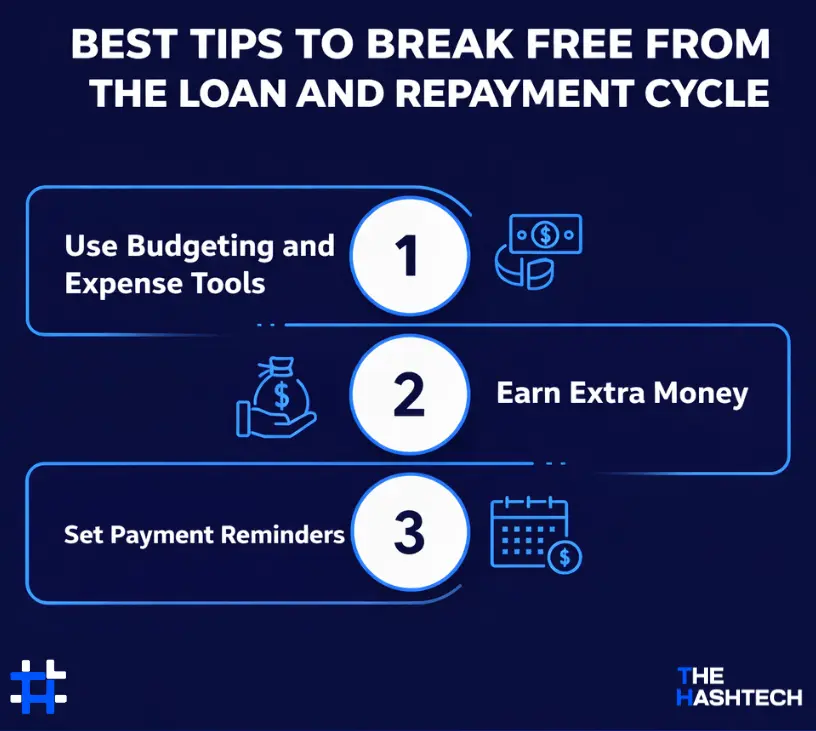
Paying back a cash advance can feel tough, especially when you have bills and other expenses coming up. Here are some simple tips to help you get out of the repayment cycle:
Use Budgeting and Expense Tools
Apps like Dave help you track spending and manage savings more easily. These tools are a great way to start building better money habits. They show where your money goes, help you set clear financial goals, and offer automatic saving features that make managing finances stress-free.
Earn Extra Money
Instead of depending on loans, you can use apps like Dave to find ways to make extra income. Many people earn more by freelancing, taking part-time work, or joining gig-based jobs.
For example, if you want to make money from video editing, you can use apps like CapCut to create great videos and earn on the side.
Set Payment Reminders
Staying on top of your repayments is important for good money management. Use reminders or alerts so you never miss a due date. Keeping track of payments helps you stay organized, avoid late fees, and reduce extra interest costs.
Cash Advance Apps vs. Payday Loans: Which is Better?
Cash advance apps like Dave and payday loans both give short-term loans that are usually paid back with your next paycheck. They are meant to help cover small, urgent expenses quickly.
The main difference is cost. Cash advance apps usually charge less than payday loans. Some apps may have a small monthly fee or a charge for fast transfers, but these are often much cheaper than the high interest and fees of payday loans.
If you need a small amount of money fast, a cash advance app is usually the better choice. Keep in mind that instant access may come with a small fee, and some apps require a monthly subscription.
If you need more money than the app allows say over $500 you might have to consider a payday loan. But be prepared for higher fees and interest.
Partner with Us to Create Apps Like Dave
Dave is just one option for managing financial emergencies. There are many other loan apps like Dave that can help people handle urgent money needs. Each app has unique features, but not every app will suit everyone. It’s important to understand the options and choose the one that meets your users’ needs.
If you want to create apps like Dave, working with the right experts is key. An app development company in New York can guide you through the entire process, from planning to launch. With skilled mobile app developers they can help you build a reliable, user-friendly financial app that stands out in the market.
Apps Like Dave FAQs
Q1. Are Cash Advance Apps Like Dave Safe?
The safety of cash advance apps like Dave depends on the app and how it handles security. Here are some key points to consider:
- Many apps use SSL encryption to protect your personal and financial information while it’s being transmitted.
- Trusted apps follow data protection rules and have strong measures to keep your information safe.
- Some apps include multi-factor authentication, adding an extra layer of security.
If you’re curious about security in other apps, check out our blogs on apps like Tinder or Omegle to learn about the tech and safety features they use.
Here are a few tips to make sure the apps you use are safe:
- Choose apps from well-known companies with good ratings and positive user reviews.
- Read app store reviews to understand other users’ experiences.
- Avoid apps that don’t clearly explain their fees.
- Keep an eye on your bank account and app activity for any suspicious transactions.
Q2. Are There Other Cash Advance Apps Like Dave?
Yes! There are many apps like Dave that provide small, short-term loans to help cover expenses until your next paycheck. Some popular alternatives include:
- PayActiv
- Even
- Albert
- Pocketly
- Big Buck Loans
- Heart Paydays
- Loan Solo
- Ingo
- PockBox
When picking a cash advance app, look for features that suit your needs, such as the maximum loan amount, fees, and extra financial tools that can make managing money easier.
Q3. Which Cash Advance App Lets You Get $100 Instantly?
Several cash advance apps let you borrow $100 or more, such as EarnIn, Brigit, Dave, and MoneyLion. Most of these apps may take 1–3 business days to transfer the money to your account.
If you need $100 immediately, you can consider credit card cash advances or payday loan apps like Dave. Keep in mind, these options can be expensive credit cards charge fees and high interest rates, while payday loans often come with very high fees.
If you’re looking for extra income instead of borrowing, you could try apps like Instacart or other part-time work apps to earn money on the side.
Q4. How Can I Get a $200 Loan Instantly?
There are several cash advance apps in 2025 that let you get a small loan quickly. Before applying, make sure to check the interest rates, fees, and loan terms. Some lenders do offer loans under $1,000, including credit unions, online lenders, payday lenders, and loan apps.
Some of the best cash advance apps in 2025 for getting a $200 loan instantly are:
- Empower
- Affirm
- Possible Finance
These apps can help you access money quickly, but always review the costs before borrowing.
Q5. How Do Cash Advance Apps Work?
Cash advance apps let you borrow money quickly from your account or linked credit. When you request a loan, you are borrowing a small amount, which usually must be paid back by your next paycheck.
The borrowed amount will appear on your account or credit statement, and interest often starts immediately. Cash advances usually have higher interest rates than regular purchases, and some apps may charge a small fee for using this service.
If you’re curious about creating a cash advance app, working with a top app development company can help guide you through the process. For insights on building other types of apps, like social media apps, check out our latest blogs for detailed guidance.